
VPN
L2TP
The L2TP Client feature on the T830 provides the device with convenient Layer 2 Tunneling Protocol dial-up capabilities. It allows administrators to quickly configure remote server addresses, account credentials, and remarks via the "Add" button, enabling the T830 to establish low-cost, highly compatible VPN tunnels and secure data connections with remote corporate intranets. Administrators can intuitively view connection statuses and assigned IP addresses through the list, and achieve flexible connection control with options to enable, disable, or delete rules.
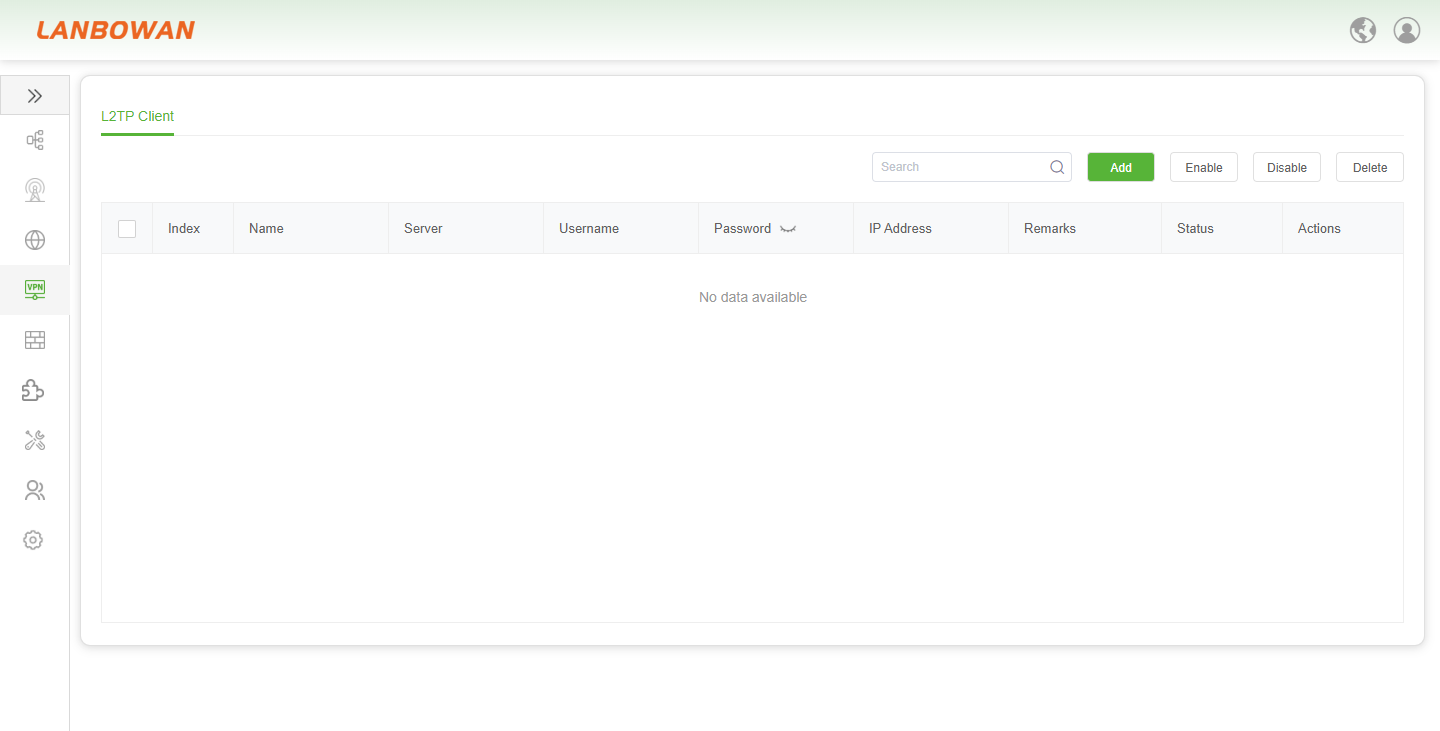
Add L2TP Client
The "Add L2TP Client" pop-up window on the T830 provides network administrators with a comprehensive interface for creating VPN tunnels. It supports custom rule names and precise entry of remote server addresses, authentication usernames, and passwords. Additionally, it allows advanced configuration of MTU and MRU packet sizes, as well as auto-redial intervals. This enables the rapid establishment of secure and stable L2TP dial-up connections, facilitating seamless access and efficient management between the device and remote intranets.
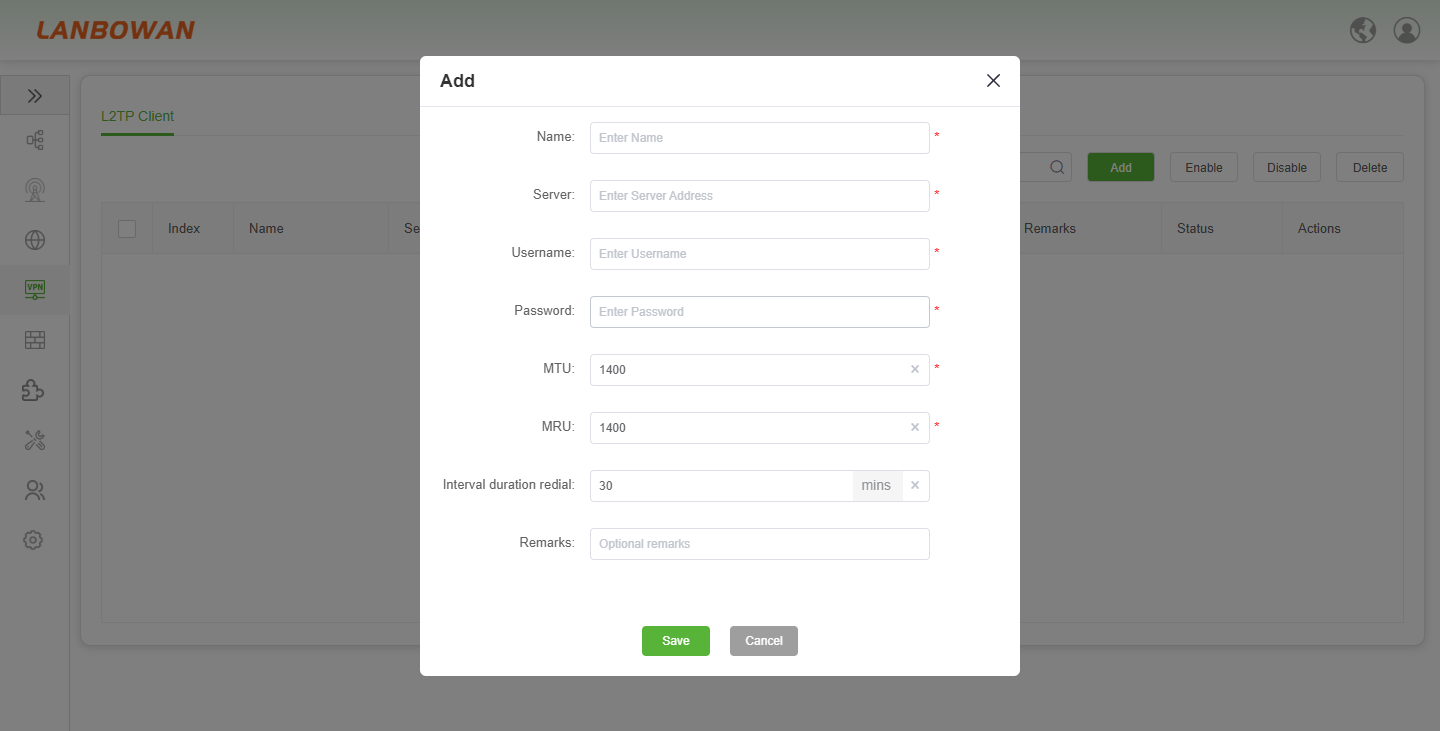
Parameter Description:
| Parameter | Description |
|---|---|
| Name | A custom label for the L2TP client connection rule, used to identify the specific VPN tunnel for easy management and subsequent maintenance. |
| Server | The public IP address or domain name of the remote L2TP VPN server that the T830 will attempt to connect to. |
| Username | The account name required for authenticating the L2TP connection to the remote server. |
| Password | The corresponding password credential used alongside the username to establish the secure VPN tunnel. |
| MTU | Maximum Transmission Unit, defining the largest packet size (default 1400 bytes) that can be sent over the L2TP tunnel to optimize data transmission efficiency. |
| MRU | Maximum Receive Unit, specifying the largest packet size (default 1400 bytes) the client can accept from the peer, ensuring consistent communication parameters. |
| Interval duration redial | The waiting period (in minutes, default 30 mins) before the T830 automatically attempts to re-establish the connection if the L2TP link is disconnected. |
| Remarks | Optional descriptive notes or comments added by the administrator to provide additional context or annotations for the specific connection rule. |
PPTP
The PPTP Client feature on the T830 provides the device with VPN dial-up access capabilities based on Point-to-Point Tunneling Protocol. It allows administrators to quickly configure remote server addresses, account credentials, and remarks via the "Add" button, enabling low-cost and easy-to-deploy secure connections with corporate or remote networks. Administrators can intuitively view connection statuses and assigned IP addresses through the list, and achieve efficient VPN connection control with options to enable, disable, or delete rules.
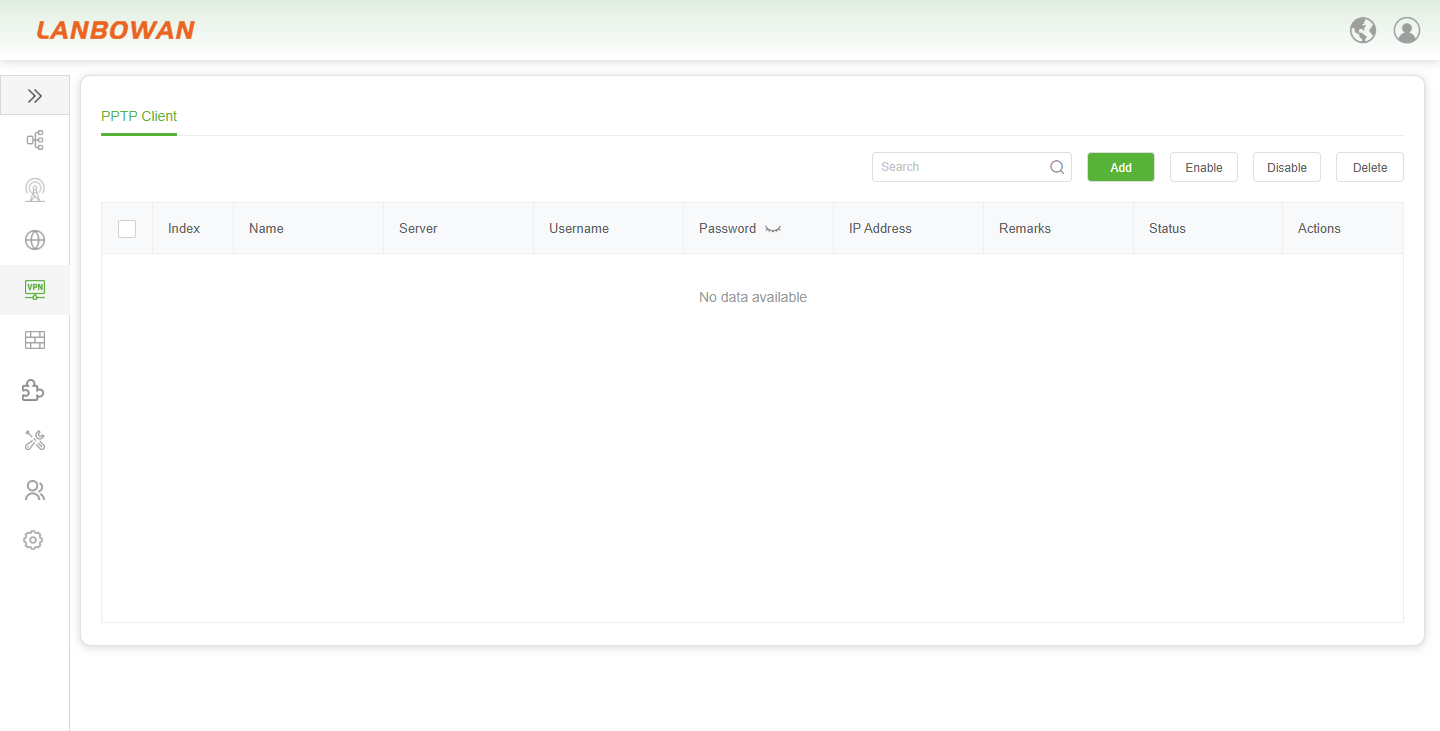
Parameter Description:
| Parameter | Description |
|---|---|
| Name | A custom label for the PPTP client connection rule, used to identify the specific VPN tunnel for easy management and subsequent maintenance. |
| Server | The public IP address or domain name of the remote PPTP VPN server that the T830 will attempt to connect to. |
| Username | The account name required for authenticating the PPTP connection to the remote server. |
| Password | The corresponding password credential used alongside the username to establish the secure VPN tunnel. |
| MTU | Maximum Transmission Unit, defining the largest packet size (default 1400 bytes) that can be sent over the PPTP tunnel to optimize data transmission efficiency. |
| MRU | Maximum Receive Unit, specifying the largest packet size (default 1400 bytes) the client can accept from the peer, ensuring consistent communication parameters. |
| Interval duration redial | The waiting period (in minutes, default 30 mins) before the T830 automatically attempts to re-establish the connection if the PPTP link is disconnected. |
| Remarks | Optional descriptive notes or comments added by the administrator to provide additional context or annotations for the specific connection rule. |
OpenVPN
The OpenVPN Client feature on the T830 provides the device with secure VPN dial-up access capabilities based on SSL. It allows administrators to flexibly configure parameters such as remote server addresses, domains, ports, communication protocols, and device types via the "Add" button, enabling highly secure and compatible encrypted connections with corporate or remote networks. Administrators can intuitively view connection statuses through the list, and achieve efficient VPN connection lifecycle management with options to enable, disable, or delete rules.
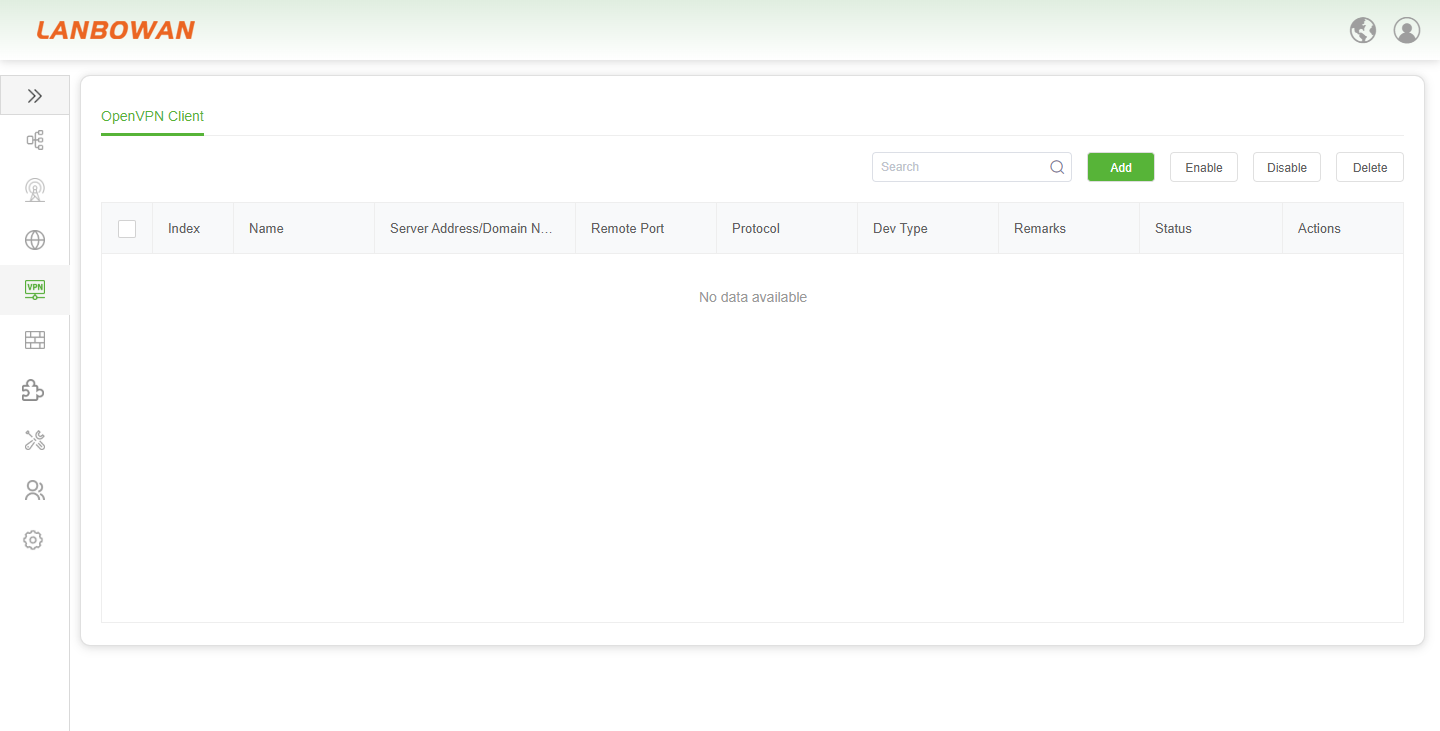
Add OpenVPN Client
The "Add OpenVPN Client" pop-up window on the T830 provides network administrators with a comprehensive configuration interface for SSL VPN tunnels. It supports custom rule names, input of remote server domains or IP addresses, port numbers, account credentials, and CA certificates. It also allows flexible selection of UDP/TCP communication protocols and device types (tun/tap), along with MTU settings to optimize data transmission efficiency. This enables the rapid establishment of highly secure encrypted dial-up connections, facilitating stable and seamless access between the device and remote corporate intranets.
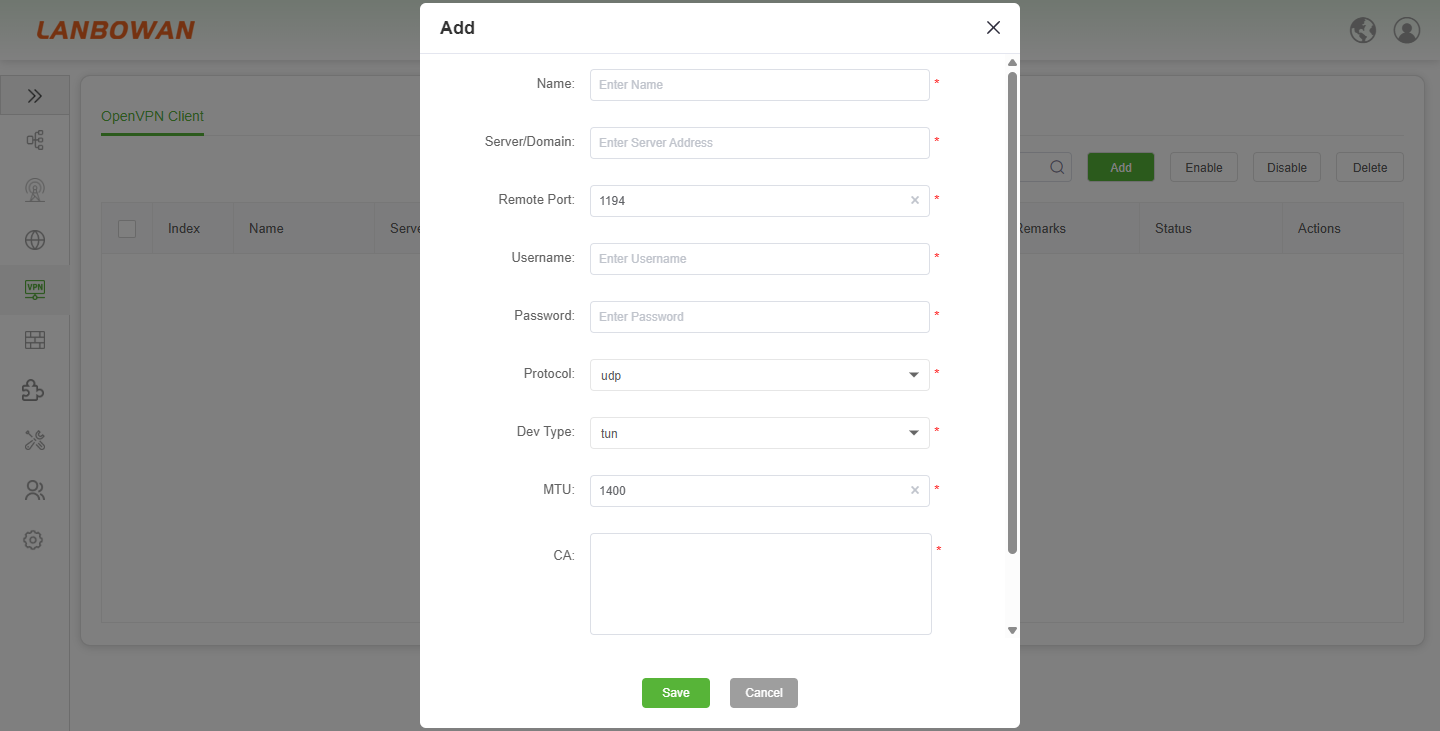
Parameter Description:
| Parameter | Description |
|---|---|
| Name | A custom label for the OpenVPN client connection rule, used to identify and distinguish specific VPN tunnels for easy management. |
| Server/Domain | The public IP address or domain name of the remote OpenVPN server that the T830 will connect to. |
| Remote Port | The listening port number of the remote OpenVPN server (default is 1194) for establishing the connection. |
| Username | The account name required for authenticating the OpenVPN connection to the remote server. |
| Password | The corresponding password credential used alongside the username to establish the secure VPN tunnel. |
| Protocol | The transport layer protocol used for the VPN connection, supporting UDP or TCP (default is udp). |
| Dev Type | The device type for the VPN interface, typically selecting tun (layer 3 routing mode) or tap (layer 2 bridging mode). |
| MTU | Maximum Transmission Unit, defining the largest packet size (default 1400 bytes) for the VPN interface to optimize network performance. |
| CA | The Certificate Authority certificate content required to verify the identity of the remote OpenVPN server and ensure connection security. |