
Search...
Menu
How to configure WatchDog
- Log in to the software management page using a web browser. The default management IP address of the bridge is 192.168.1.2, and the default login password is admin.

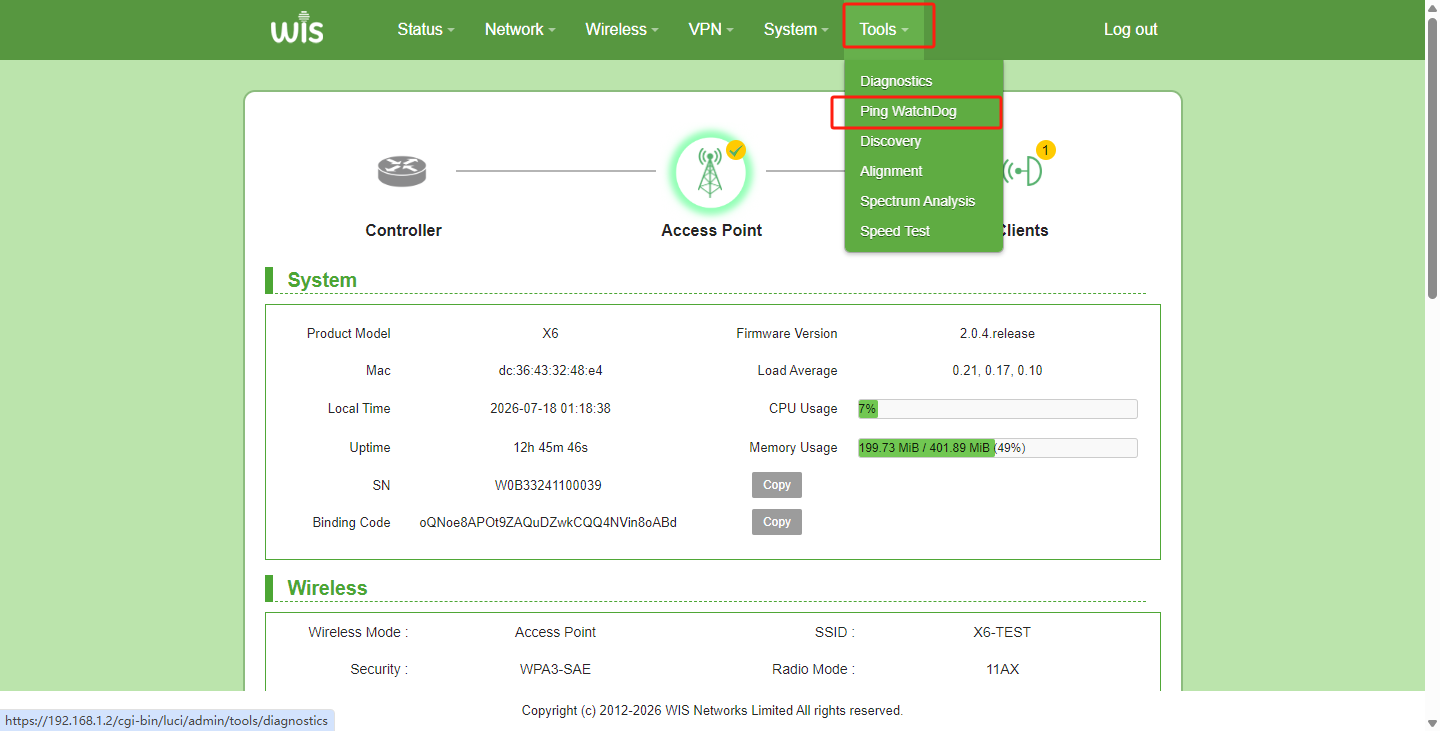
- Hover the mouse over the "Tools" menu and click on "Ping WatchDog".
- Enable WatchDog and configure the parameters.
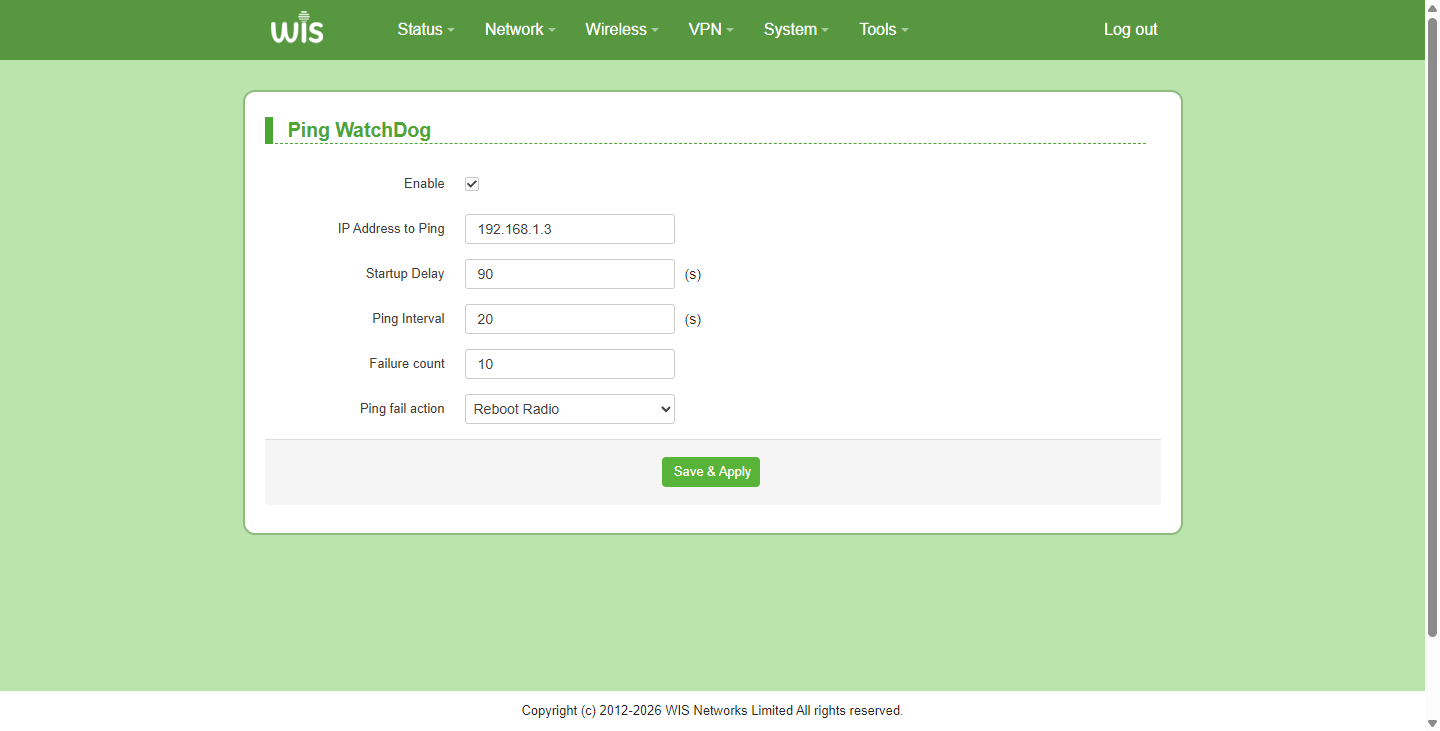
Parameter Descriptions:
| Parameter | Description |
|---|---|
| Enable | Enable or disable the ping watchdog feature. |
| IP Address to Ping | Target IP address for the ping detection operation. |
| Startup Delay | Startup delay time before pinging initiates, in seconds. |
| Ping Interval | Time interval between each ping request, in seconds. |
| Failure count | Threshold of consecutive ping failures before triggering the fail action. |
| Ping fail action | Action triggered upon reaching the failure threshold. Support selectable: Restart wireless, Reboot Radio. |
Previous
How to increase the LOG cache
Next
Router Management IP Address
Last modified: 2026-09-08