
Search...
Menu
How to Use Scheduled Tasks
Scheduled Reboot
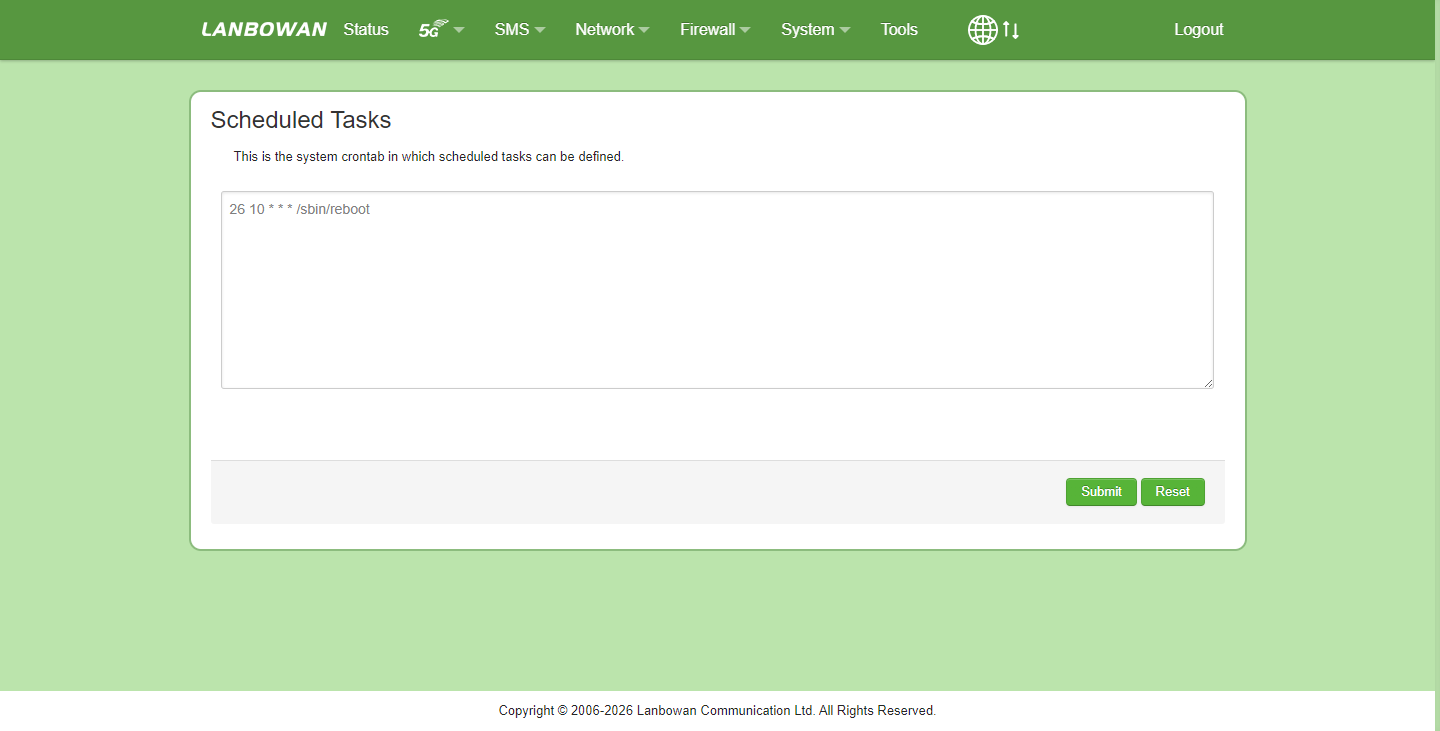
This procedure guides you through configuring the Scheduled Tasks feature on the 5G CPE Web GUI to automate a daily device reboot. The example below sets the device to reboot automatically at 10:26 AM every day.
Step-by-Step Instructions
- Log in to the Web Management Interface and navigate to the Scheduled Tasks configuration page.
- In the command text area, enter the following Crontab directive:
- 26 10 * * * /sbin/reboot
- Click Submit at the lower right of the page to save the configuration.
- Upon successful activation, the system will automatically execute a soft reboot at 10:26 daily without manual intervention.
Crontab Entry Field Reference Table
| Crontab Field | value | Description |
|---|---|---|
| Minute | 26 | Specifies the minute when the task executes; set to 26 for the 26th minute of the hour. |
| Hour | 10 | Specifies the hour in 24-hour format; set to 10 for 10 AM. |
| Day of Month | * | Wildcard character indicating every day of the month. |
| Month | * | Wildcard character indicating every month of the year. |
| Day of Week | * | Wildcard character indicating every day of the week (Sunday through Saturday). |
| Command | /sbin/reboot | The absolute path to the system reboot binary, forcing the device to perform a soft restart. |
Common Customization Examples
To modify the reboot time, replace only the first two numeric values while keeping * * * /sbin/reboot unchanged:
- Daily at 3:00 AM: 0 3 * * * /sbin/reboot
- Daily at 11:30 PM: 30 23 * * * /sbin/reboot
- Every hour at minute 5: 5 * * * * /sbin/reboot
Important Notes:
- Ensure the device system time and timezone are configured correctly; otherwise, the task may trigger based on UTC.
- Scheduled reboot causes temporary network downtime; configure during off-peak hours.
- Confirm persistence by checking /etc/crontabs/root or using crontab -l after submission.
Previous
FAQs
Next
How to setup vlan
Last modified: 2026-08-20