System
System
System
The Hostname configuration feature of the T830 provides network administrators with intuitive device identity management. It allows customizing or modifying the T830's alias on the network via a single-line text input box (such as "ODU8" in the example), and supports one-click clearing of the input content. This enables rapid device identification and convenient management in large-scale network environments, thereby enhancing overall operational efficiency.

Web Server
The Web Server configuration feature of the T830 provides network administrators with a flexible and secure device management access method. It supports enabling SSL/TLS encrypted secure access protocols by checking "Secure Connection (HTTPS)" to ensure data transmission security, and allows customization of the HTTPS secure port (default 443) and the HTTP standard port (default 80). This enables precise access control and port protection for the device's Web management interface while meeting security policies in various network environments.

Logging
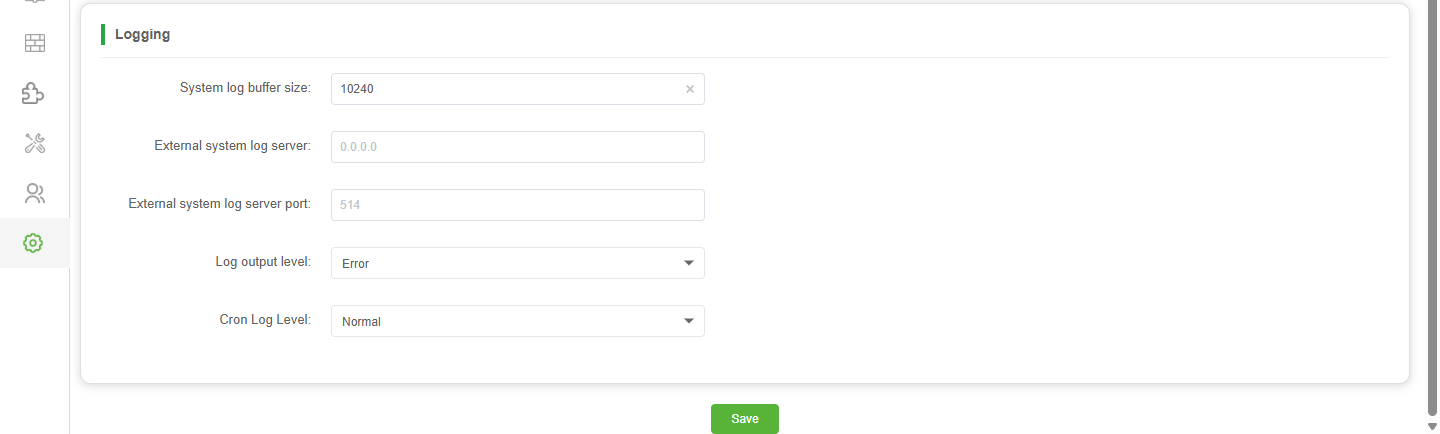
The Logging feature of the T830 provides network administrators with comprehensive support for system operations auditing and fault diagnosis. It supports customizing the system log buffer size to optimize local storage performance, and allows configuring an external system log server IP and port (default 514) for centralized remote log archiving and analysis. Additionally, it offers dropdown menus to flexibly set the global log output level (e.g., Error) and the Cron log level (e.g., Normal), thereby precisely controlling log verbosity to meet network security management and compliance review requirements in various scenarios.
Parameter Description:
| Parameter | Description |
|---|---|
| System log buffer size | Defines the maximum capacity (in bytes) allocated for storing system logs in the device's local memory, ensuring critical events are retained before they are overwritten. |
| External system log server | Specifies the IP address of the remote server (e.g., 0.0.0.0 if disabled) used for centralized log storage and analysis, facilitating off-device auditing and compliance. |
| External system log server port | Sets the network port number (default is 514 for standard syslog) on the external server to which the T830 sends log data, ensuring proper data routing. |
| Log output level | Filters the verbosity of system logs generated by the T830. Supports levels including Debug, Info, Notice, Warning, and Error, allowing administrators to capture detailed diagnostics or only critical faults. |
| Cron log level | Determines the detail level for logs related to scheduled tasks (Cron jobs) on the T830. Supports Normal and Debug modes to help troubleshoot automation scripts or routine operations. |
Time Settings
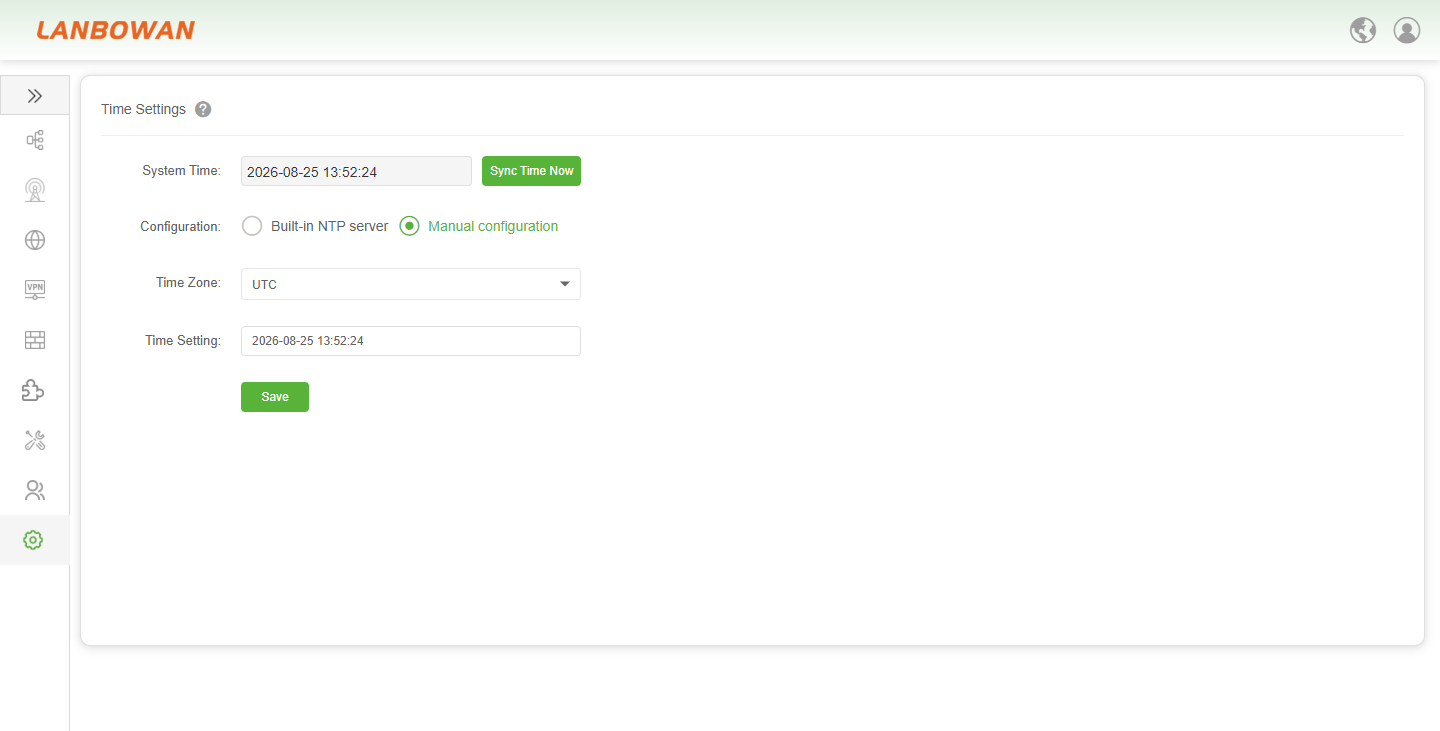
The Time Settings feature of the T830 provides network administrators with a precise and flexible system time management solution. It supports real-time viewing of the current system time and one-click immediate synchronization. It also offers two modes: "Built-in NTP server" and "Manual configuration". In automatic mode, administrators can customize the time zone (e.g., UTC) and flexibly add, delete, or reorder multiple global and private NTP server addresses (e.g., time.cloud.tencent.com) to ensure high availability of the time source; in manual mode, time can be set independently. This guarantees the accuracy and security of core functions such as device logging, certificate validation, and scheduled tasks.
Parameter Description:
| Parameter | Description |
|---|---|
| Built-in NTP server | Enables the T830 to automatically synchronize its system time with public or predefined Network Time Protocol (NTP) servers. This mode ensures highly accurate and maintenance-free timekeeping, which is essential for consistent log timestamps, certificate validity checks, and scheduled task execution. |
| Manual configuration | Allows administrators to manually set and maintain the system time on the T830 without relying on external network time sources. This mode is particularly useful for isolated network environments or specific testing scenarios where external NTP server access is unavailable or restricted. |
Password
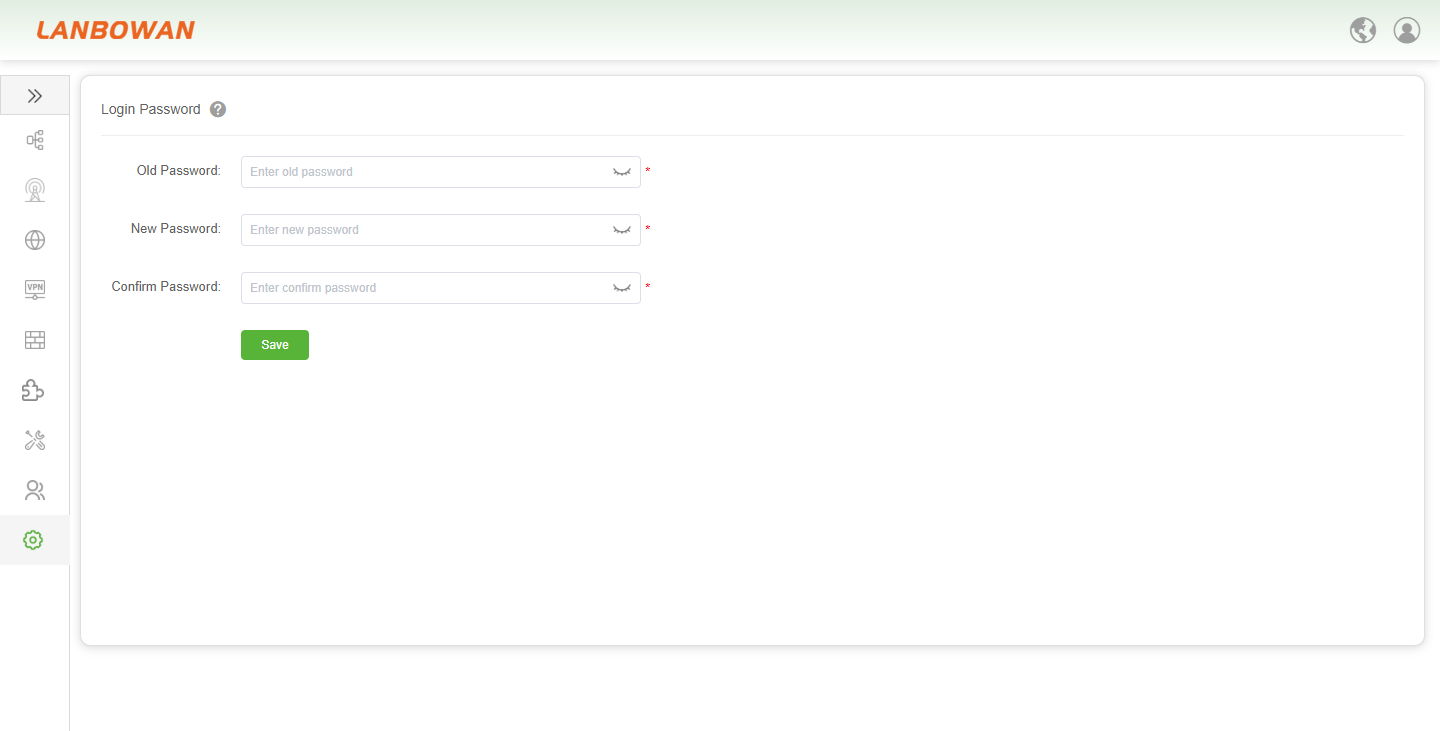
The Login Password management feature of the T830 provides core identity authentication and access control security for the device. It requires administrators to enter the correct old password to verify their current identity when changing the password, and to set a new password and a confirmation password that meet the requirements, ensuring they match to ensure they are exactly the same, effectively preventing misoperation or unauthorized tampering. Finally, clicking the "save" button completes the credential update, fully protecting the device's Web management interface from the risk of unauthorized access.
Upgrade
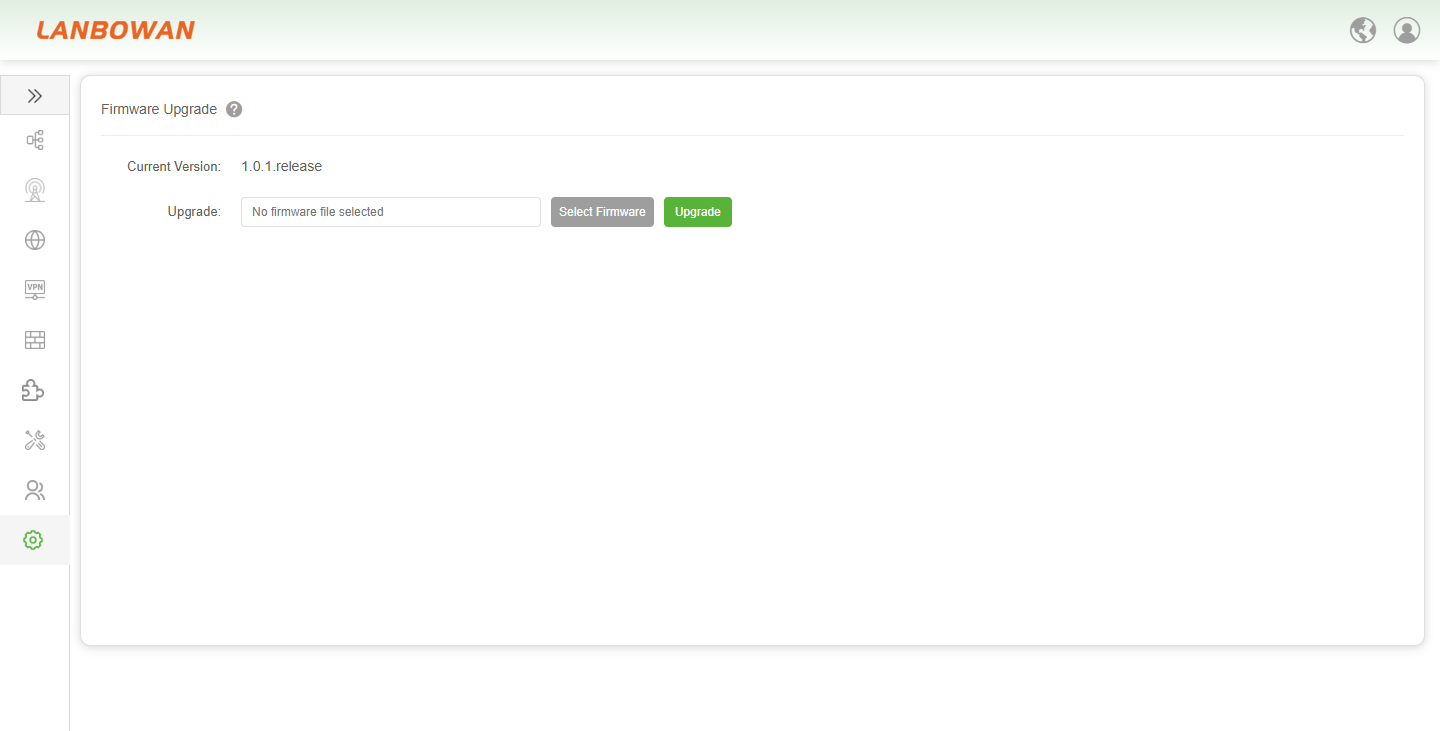
The Firmware Upgrade feature of the T830 provides network administrators with a convenient solution for device software lifecycle management. The interface intuitively displays the currently running firmware version (e.g., 1.0.1.release) and allows uploading the latest firmware package locally via the "Select Firmware" button. After the upload, click "Upgrade" to update the system safely and efficiently, helping to promptly fix potential vulnerabilities, optimize device performance, and unlock new features, ensuring that the network infrastructure always operates in an optimal and secure state.
Backup And Restore
Reset
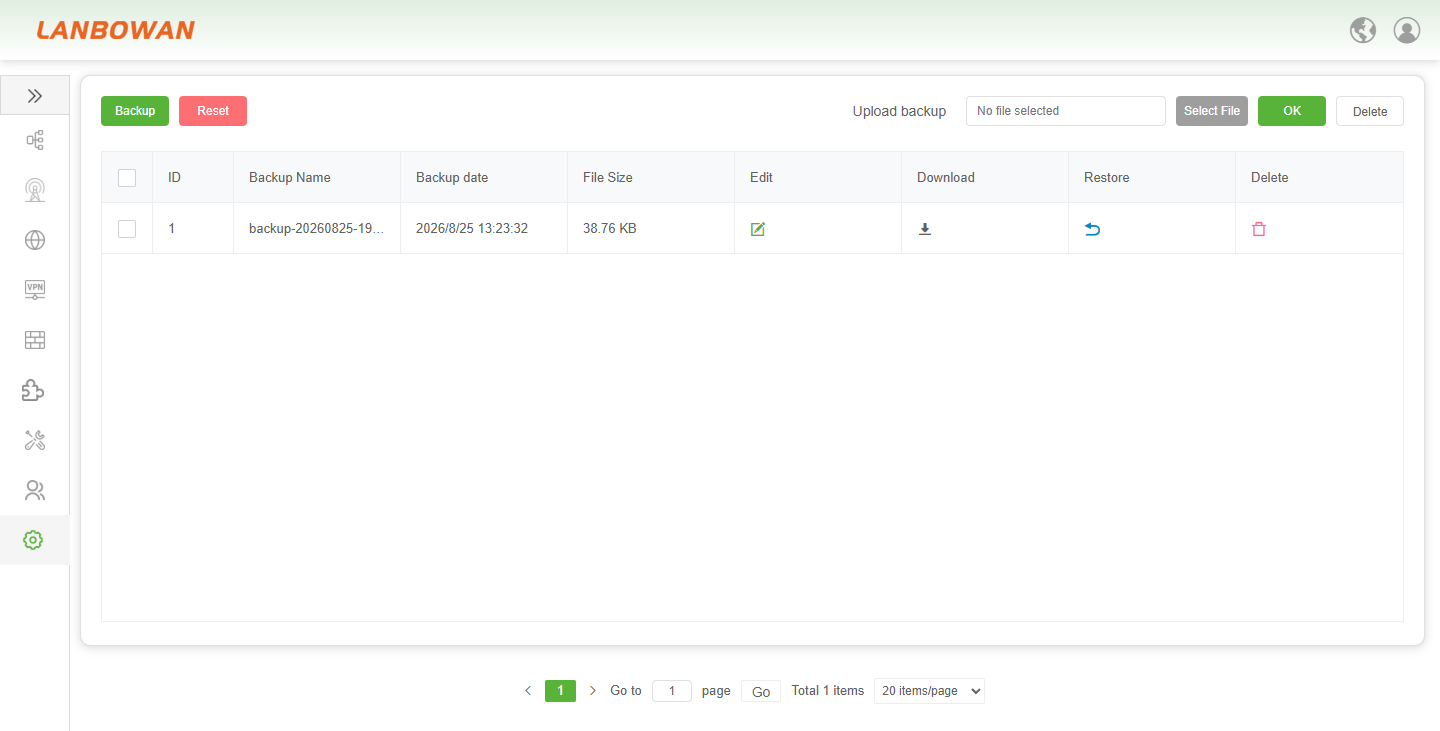
The Reset feature of the T830 provides network administrators with an effective means to quickly restore the device to its initial state. The system usually requires secondary confirmation before executing the irreversible factory reset. This operation will clear all user-defined configuration parameters, account credentials, and network settings with one click and restart the device, returning it to its factory-default state. This greatly facilitates fault diagnosis, configuration recovery, or recommissioning or redeployment of the device before deployment.
Backup
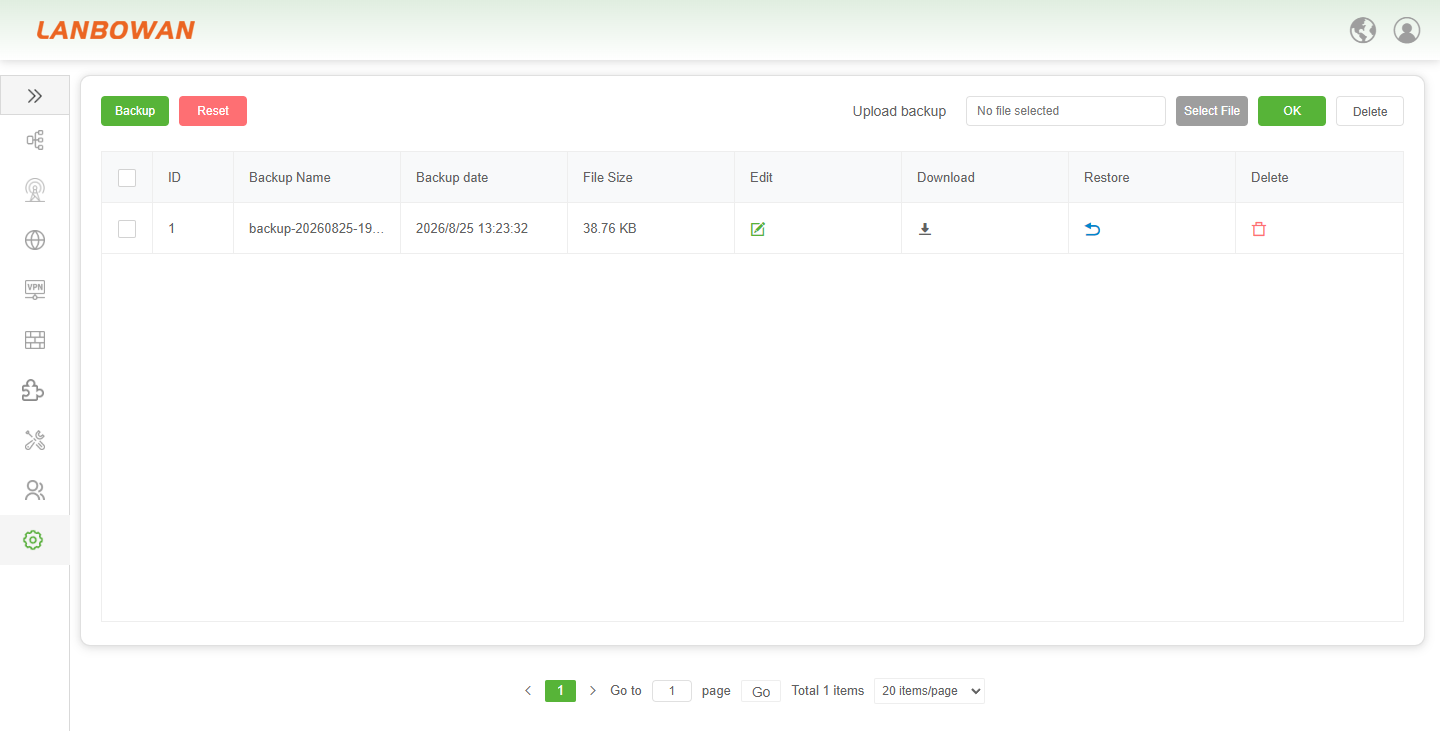
The Backup (Backup and Restore) feature of the T830 provides network administrators with a comprehensive configuration management and disaster recovery solution. It supports one-click generation of current system configuration file archives and clearly records the backup name, time, and file size. Simultaneously, it allows intuitive management of historical backup records through a list, offering refined operations such as editing remarks, downloading to local storage, uploading backup files for restoration (Restore), and single or batch deletion. This enables rapid rollback to a stable state in case of configuration errors or system anomalies, fully guaranteeing the security and continuity of network services.
Parameter Description:
| Parameter | Description |
|---|---|
| ID | A unique sequential identifier automatically assigned to each backup record, used for quick reference and batch management operations such as multi-selection for deletion. |
| Backup Name | The custom or system-generated name of the configuration file (e.g., including the date and time of the backup), which helps administrators identify the specific version or purpose of the backup. |
| Backup date | The specific date and time when the configuration backup was created and saved on the T830, providing a precise timeline for tracking changes and restoring previous states. |
| File Size | The storage footprint of the backup configuration file (e.g., in KB), which indicates the complexity of the current configuration and helps manage local storage resources. |
| Edit | An action option that allows administrators to modify the name or remarks of an existing backup record without altering the actual configuration data, making it easier to organize and annotate backups. |
| Download | Enables exporting the selected backup configuration file from the T830 to a local computer or external storage, serving as an offline safeguard against data loss. |
| Restore | The process of importing and applying the settings from a selected backup file to the T830, allowing the device to quickly revert to a previously saved stable configuration state. |
| Delete | Removes the selected backup record and its corresponding configuration file from the T830's storage to free up space or eliminate outdated or unnecessary backups. |
Reboot
Perform Reboot
The Perform reboot feature of the T830 provides network administrators with a convenient software-level restart management tool. When applying critical configuration changes, performing system updates, or encountering operational anomalies, administrators can safely trigger the service reload and system restart process by clicking this button, ensuring that new settings take effect and quickly restoring the device to a stable network connection state.

Scheduled Reboot
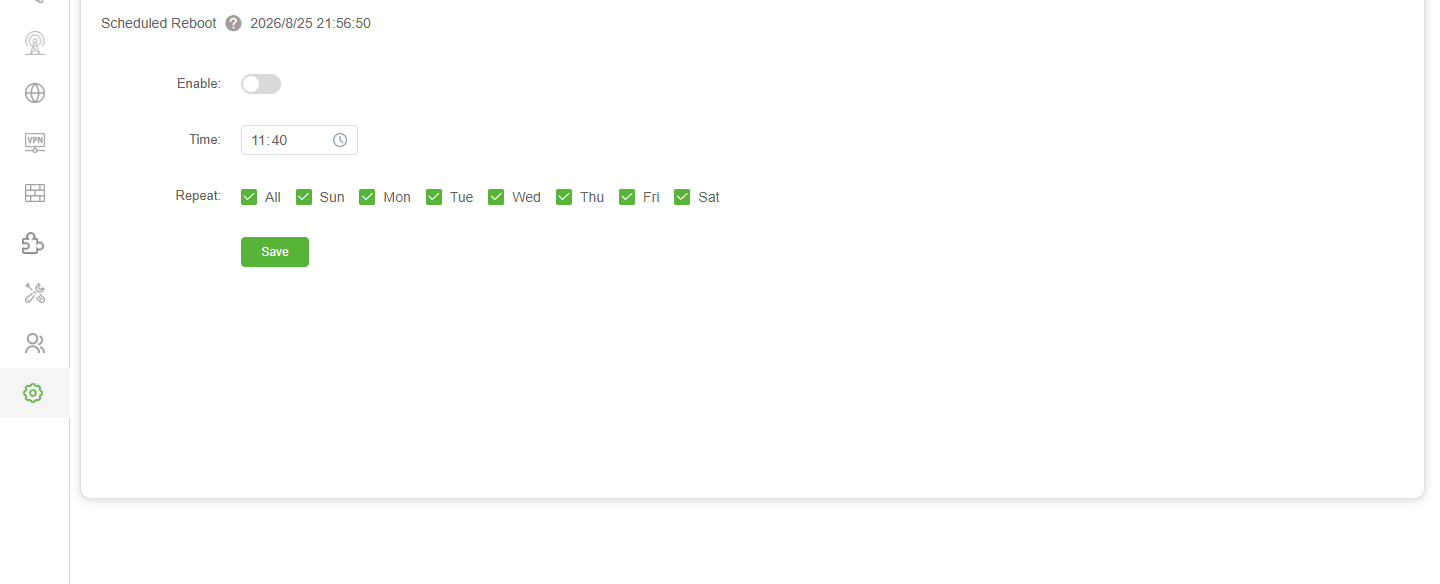
The Scheduled Reboot feature of the T830 provides network administrators with an efficient automated device operation and maintenance management solution. It allows flexible setting of specific reboot times and repeat cycles (supporting custom selection of weekdays or selecting all for daily execution) via an enable switch, thereby automatically releasing system resources, clearing caches, and optimizing operational performance during off-peak business hours. This effectively reduces manual intervention and ensures that the network infrastructure maintains an optimal and stable connection state in the long term.