
Search...
Menu
Docker
-
Docker transforms a dedicated routing system into a comprehensive platform capable of running multiple services simultaneously. It essentially allows your router to function as a lightweight home server.
-
Docker containers are lightweight, fast to start, and isolated from each other, making them ideal for running various microservices on resource-constrained embedded devices.
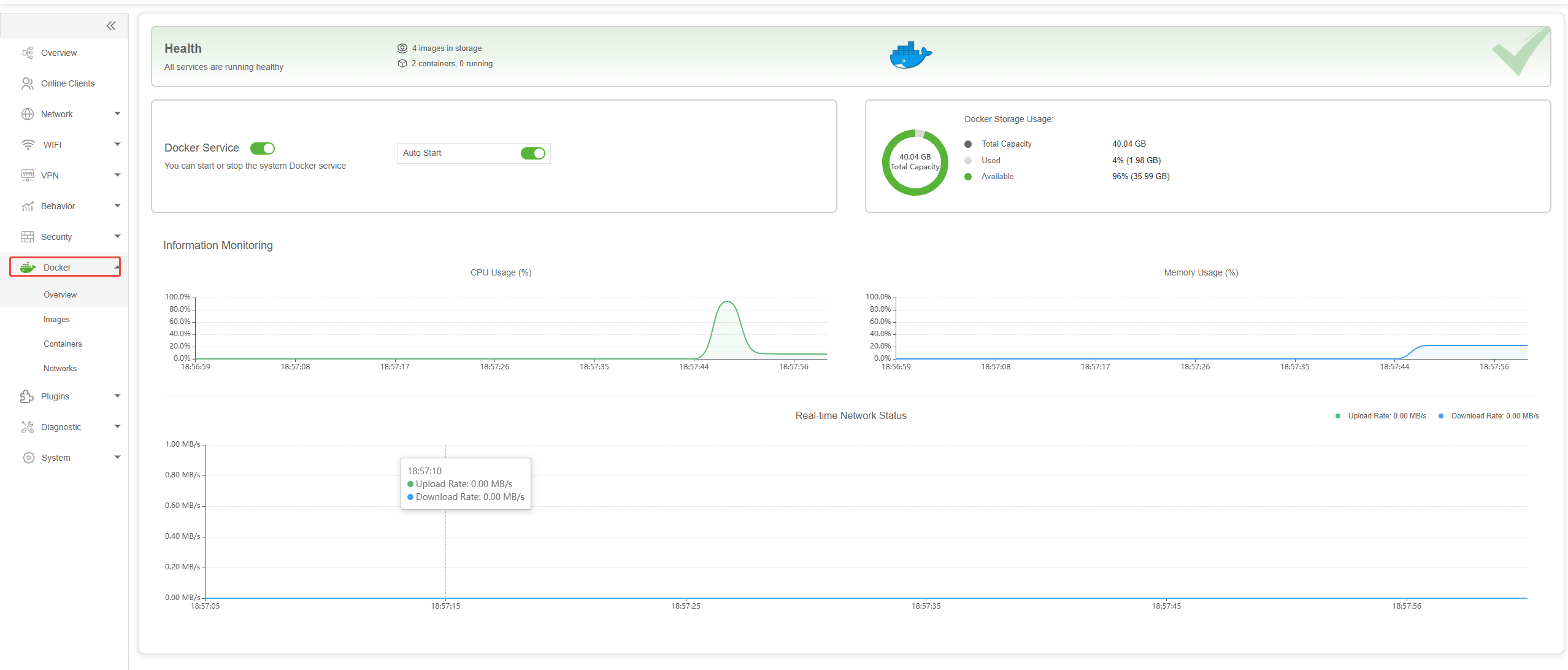
- How to create a container
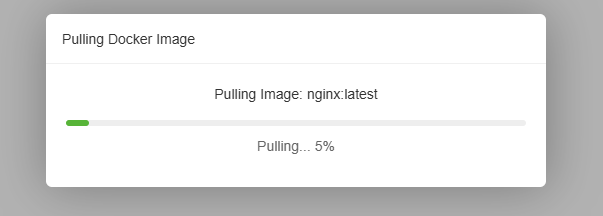
- Click on Image to enter, then click Pull and enter the image name in the pop-up input box (e.g. nginx:latest),Last click Pull directly to start download the image.
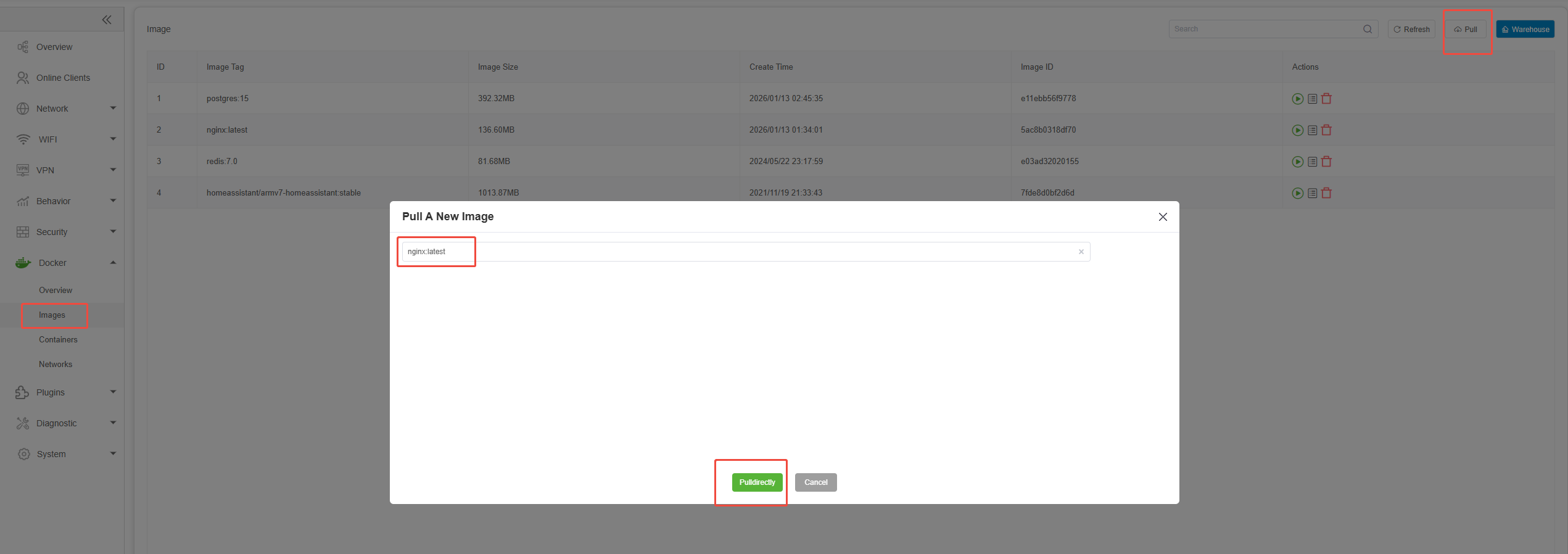
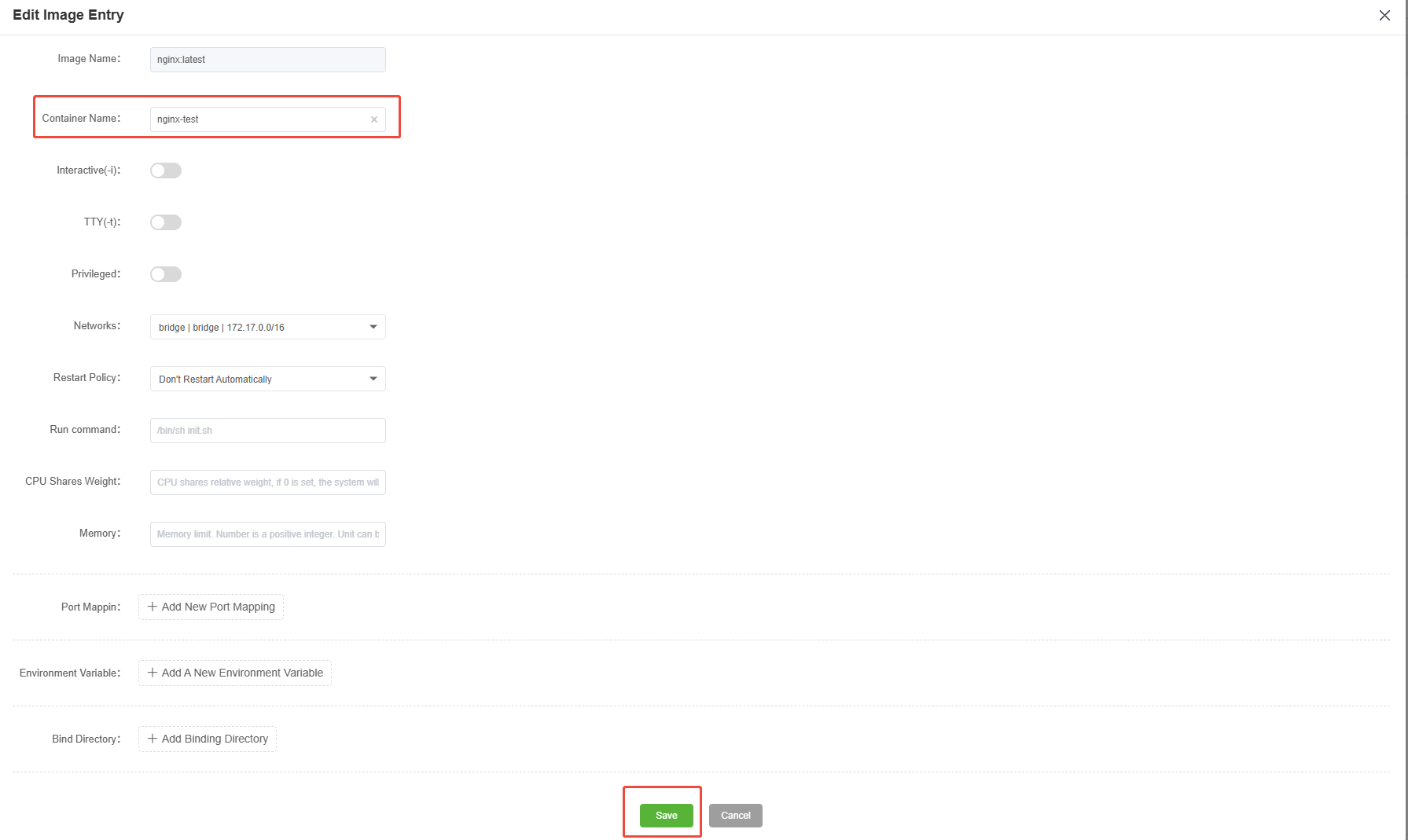
- After the download is complete, click on action to start creating the container.

- Enter the container name and click Save to complete the creation of the container.
-
Click on the container to enter, then click on the action to start the container.
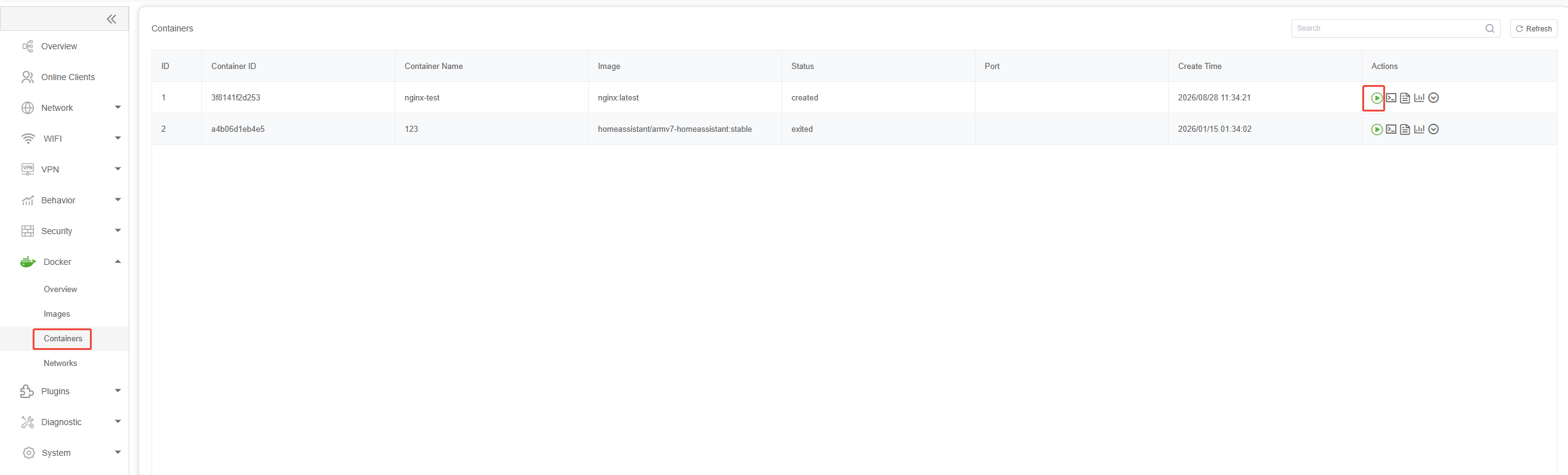
-
The container is already running, you can now click on the action icon to view detailed information.

Previous
Security
Next
Plugins
Last modified: 2026-09-07