
Security
ACL Rules
The ACL Rules (Access Control List) feature on the T830 provides network administrators with a refined traffic security control mechanism. It supports flexible configuration of source/destination IP addresses, port numbers, and communication protocols within up to 50 rules, executing allow or deny forwarding actions. This efficiently achieves network boundary protection, sensitive service isolation, and precise interception or permission of specific application traffic.
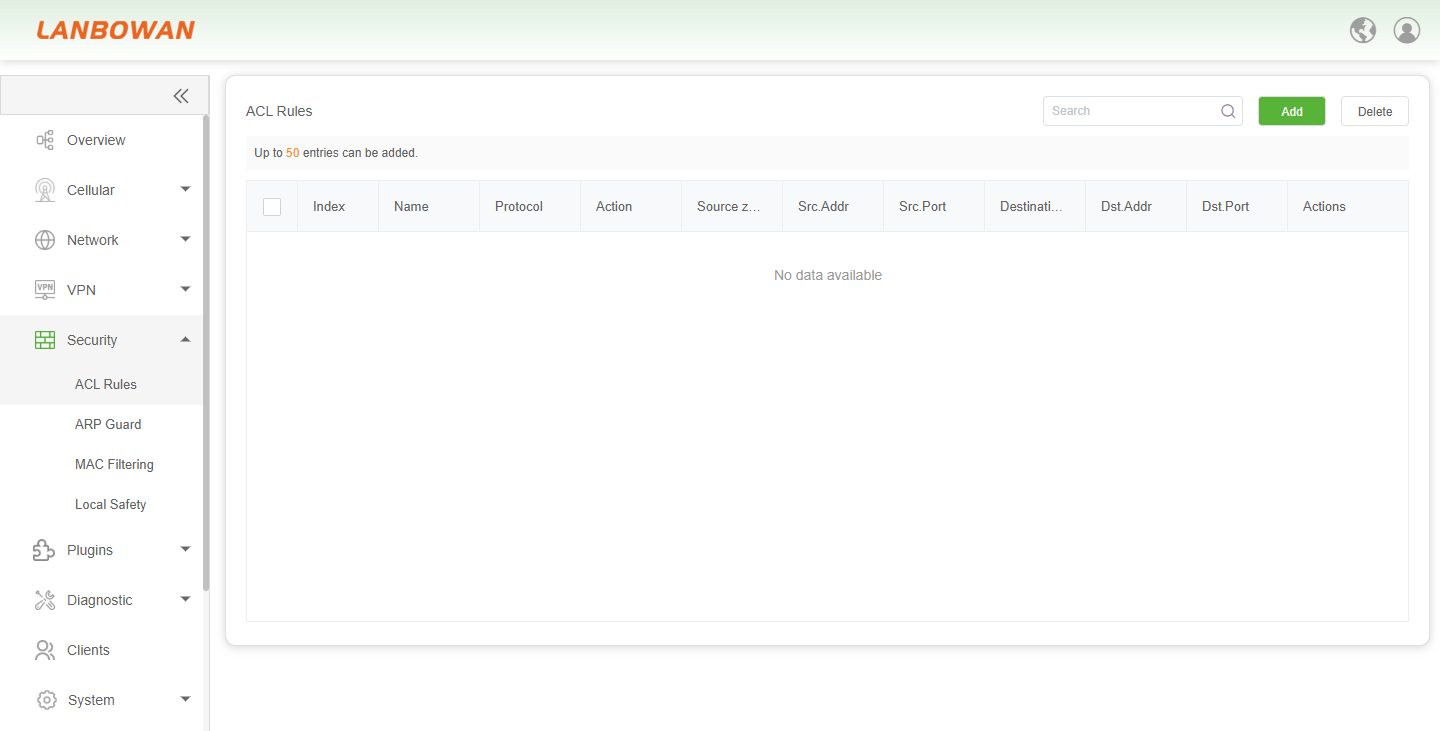
Add ACL Rules
The "Add ACL Rules" pop-up window on the T830 provides network administrators with an intuitive and flexible configuration interface for access control. It supports custom rule names, allowing users to select communication protocols (e.g., All), forwarding actions (Accept or Deny), source and destination security zones (e.g., any, input), and accurately input source/destination IP addresses. This enables refined security filtering and permission control over the device itself or forwarded traffic, effectively defending against network threats and ensuring the secure and stable operation of intranet services.
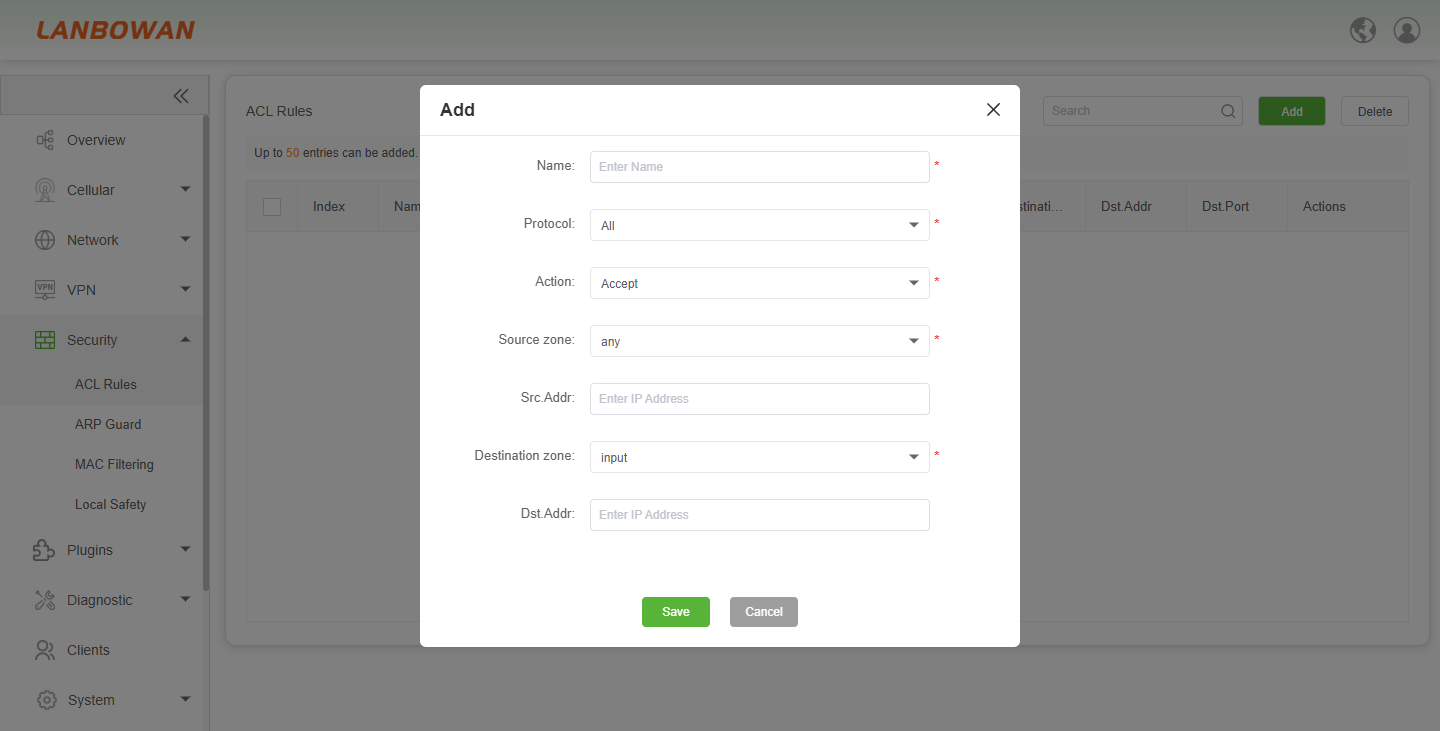
Parameter Description:
| Parameter | Description |
|---|---|
| Name | A custom label for the ACL rule, used to identify and distinguish specific access control policies for easy management and maintenance. |
| Protocol | The specific network protocol targeted by the rule, with options including All, TCP, UDP, ICMP, etc., to define the type of traffic. |
| Action | The disposition of packets that match the rule conditions, typically set to Accept (allow) or Deny (block). |
| Source zone | The security zone from which the traffic originates, such as LAN, WAN, or any, defining the entry point of the data flow. |
| Src.Addr | The specific source IP address or subnet range for the traffic; leaving it empty or entering 'any' typically represents all source addresses. |
| Destination zone | The security zone where the traffic is headed, such as input (local device), LAN, or WAN, defining the target area of the data flow. |
| Dst.Addr | The specific destination IP address or subnet range for the traffic; leaving it empty or entering 'any' typically represents all destination addresses. |
ARP Guard
The ARP Guard feature on the T830 effectively prevents ARP spoofing and man-in-the-middle attacks by enabling IP-MAC address binding, ensuring that only authorized terminal devices can securely access the network and the Internet. Administrators can flexibly configure up to 256 binding rules within the system, supporting single addition, batch binding, and deletion operations, thereby achieving refined security control and traceability at the intranet access layer.
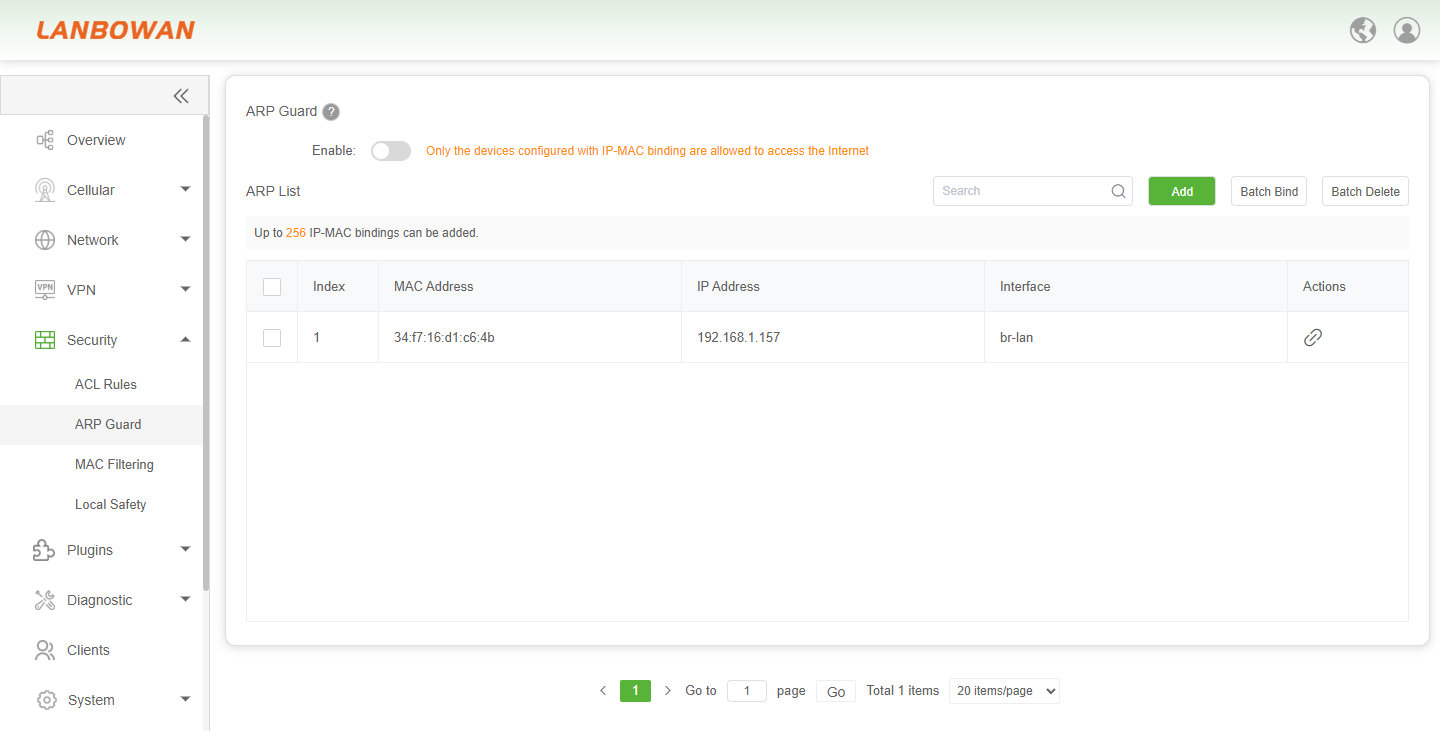
Parameter Description:
| Parameter | Description |
|---|---|
| Index | The sequence number automatically assigned to each IP-MAC binding entry in the ARP List, used for ordering and quick identification of the rule. |
| MAC Address | The unique physical hardware address of the network interface card of the device, serving as a key identifier for endpoint authentication. |
| IP Address | The logical Internet Protocol address assigned to the device, which is bound to the specific MAC address to prevent address spoofing. |
| Interface | The specific local network interface (e.g., br-lan) through which the device connects to the T830, defining the scope of the binding rule. |
| Actions | Operational buttons providing functions such as editing or deleting the specific IP-MAC binding entry. |
MAC Filtering
The MAC Filtering feature on the T830 provides network administrators with a flexible access layer security control mechanism. It supports rejecting specific terminals by selecting the BlackList mode, or allowing only authorized terminals to access the network by selecting the WhiteList mode. With support for configuring up to 80 filtering rules, it efficiently achieves precise admission control for intranet devices and intercepts unauthorized terminals.
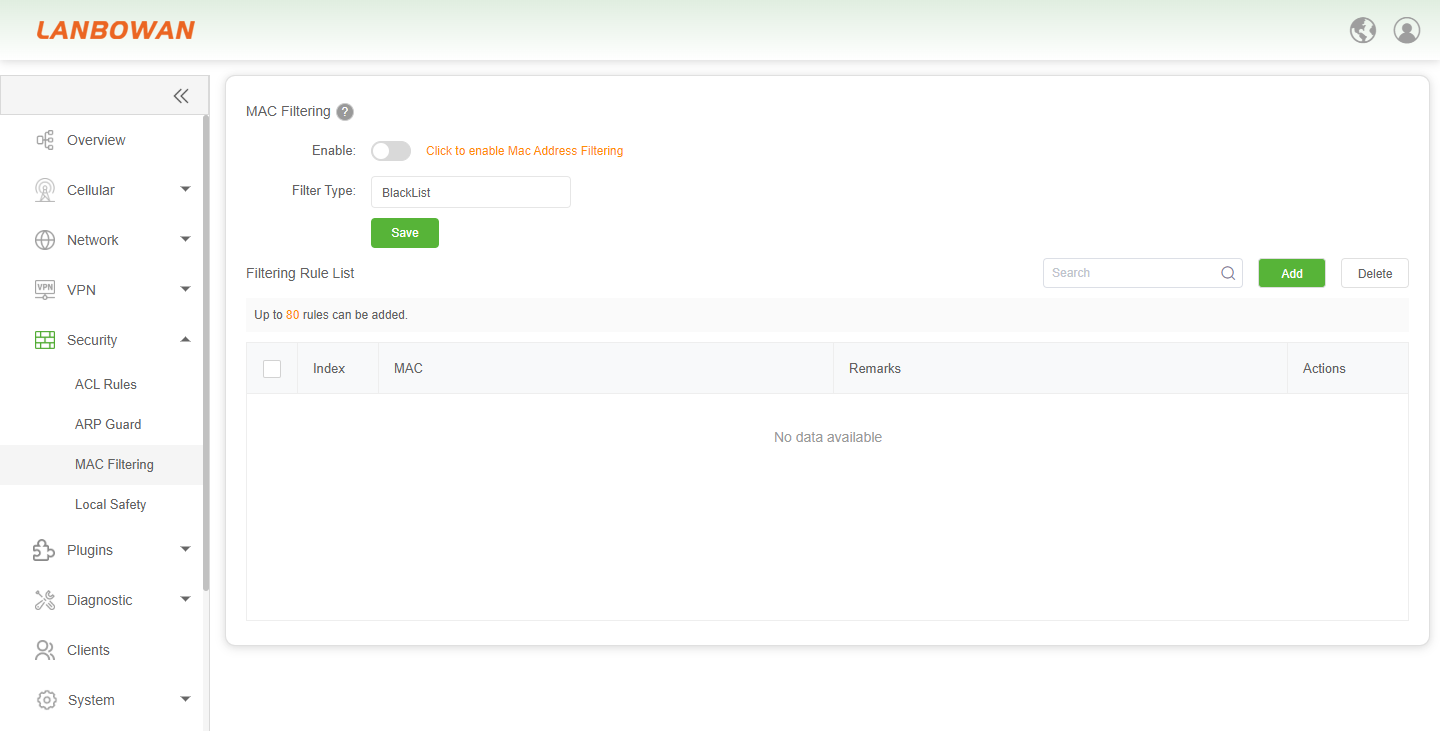
Parameter Description:
| Parameter | Description |
|---|---|
| BlackList | A filtering mode that blocks access for specifically listed MAC addresses while allowing all other unlisted devices to connect to the network freely. |
| WhiteList | A filtering mode that exclusively permits access only for the listed MAC addresses, automatically denying access to all other unlisted devices. |
Local Safety
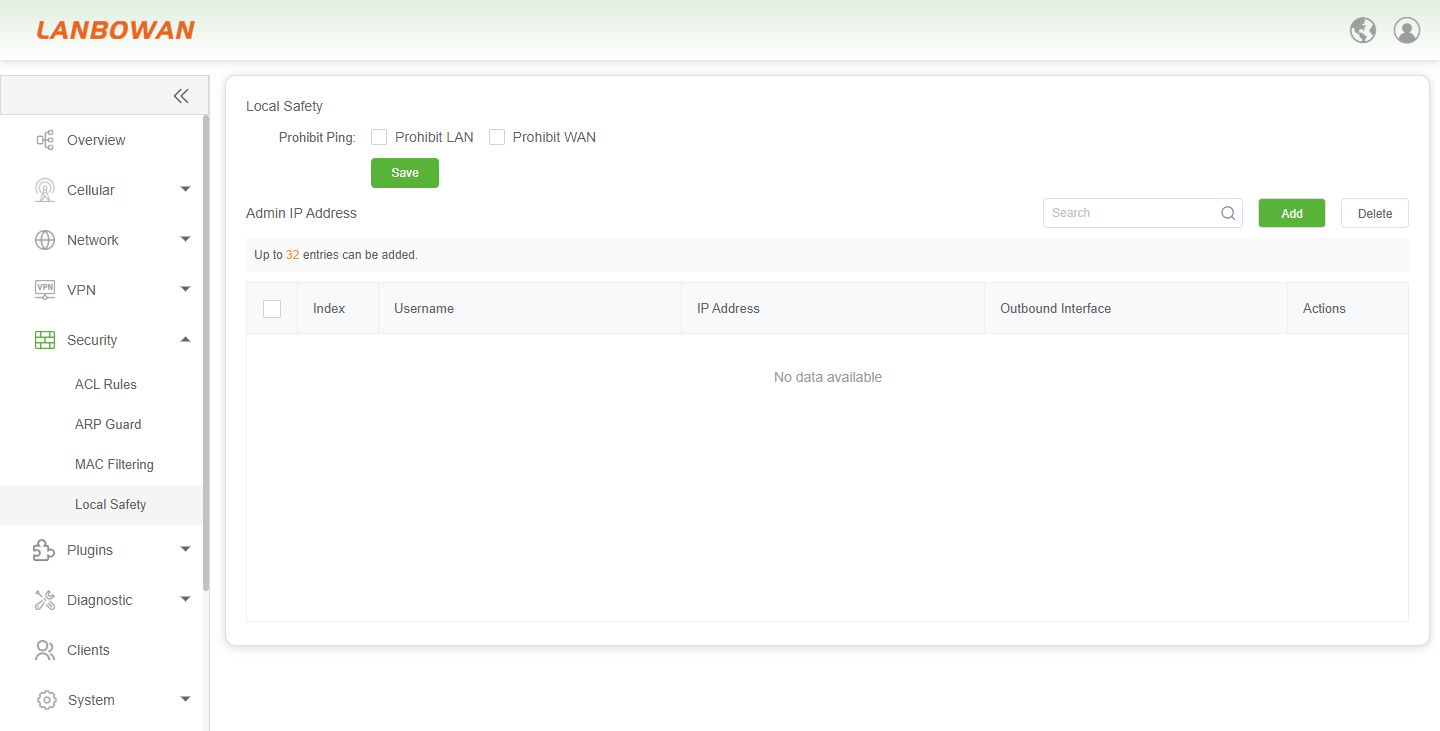
The Local Safety feature on the T830 is designed to comprehensively enhance device management security and anti-attack capabilities. It allows administrators to disable Ping (ICMP) replies from the LAN or WAN side to hide the device's presence and prevent network scanning. Simultaneously, through the Admin IP Address whitelist mechanism, it allows configuring up to 32 trusted IPs along with their corresponding outbound interfaces and user accounts, strictly restricting backend login and O&M management to only authorized hosts. This effectively guards against unauthorized access and potential network threats.
Add Local Safety
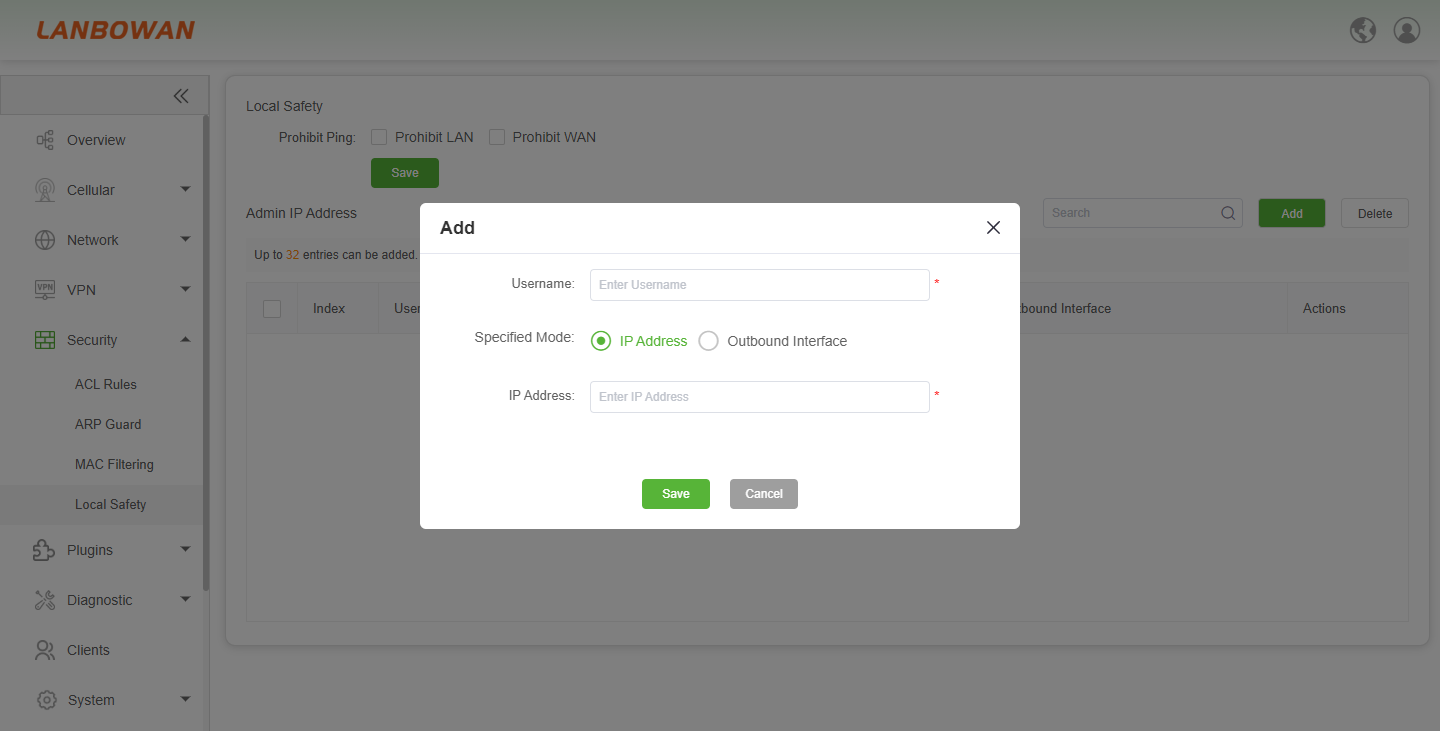
The Add Admin IP feature on the T830 provides network administrators with refined backend access control capabilities. It supports specifying a unique username in the pop-up window and flexibly choosing between "IP Address" or "Outbound Interface" modes to define legitimate management sources. This precisely grants device login permissions to specific hosts or network paths, effectively preventing unauthorized IPs from attempting to access the device backend and ensuring the security of O&M management.
Parameter Description:
| Parameter | Description |
|---|---|
| Username | The specific account name of the administrator who is authorized to access the T830 device's management backend. |
| Specified Mode | The method used to define the allowed access source, which can be based on a specific IP Address or an Outbound Interface. |
| IP Address | The specific IPv4 or IPv6 address of the trusted host that is permitted to log in to the device for management operations. |