
Search...
Menu
How do I enable scheduled reboot
- Log in to the software management system via a web browser. The default management IP address of the wireless bridge is 192.168.1.2.

- Hover the mouse over "System" in the top menu, then click on "System".
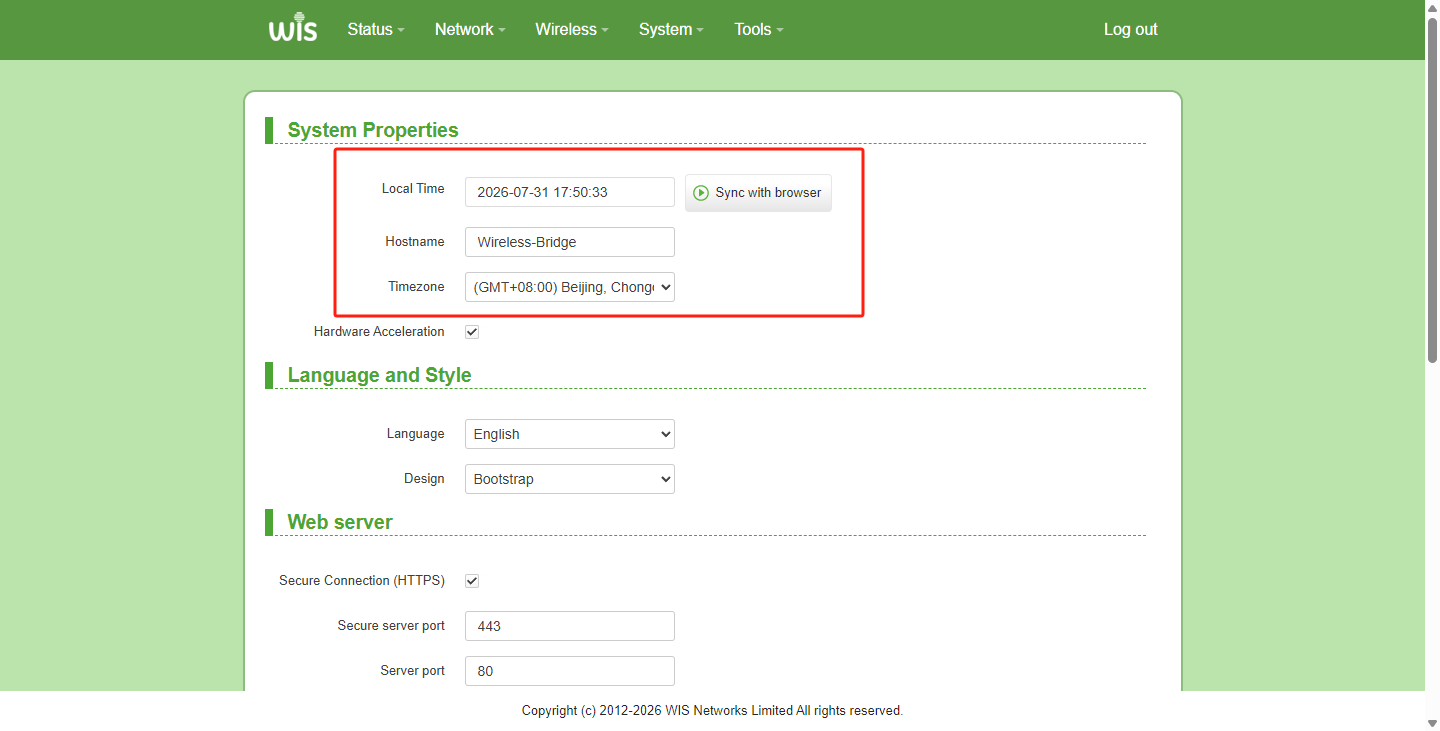
Note:
The bridge's default time zone is UTC. It is recommended to select the time zone according to your location and synchronize with the browser time to ensure the accuracy of the scheduled reboot time later.
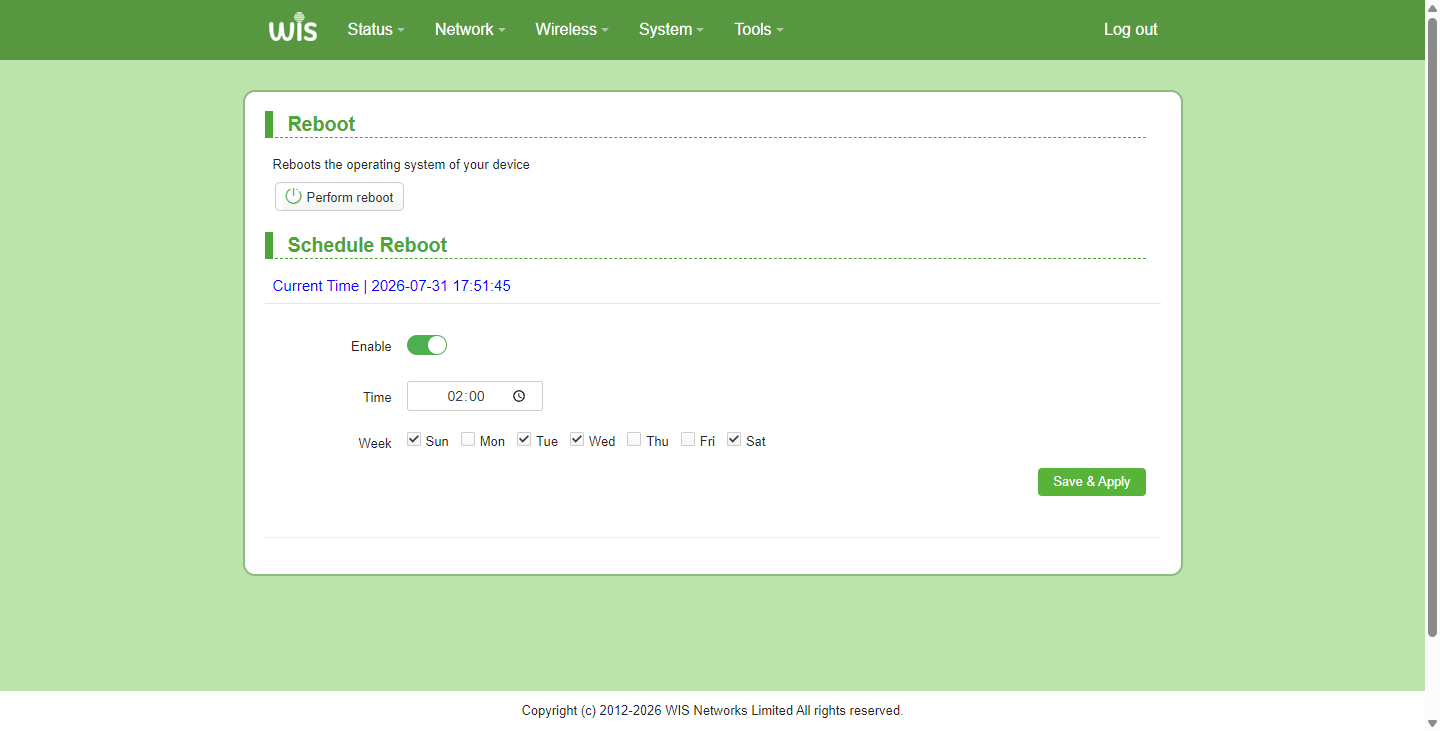
- Hover the mouse over "System" in the top menu, then click on "Reboot".
- Click the "Enable" button in the scheduled reboot section, configure the interval and specific time, and then click the "Save & Apply" button to save. The configuration is now complete.
Previous
T830 Management IP Address
Next
How to use antenna alignment
Last modified: 2026-09-07