Overview
Status
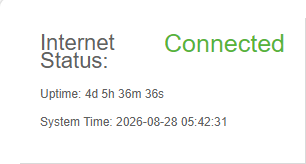
The Internet Status feature on the T830 provides real-time visibility into the WAN connectivity health; a green "Connected" indicator confirms active internet access, while Uptime shows the current continuous online duration and System Time reflects the device clock, helping administrators quickly verify link availability, troubleshoot connectivity issues, and monitor service continuity.
Parameter Description:
| Parameter | Description |
|---|---|
| Internet Status | Indicates the current WAN or Internet connectivity state; a green “Connected” status means the device has successfully established and maintained an active link to the external network. |
| Uptime | Displays the continuous online duration since the last network interface activation or system reboot, used to verify link stability and service continuity. |
| System Time | Shows the current date and time maintained by the system clock, serving as the timestamp reference for logs, scheduled tasks, certificates, and troubleshooting correlation. |
Online Users
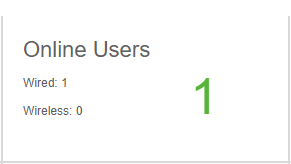
The Online Users feature provides real-time visibility into the number of currently connected terminals via wired and wireless interfaces, helping administrators quickly understand online user distribution and access scale.
CPU and Menory
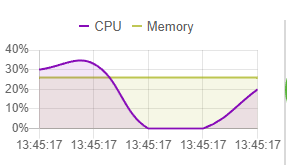
The system resource monitoring feature dynamically displays CPU and memory utilization trends in real time, providing intuitive visibility into operational load and performance status to help identify resource bottlenecks or abnormal fluctuations promptly.
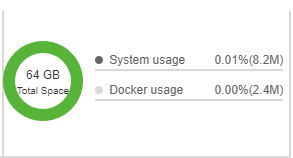
Total Space
The storage status feature displays total space along with capacity usage proportion and exact consumption for system and Docker modules, helping monitor storage resource utilization and available capacity in real time.
Model
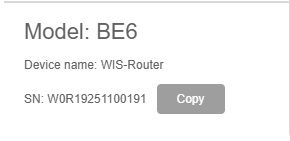
The device information feature displays basic identity details such as model, device name, and serial number, and supports quick copy of the serial number for asset management, operations identification, and after-sales service reference.
Parameter Description:
| Parameter | Description |
|---|---|
| Model | Identifies the hardware or product model designation for classification, compatibility reference, and service identification. |
| Device name | The configurable hostname or friendly label assigned to the device for easy identification and management in the network. |
| SN (Serial Number) | The unique factory-assigned serial number serving as the device’s physical identifier for asset tracking, warranty verification, and technical support. |
Version
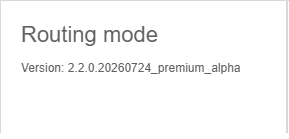
The routing mode feature indicates the current routing operation mode and software version of the device, helping verify network forwarding behavior and system software status to support operations management and feature capability reference.
Interface Status
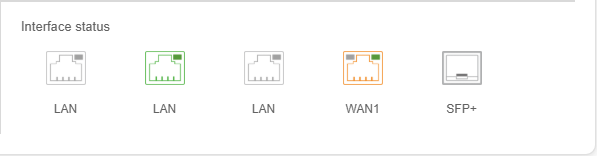
The interface status feature visually presents real-time connection states of physical ports with hover details including speed, address acquisition protocol, IP, gateway and DNS for quick visibility into port activity and link connectivity.
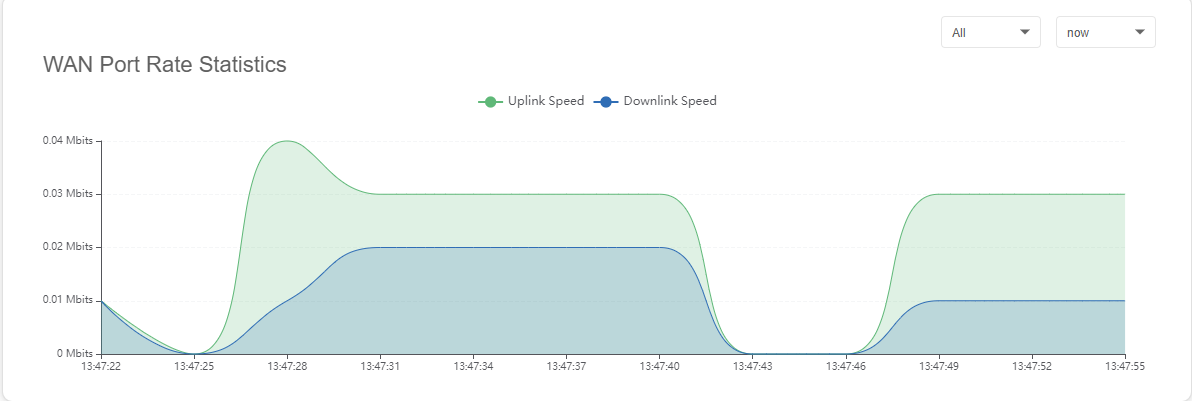
WAN Port Rate Statistics
The WAN port rate statistics feature presents upload and download speed trends for selected external ports with filtering by port and time range, helping monitor egress bandwidth usage and traffic fluctuations in real time.