
Search...
Menu
System
On the system page, you can configure the system, change password, upgrade firmware, backup or import configurations, and restart the device.
System Settings
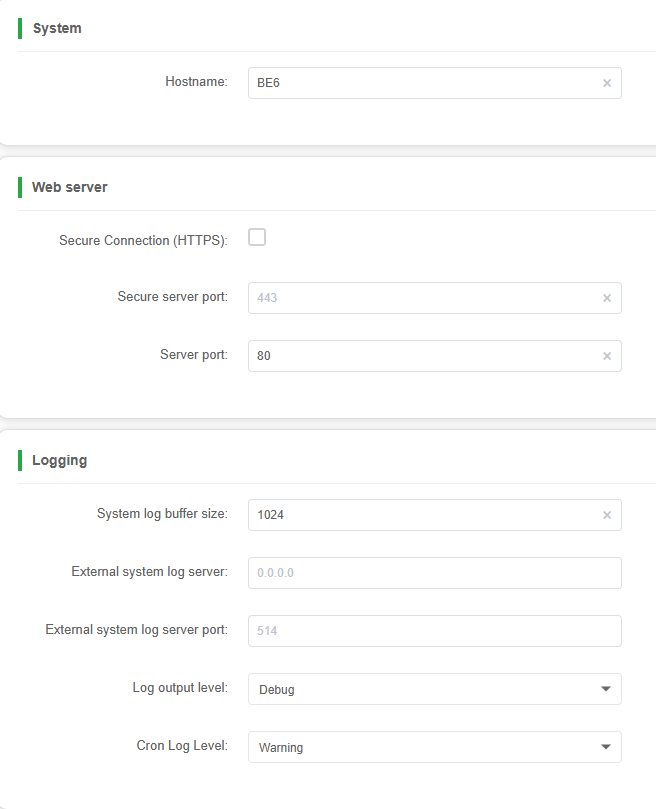
| Parameter | Description |
|---|---|
| Hostname | System name of the device |
| Web sever | Supports HTTP and HTTPS, with customizable the server port |
| Logging | Set the size of the log cache. Configure remote syslog server and port. Set the level of log output |
Time settings
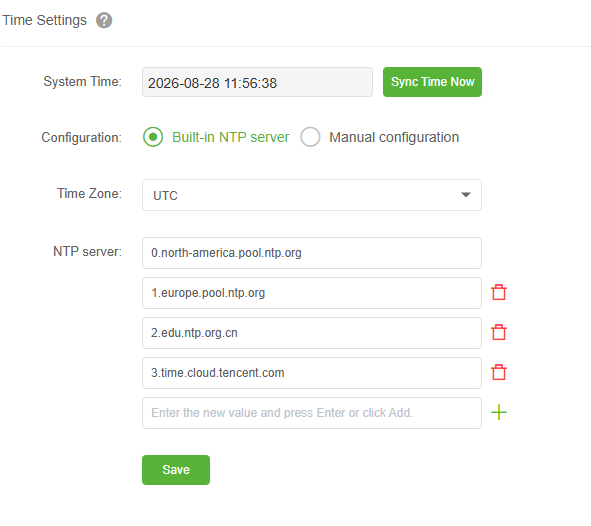
| Parameter | Description |
|---|---|
| System time | Click to synchronize Internet time |
| Time Zone | Set time zone |
| NTP Sever | Synchronize system time through NTP server |
| Maual Configuration | Manually set the system time |
Login Password
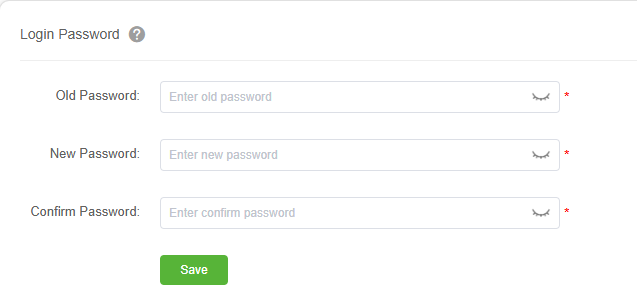
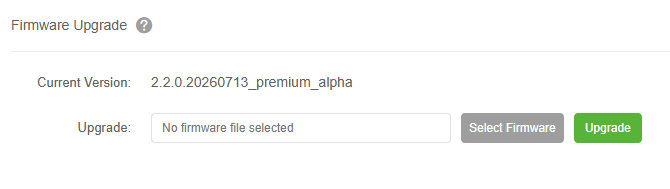
Upgrade Firmware
Backup And Restore
Back
Click "Back" to generate a backup file and save it to the list. Download it to your local machine whenever needed, so you can restore the configuration later.
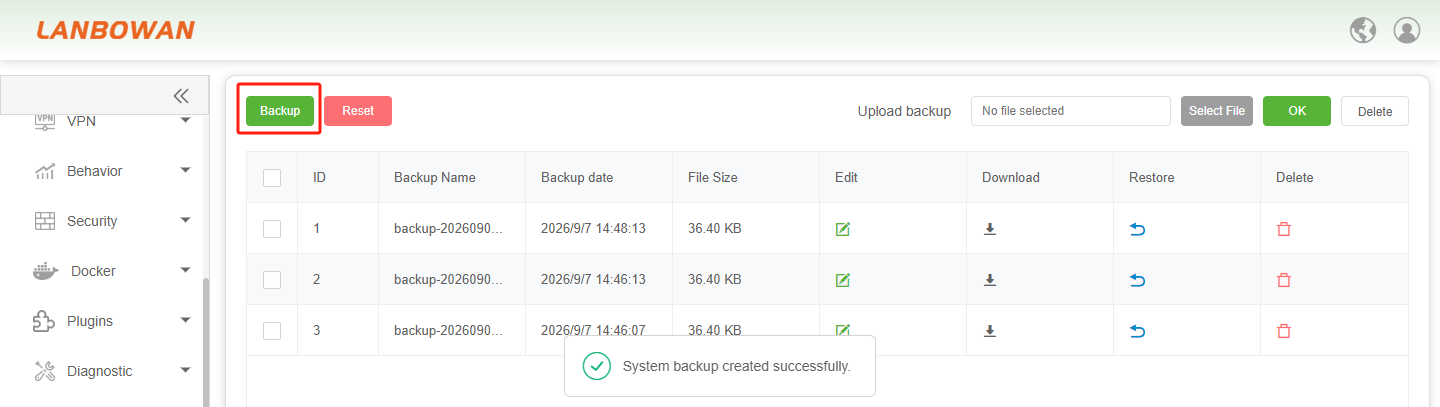
To restore the system configuration, first upload the local backup file via the Select File button, and then click OK to import it into the list box.

Reset
Click the Reset button to restore the device system configuration to factory defaults.

Reboot
Perform Reboot
Simply click the Perform reboot button, and the software system will restart immediately.

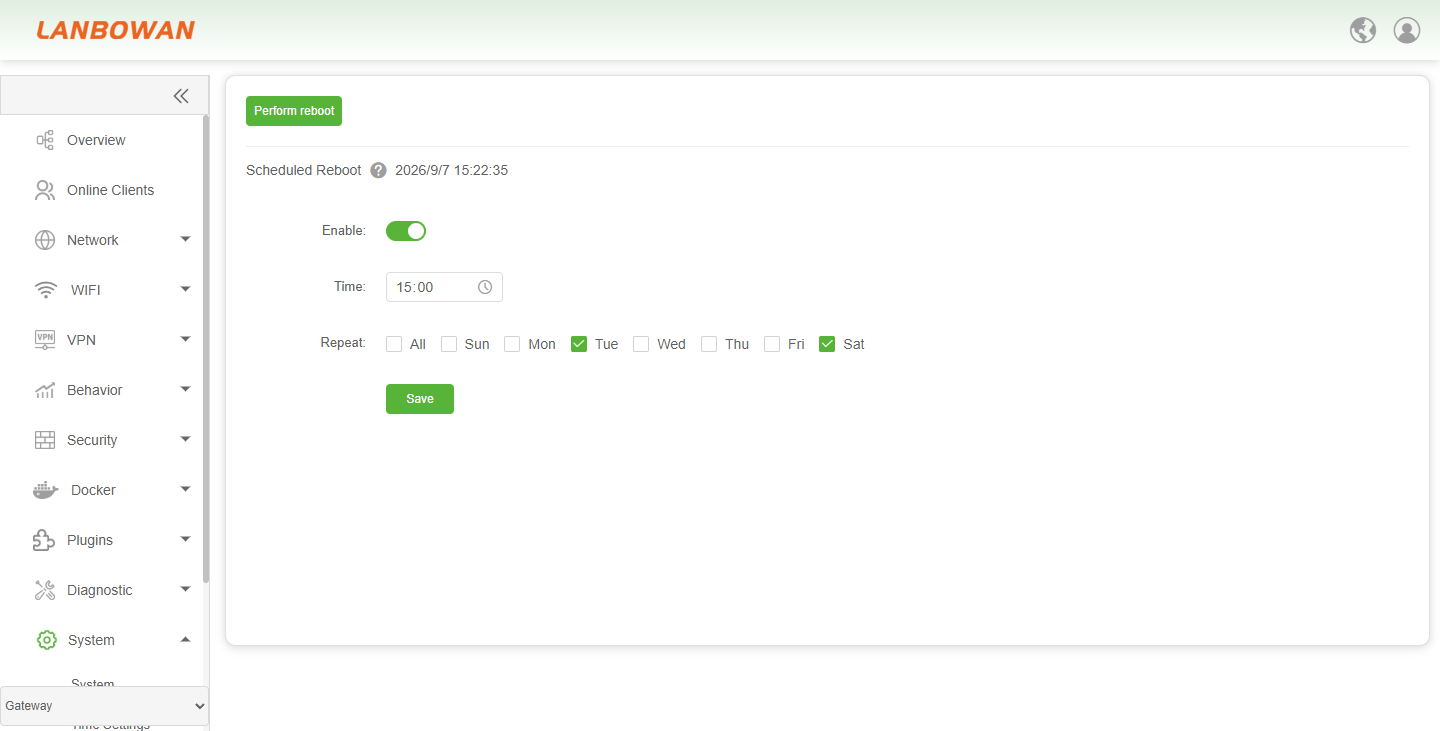
Scheduled Reboot
Click the Enable button to turn on the Scheduled Reboot feature, after which you can modify the time and day settings.
Previous
Diagnostic
Next
Management Tools
Last modified: 2026-09-07