
Search...
Menu
How to setup vlan
Click on the Network page, select advanced mode, and then you can create and add VLAN interfaces.
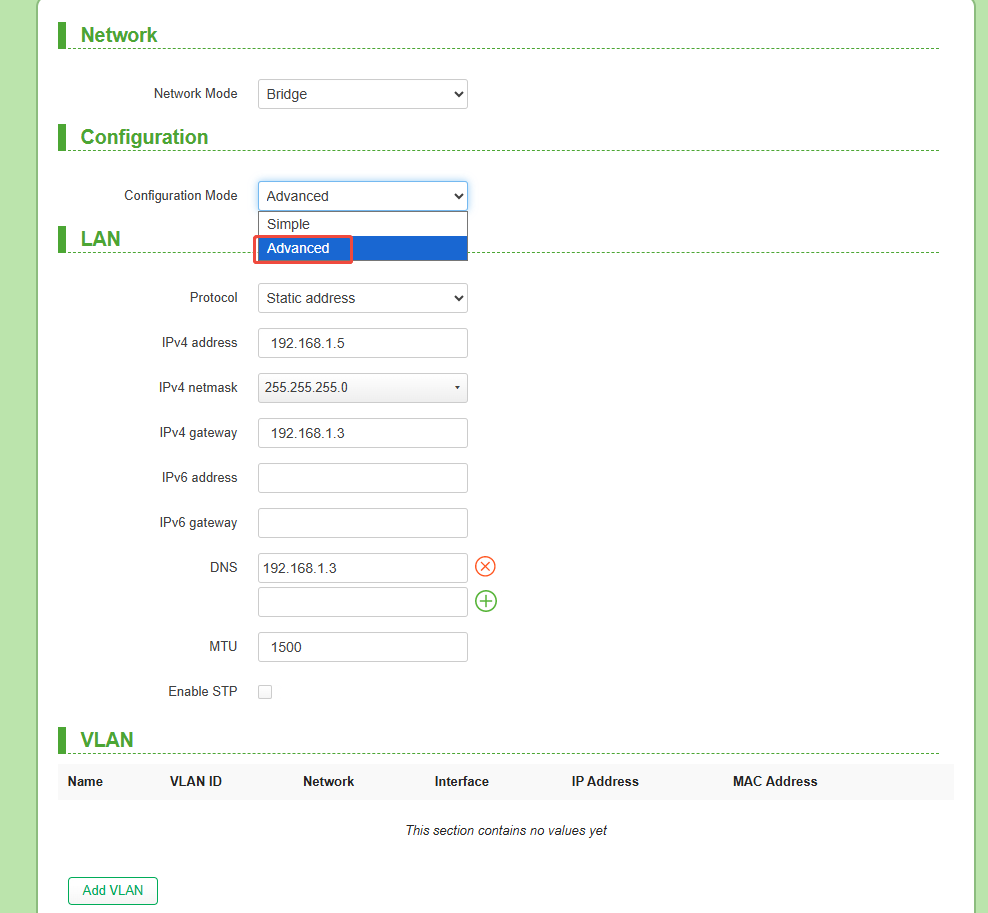
Click Add VLAN,iput the parameters as needed.
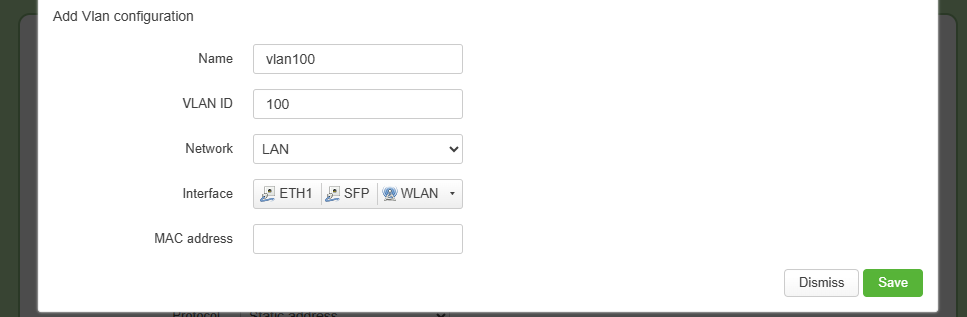
| Parameters | Description |
|---|---|
| Name | A descriptive label for the VLAN |
| VLAN ID | Setup the vlan tag,support 2-4094 |
| Network | Specifies the network type or zone this VLAN belongs to. |
| Interface | Add VLAN tags to the selected interface |
| MAC Address | Customize the MAC of the Vlan interface |
Previous
How to Use Scheduled Tasks
Next
Bridge Quick Pairing
Last modified: 2026-08-27