
Search...
Menu
How to enable Router mode
- Access the device management IP via a web browser: 192.168.1.2, default administrator password: admin

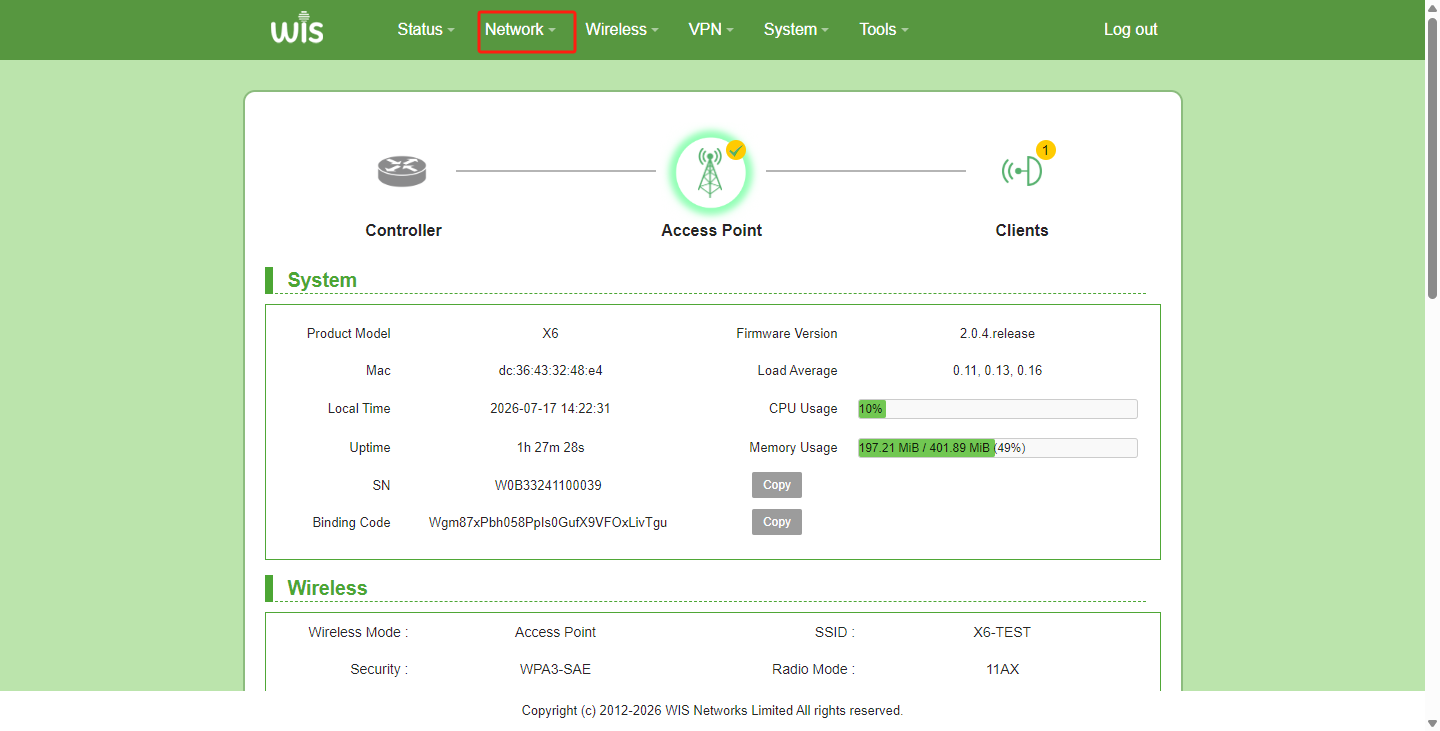
- Click the "Network" module in the top menu
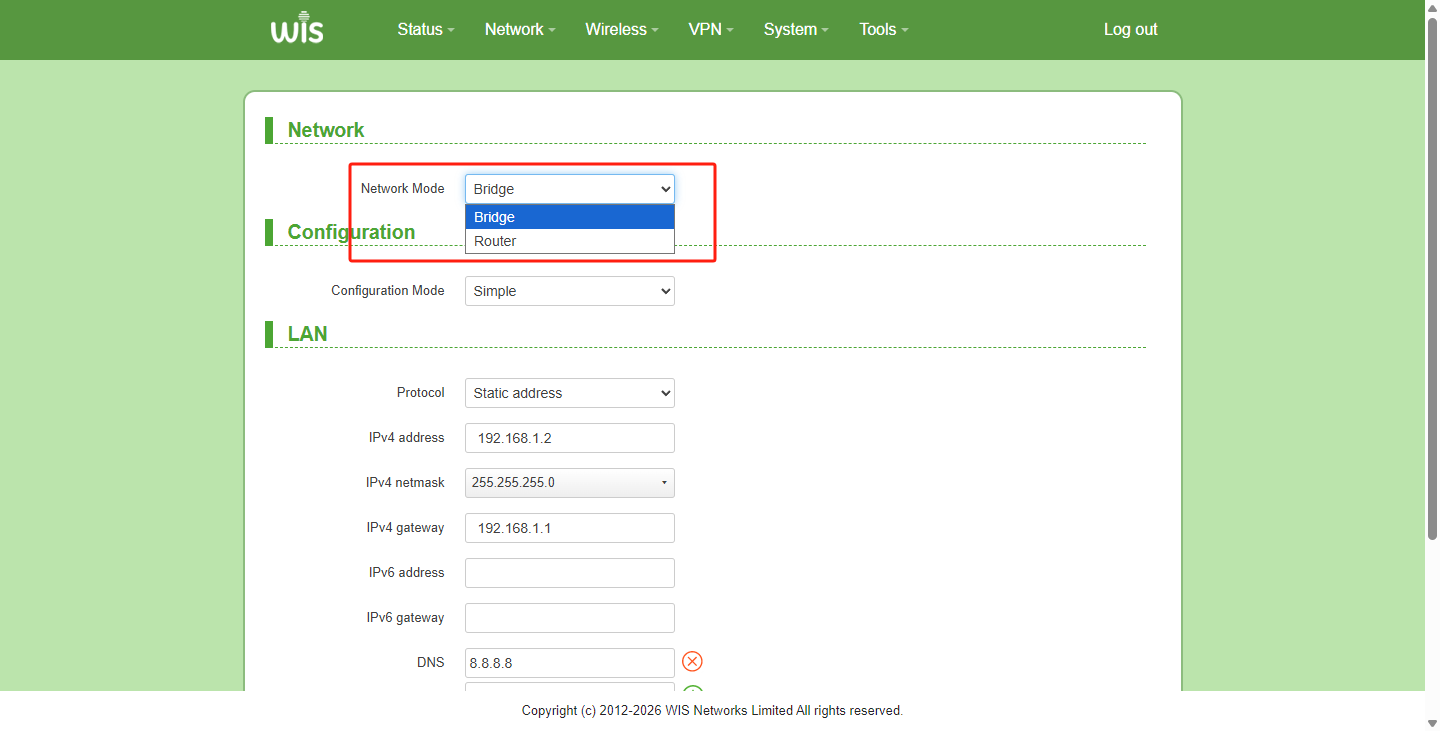
- Switch Network Mode from Bridge to Router
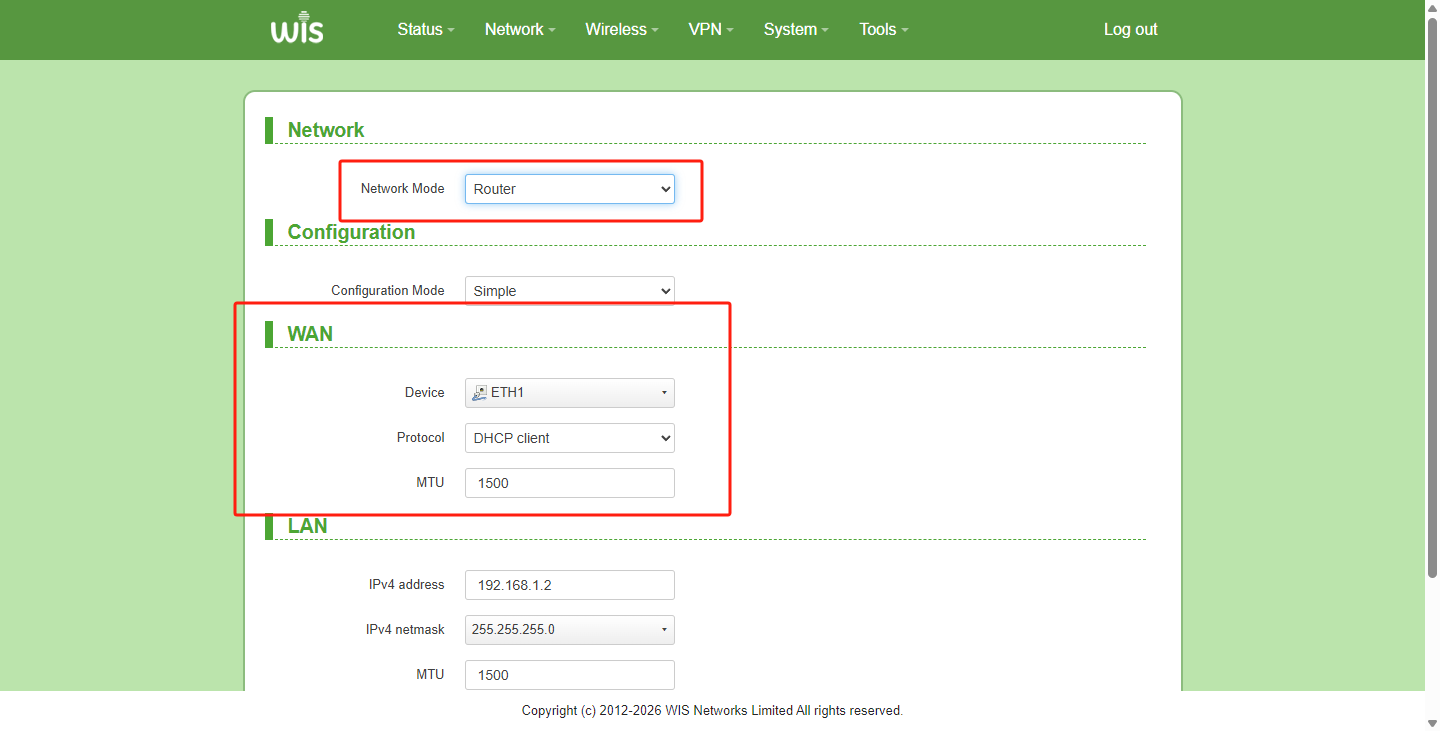
- After switching Network Mode to Router, a WAN interface will appear on the page. Please select the WAN interface based on actual needs (both wired and wireless interfaces are supported). Supported protocols: Static IP, Dynamic IP, PPPOE
Previous
How to change to HTTP protocol login
Next
How to check the link rate
Last modified: 2026-09-08