
Diagnostic
Network Tools
Ping
Network Tools provides network diagnostics, supporting PING and related tools to test reachability of a specified IP address or domain, with configurable probe count and packet size, plus start/stop control and result display to help troubleshoot network reachability and latency.
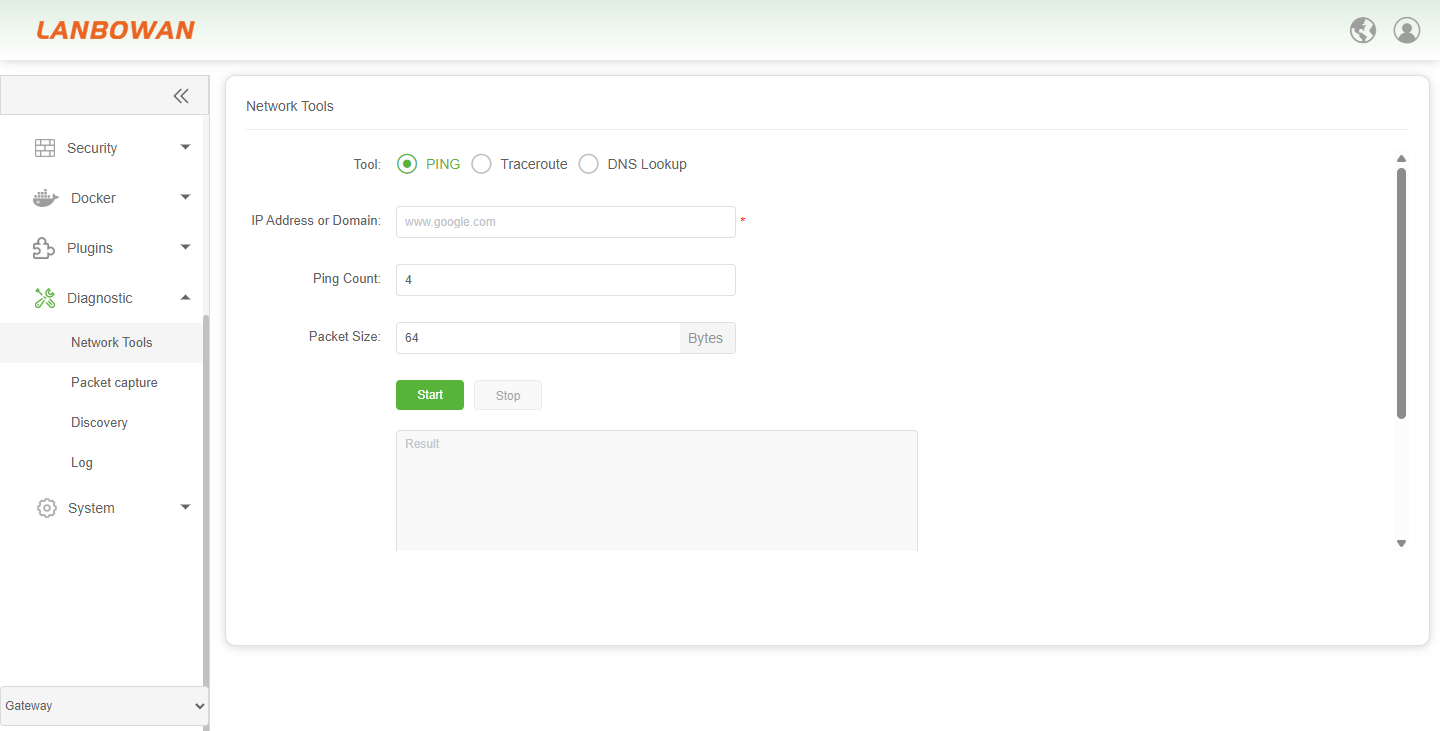
Parameter Description:
| Parameter | Description |
|---|---|
| PING | Send ICMP echo requests to test destination reachability, latency and packet loss. |
| IP Address or Domain | Target IP address or domain name to be tested (required). |
| Ping Count | Number of ICMP echo packets to send during the PING test. |
| Packet Size | Size of the ICMP payload/packet in bytes for the PING test. |
| Start | Begin the PING diagnostic test. |
| Stop | Stop or cancel the running diagnostic test. |
| Result | Display area for PING test output, responses, statistics and errors. |
Traceroute
Network Tools provides Traceroute diagnostic capability to probe the routing path and per-hop information toward a specified IP address or domain, with configurable maximum TTL and start/stop control, displaying results to help identify forwarding paths, routing anomalies and connectivity issues.
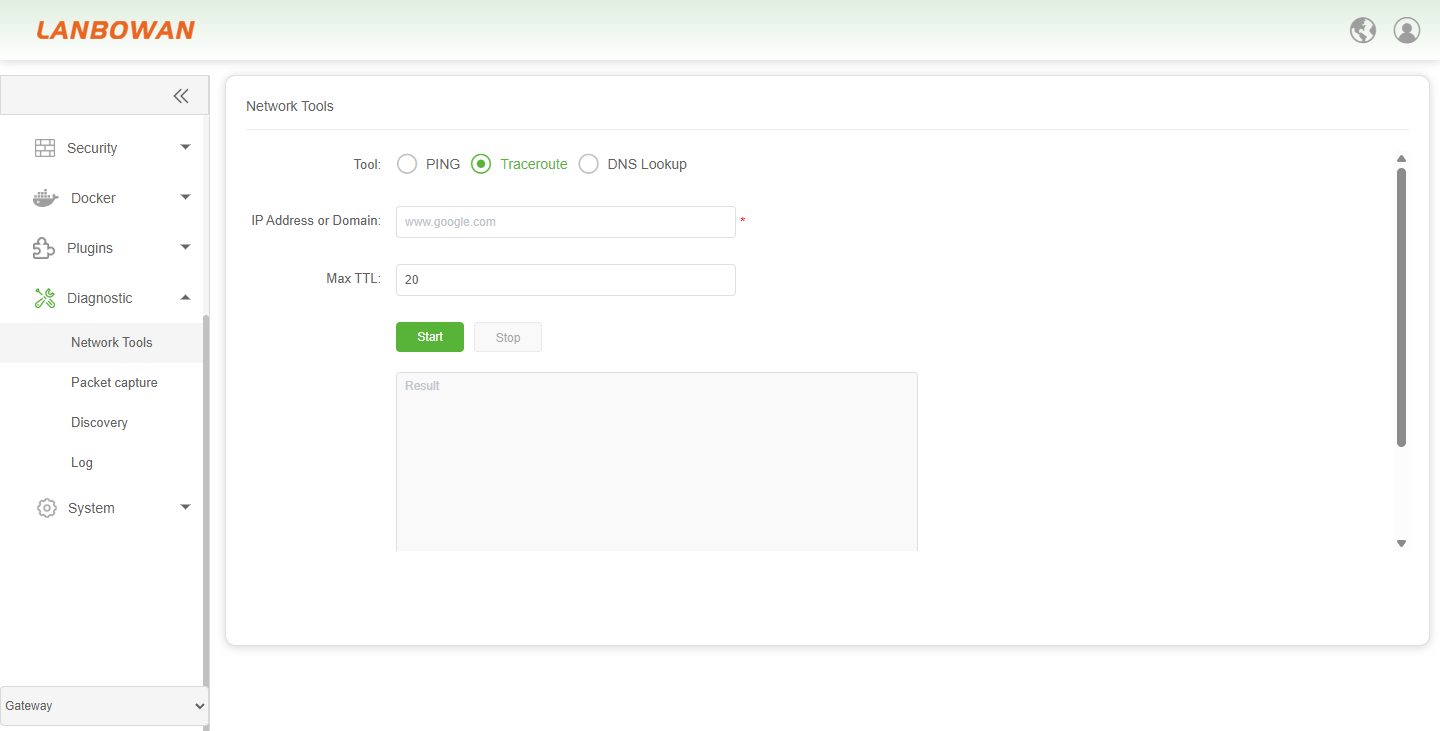
Parameter Description:
| Parameter | Description |
|---|---|
| Traceroute | Trace the network route/hops and latency from source to destination. |
| IP Address or Domain | Target IP address or domain name to be traced (required). |
| Max TTL | Maximum Time To Live value to limit the trace depth/hop count. |
DNS Lookup
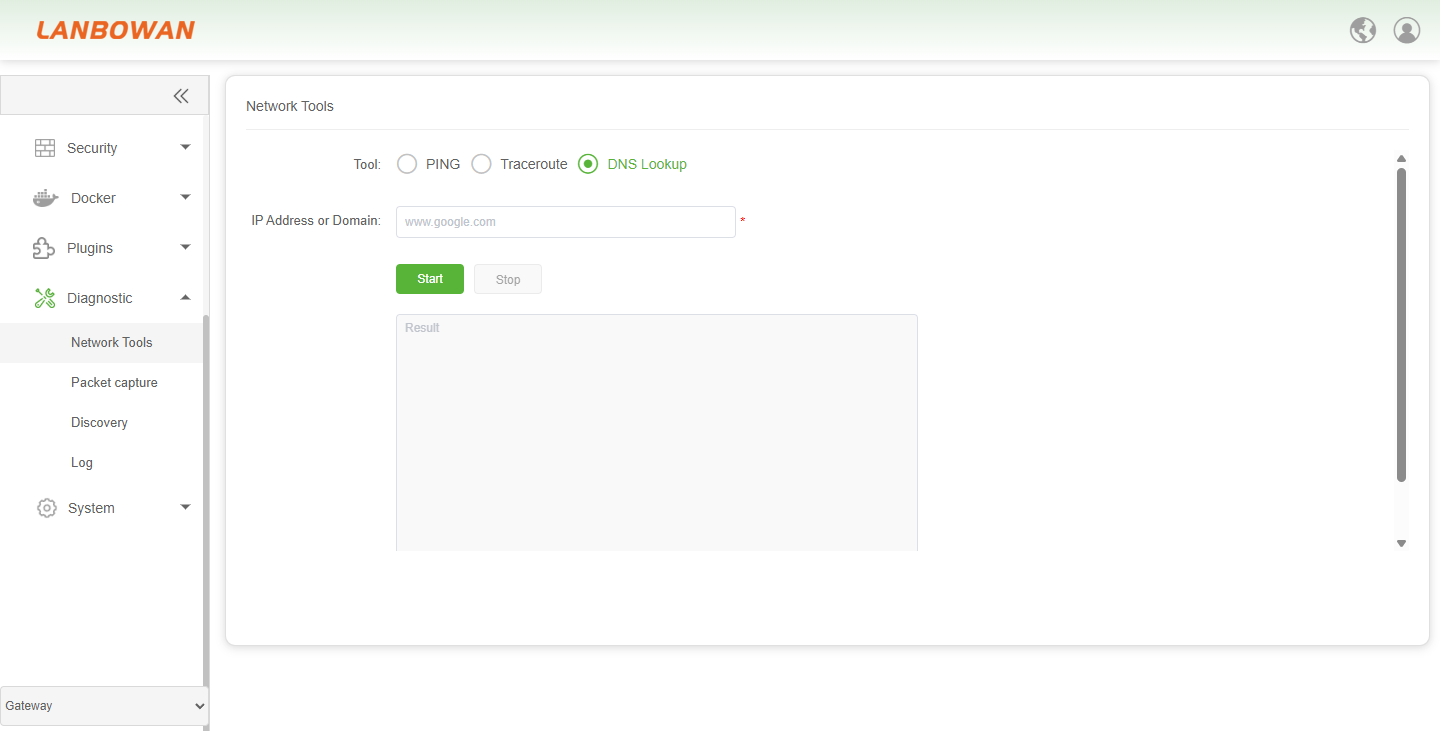
Network Tools provides DNS Lookup diagnostic capability to query DNS records for a specified domain name or IP address, resolving domain-to-IP mappings or performing reverse lookup, with start/stop control and result display to help troubleshoot DNS resolution failures, response issues and related reachability problems.
Packet capture
Packet capture provides network packet capturing and PCAP file generation with filtering by interface, protocol, IP address, file size and packet count limits, plus start/stop control, to analyze traffic patterns, protocol interactions and network issues.
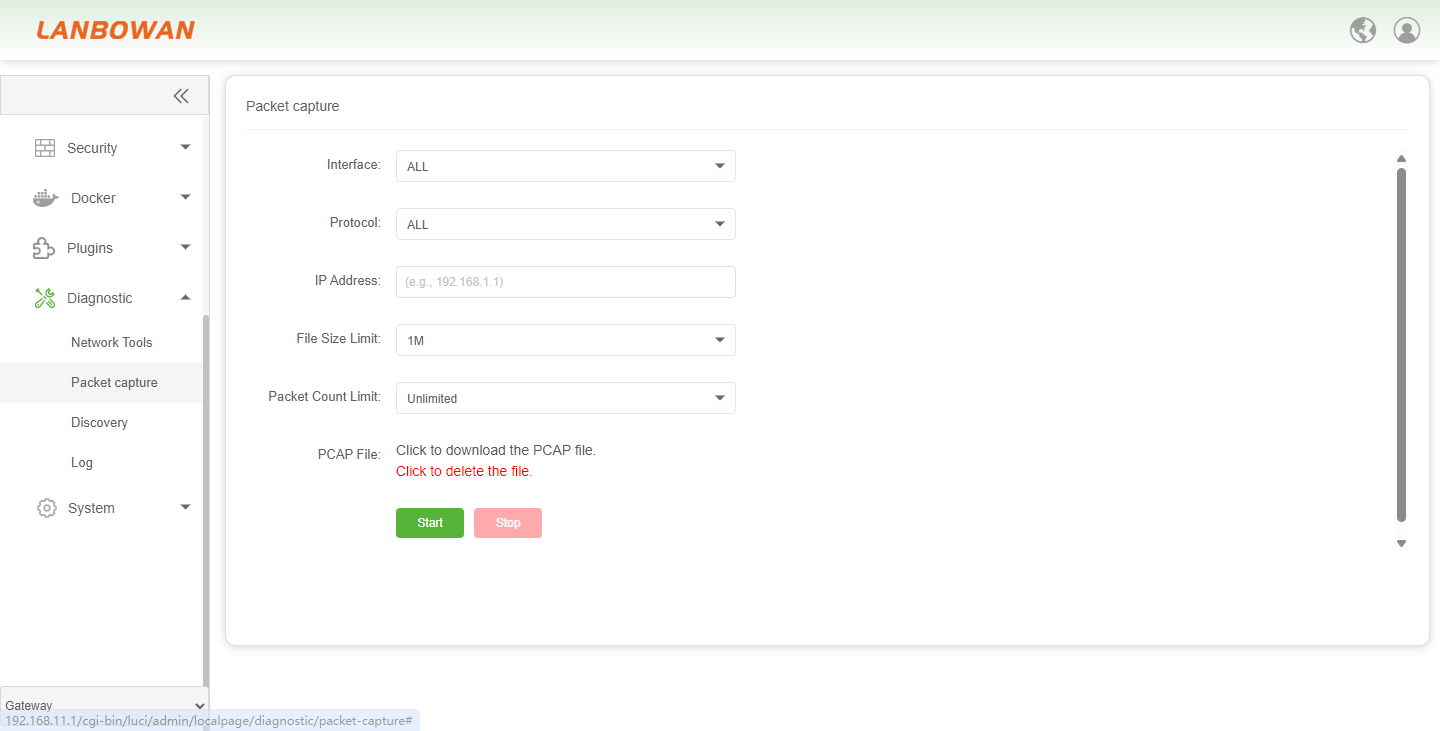
Parameter Description:
| Parameter | Description |
|---|---|
| Interface | Specifies the network interface for packet capture; ALL captures on every available interface, or select a specific one such as lan1, sfp1, wan1. |
| Protocol | Filters captured packets by protocol; ALL means no protocol filter, or choose TCP, UDP, ICMP, ARP, IP. |
| IP Address | Filters captured packets by source or destination IP address. |
| File Size Limit | Sets the maximum PCAP capture file size limit. |
| Packet Count Limit | Sets the maximum number of packets to capture; Unlimited means no packet count restriction. |
| PCAP File | Generated packet capture file in PCAP format for download and analysis. |
Discovery
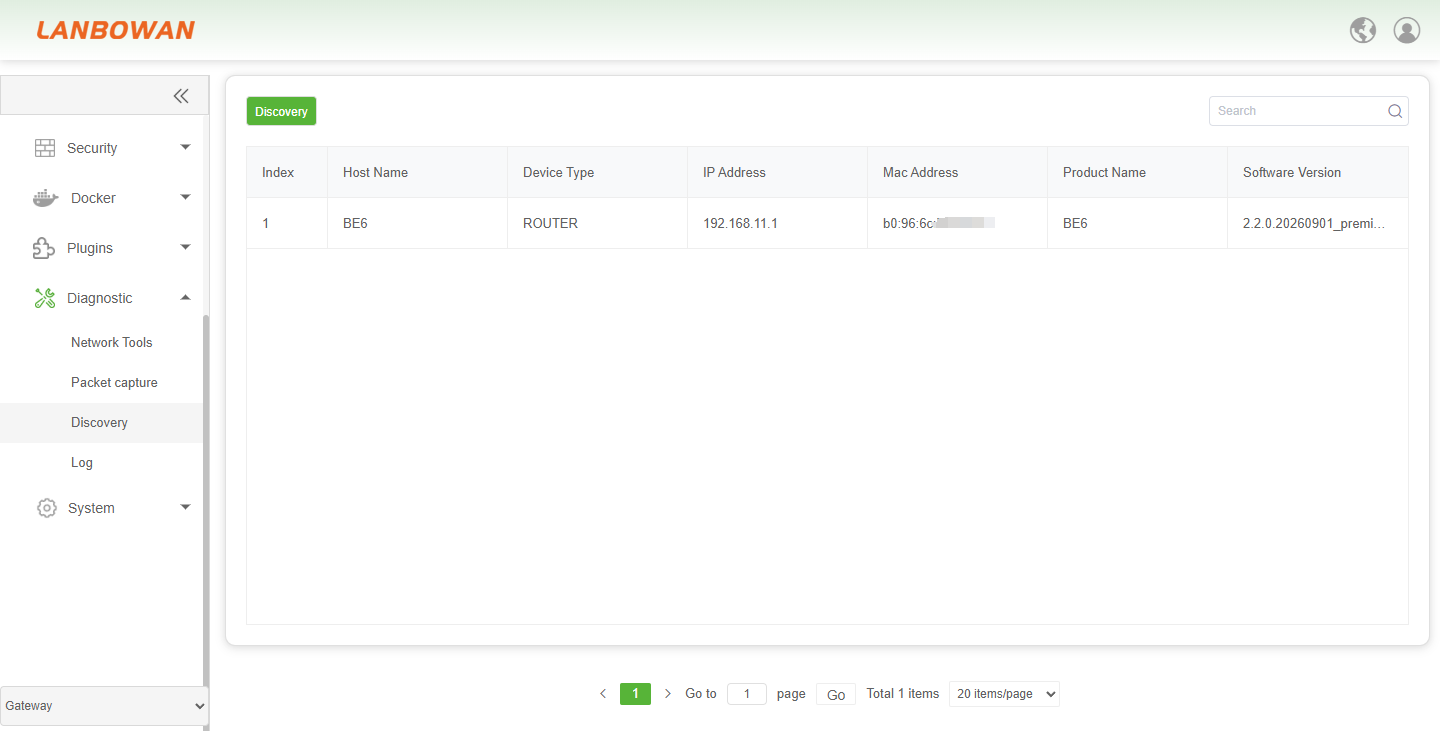
Discovery automatically detects and lists online devices on the network, displaying host name, device type, IP address, MAC address, product name and software version, with search and pagination for quick identification and management of connected devices.
Parameter Description:
| Parameter | Description |
|---|---|
| Discovery | Automatically discovers online devices on the network and presents their information. |
| Search | Search/filter discovered device entries by keyword. |
| Host Name | Device host name identifier. |
| Device Type | Type/category of the discovered device, e.g., ROUTER. |
| IP Address | IP address of the discovered device. |
| Mac Address | MAC address of the discovered device. |
| Product Name | Product name/model identifier of the discovered device. |
| Software Version | Software/firmware version running on the discovered device. |
Log
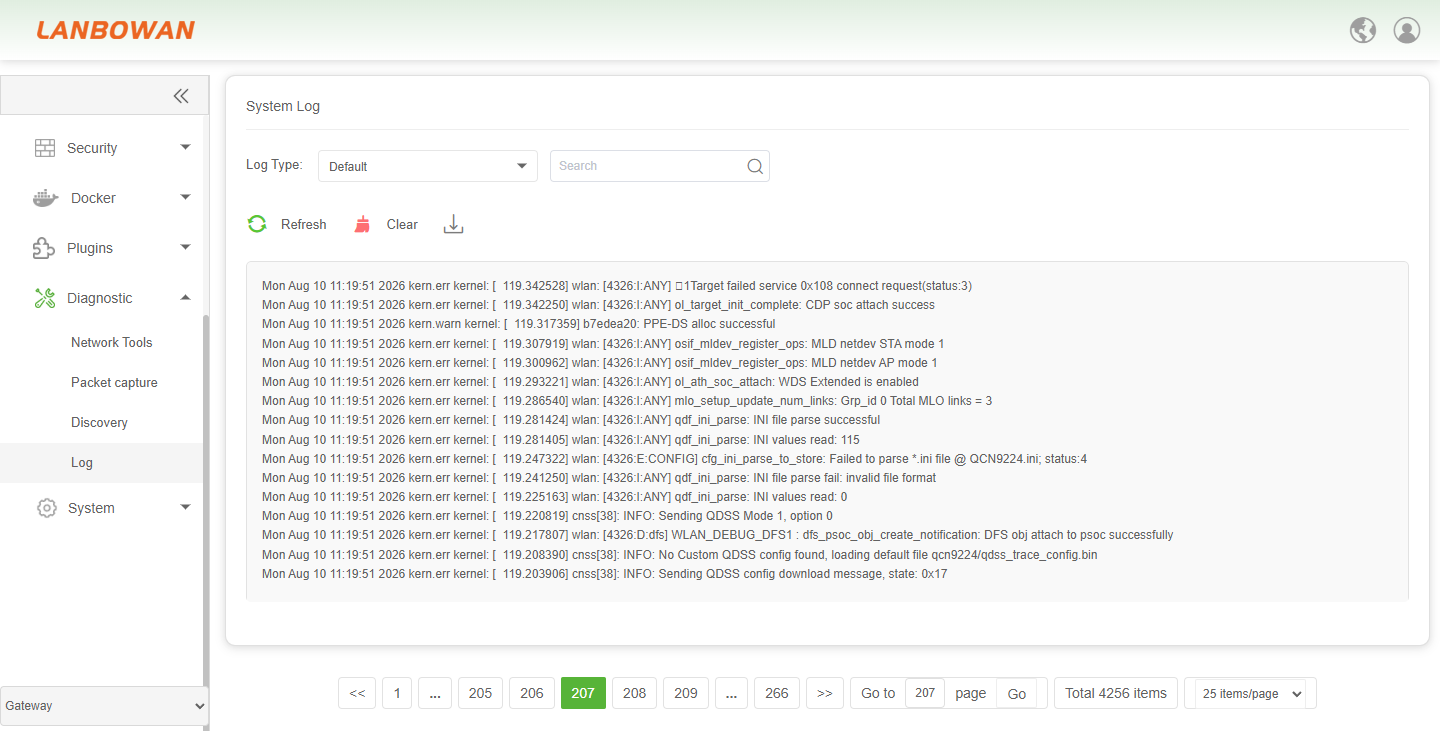
System Log is used to view, search, refresh, clear and export device runtime logs, supports filtering by log type and keyword search, and displays timestamps, modules and event information with pagination for operations monitoring and troubleshooting.
Parameter Description:
| Parameter | Description |
|---|---|
| Log Type | Filter system log entries by severity or category such as Default, Debug, Info, Notice, Warning, Error, Critical, Alert, Emergency. |
| Search | Search log content by keyword. |
| Refresh | Reload and display the latest system log entries. |
| Clear | Clear current displayed/system log records. |
| Download | Export/save system log contents. |