
Search...
Menu
Key information on the status home page
- Access the bridge's management IP address via a web browser. The default management IP address is 192.168.1.2, and the default administrator password is admin.

- In the icon options, the "Controller" represents the upstream gateway. When the device is in AP mode, it displays all status information of the gateway. "Clients" shows the total number of clients connected to the AP, their connection rates, signal strength, and other related data.
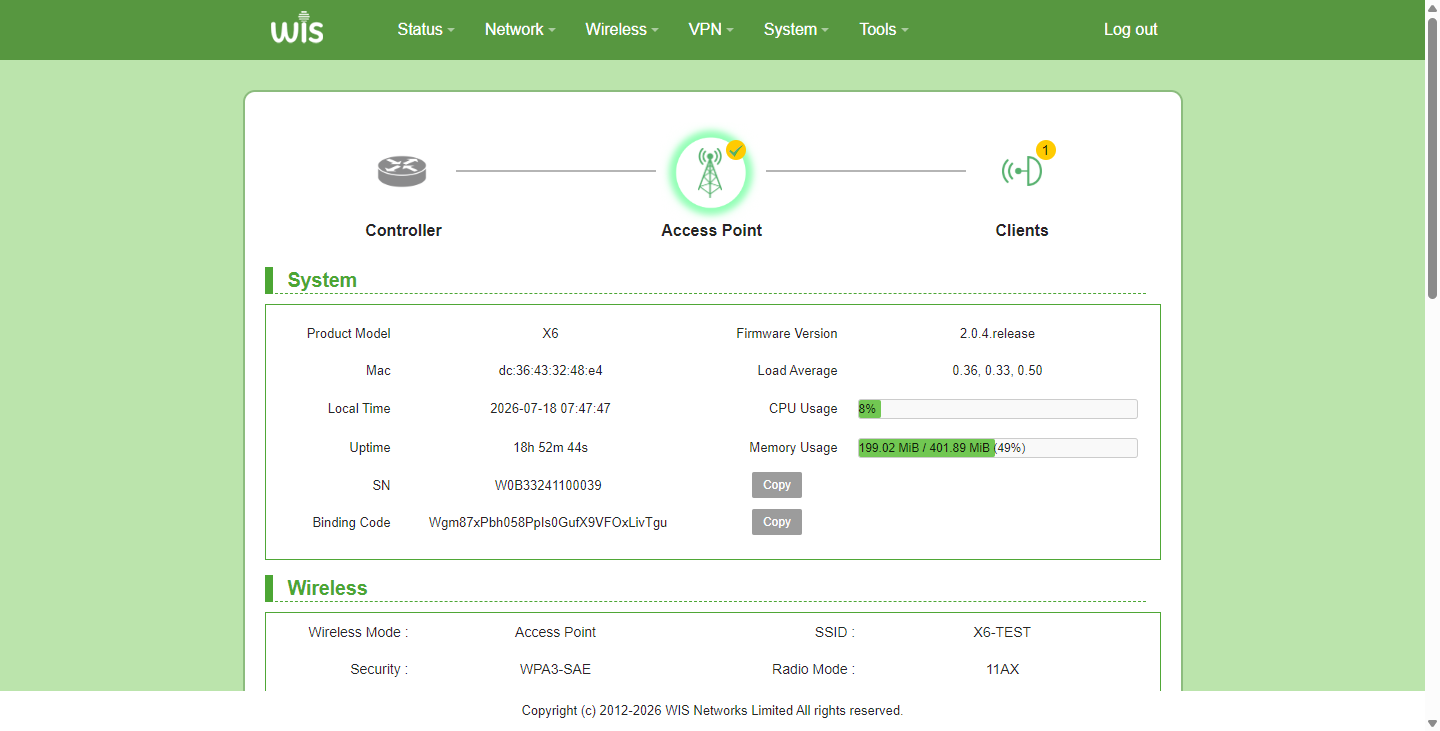
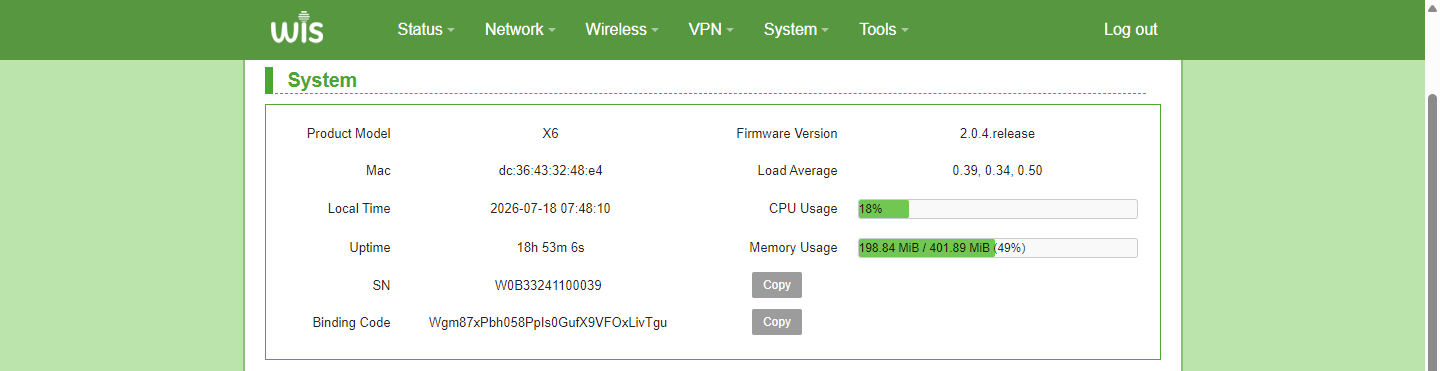
- The System module displays the device model, firmware version, MAC address, device time, uptime, CPU usage, etc.
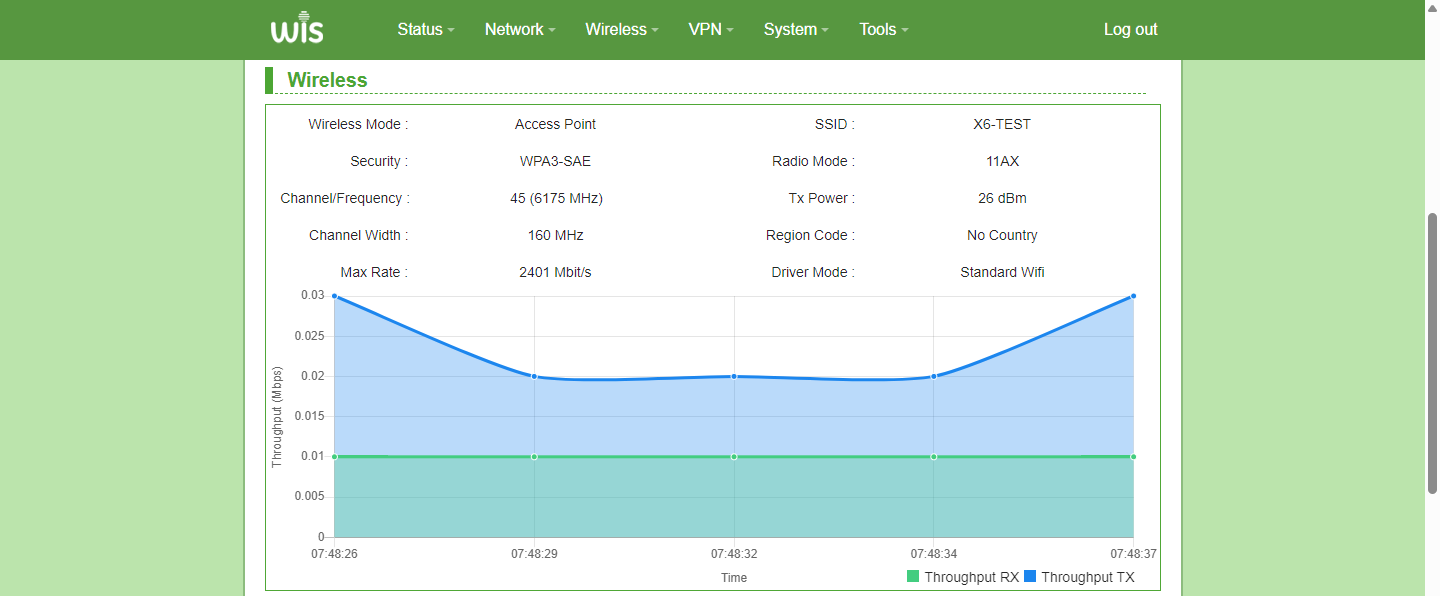
- The Wireless module shows the Wireless mode (AP or Client), SSID, encryption method, 802.11 mode, channel/frequency, transmit power, channel bandwidth, country code, maximum rate and real time rate. All the above information plays an important role in Wi Fi debugging.
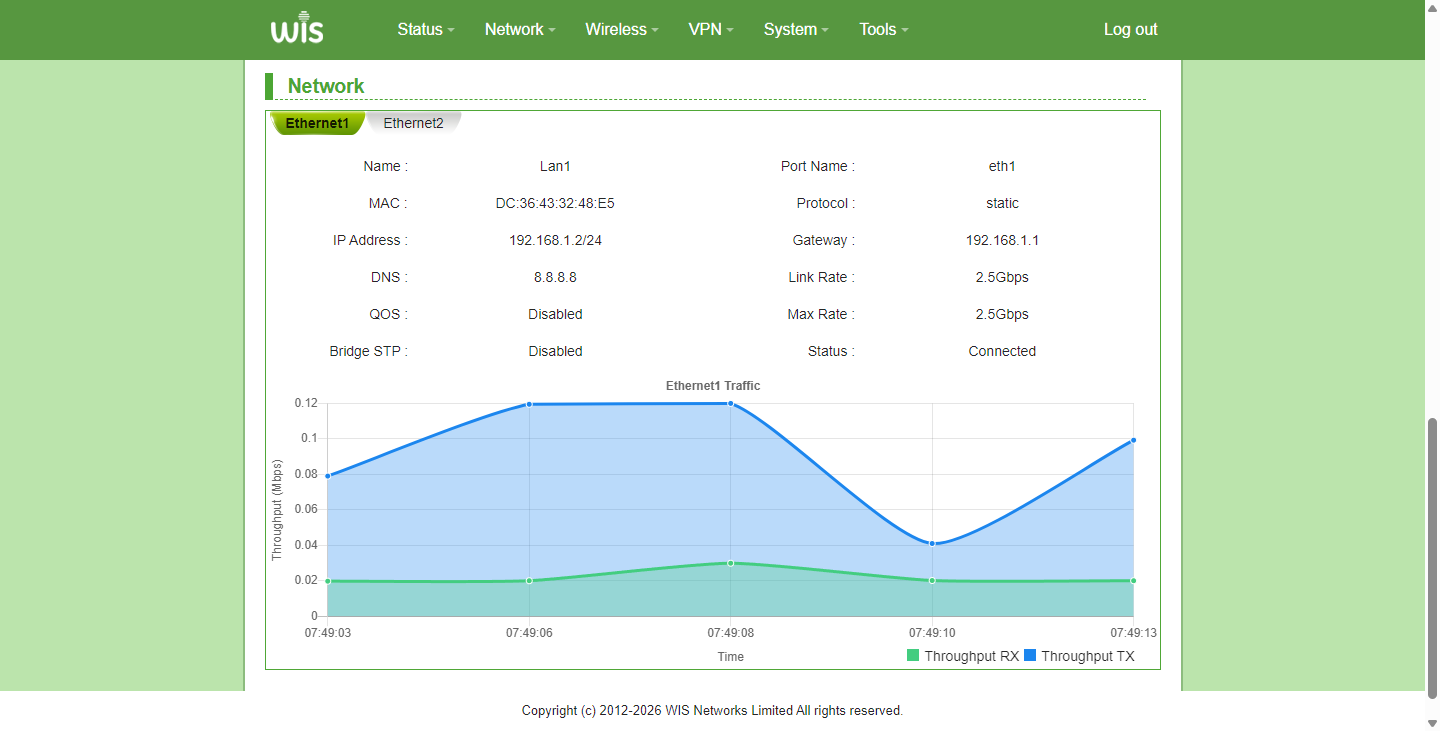
- The Network module allows you to view the interface protocol, IP address, and the actual effective speed of the network port.
Previous
How to test device throughput
Next
How to perform spectrum scanning and select a clean channel.
Last modified: 2026-09-09