
Search...
Menu
How to change to HTTP protocol login
- Access the device's management IP address via a web browser: 192.168.1.2, the default administrator password is: admin.

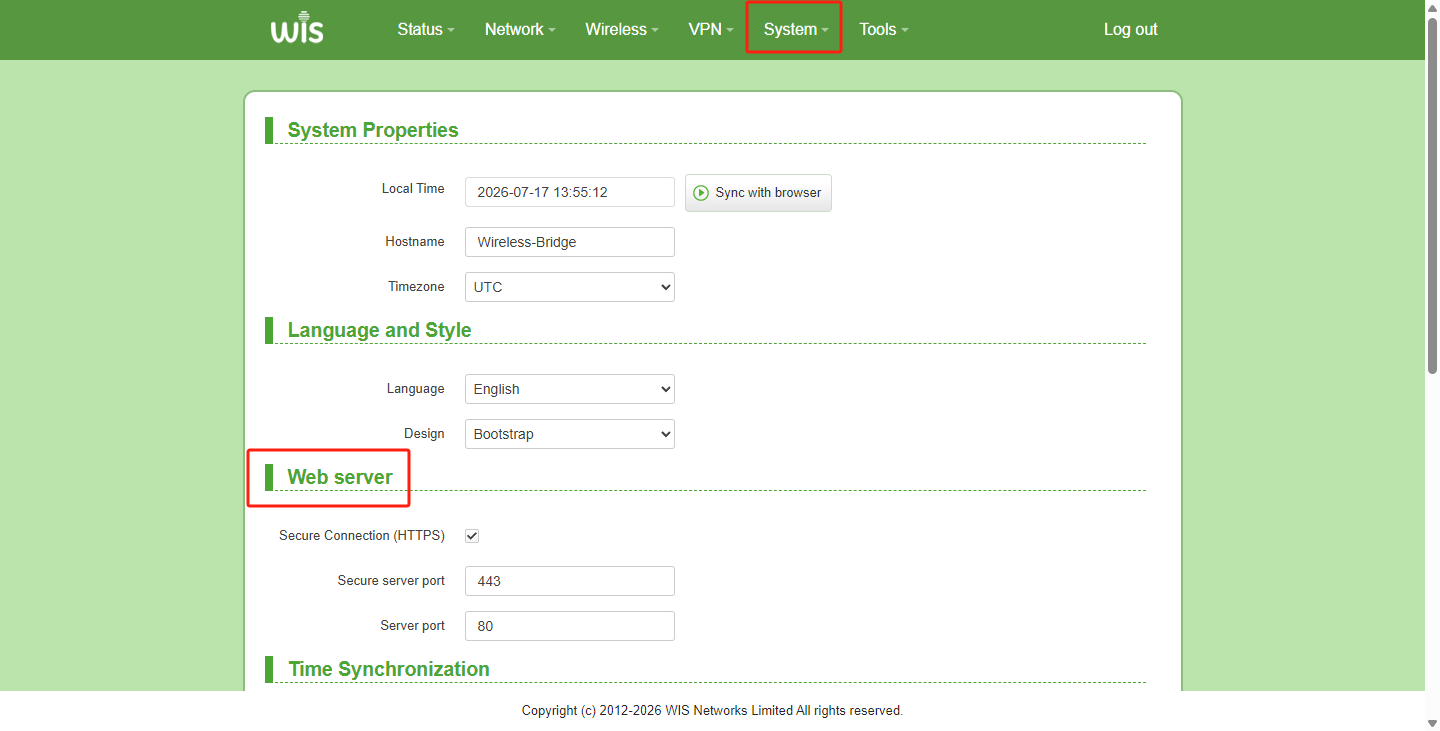
- Click "System" in the top menu, and locate the "Web Server" module on the "System" page.
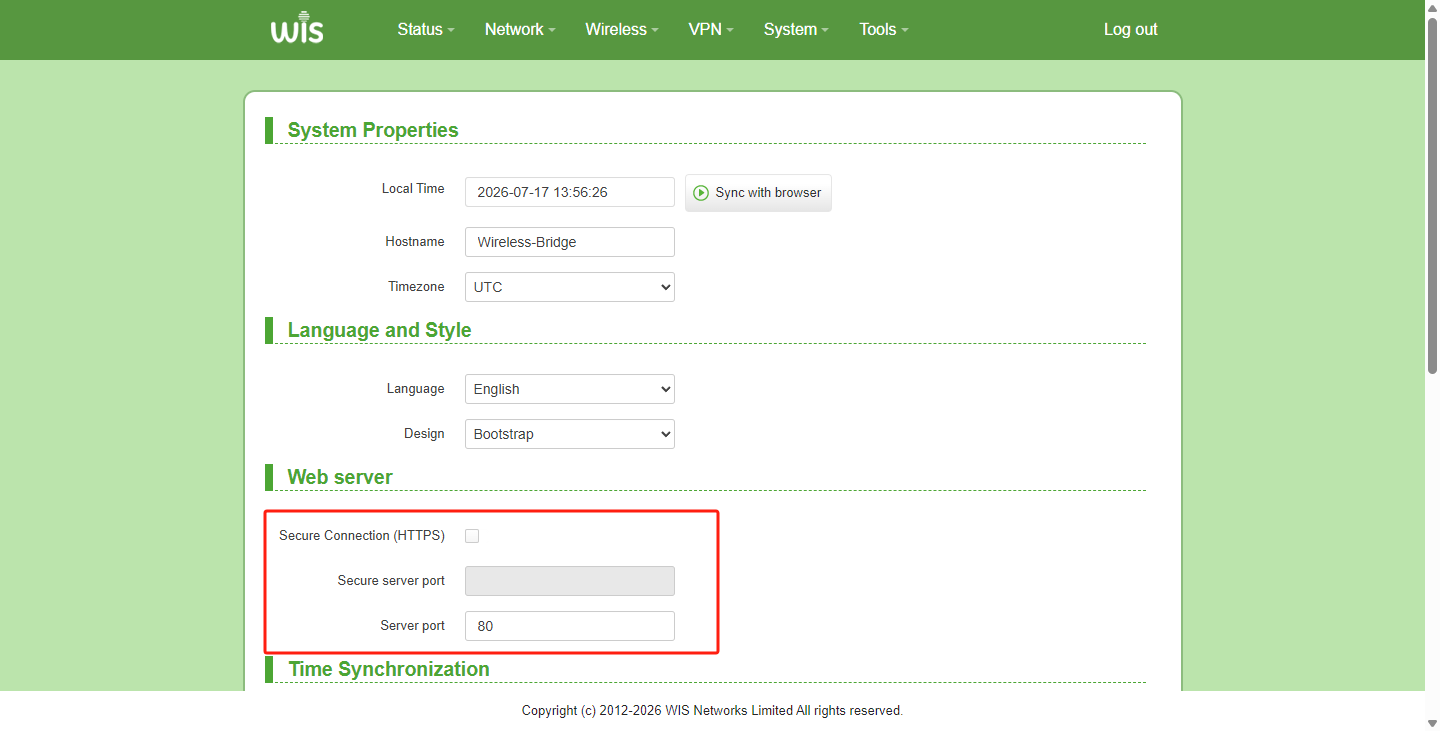
- Turn off HTTPS login, which will automatically switch to HTTP protocol login.
Previous
How to use antenna alignment
Next
How to enable Router mode
Last modified: 2026-09-08