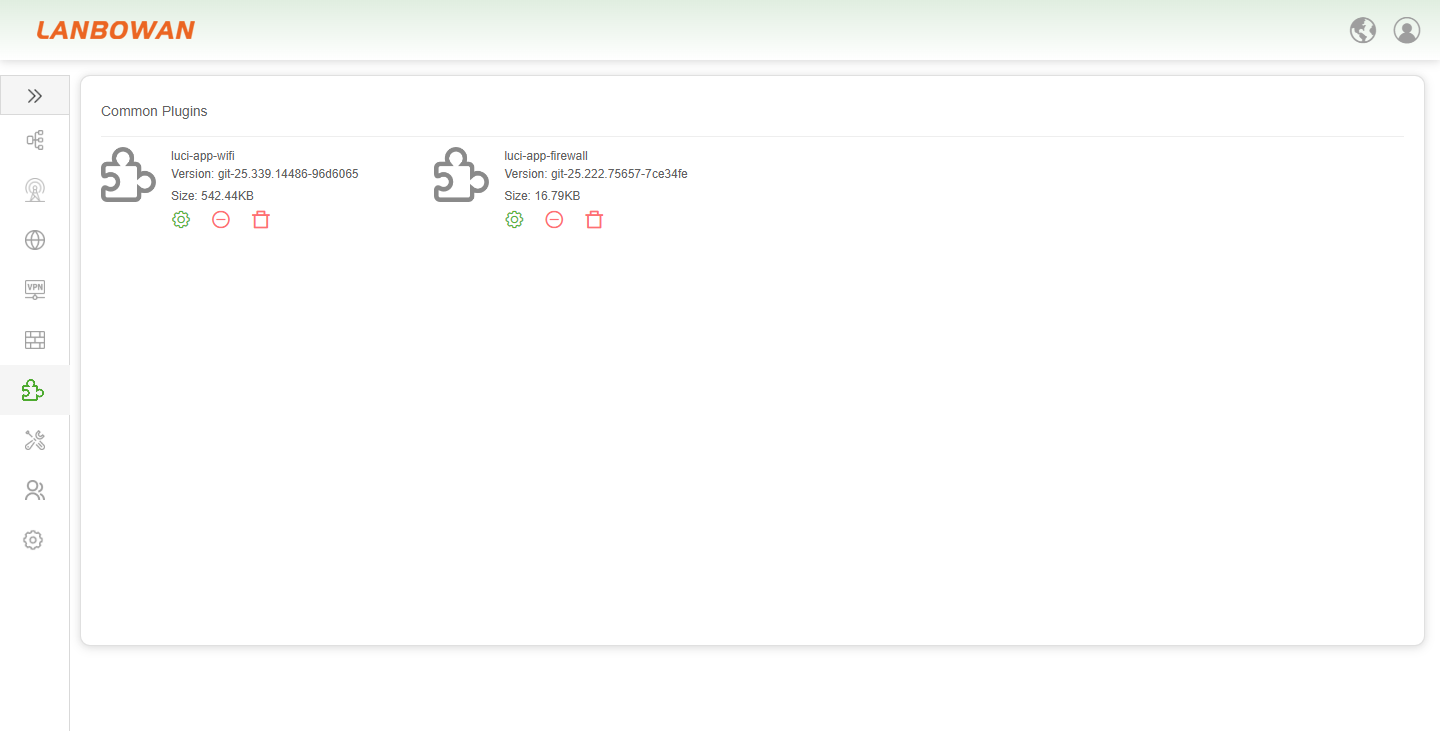
Plugins
Software Package
The Software Package management feature on the T830 provides administrators with an intuitive graphical interface to efficiently browse, search, and manage built-in or installed software components. It supports quick navigation via alphabetical indexing and displays detailed information such as package names, versions, and sizes. Additionally, it allows flexible configuration of software sources via "Manage Software Sources", synchronizing the latest list with the "Refresh" button, and directly performing installation or uninstallation actions on specified packages. This facilitates dynamic extension or optimization of system functions based on business requirements.
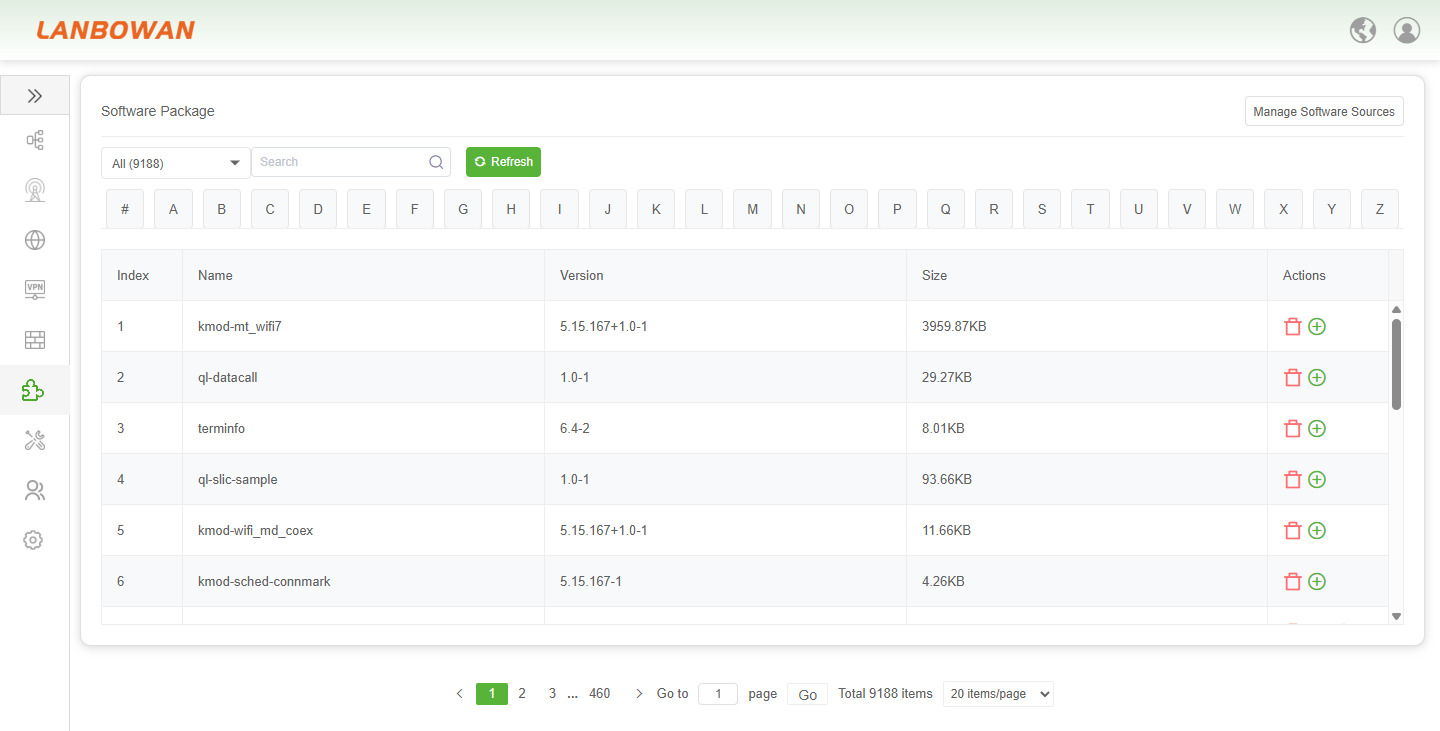
The Not Installed Software Package management interface on the T830 allows administrators to click the "Refresh" button to synchronize and update the software source directory in real time, accurately obtaining the list of available software that has not yet been downloaded or requires updates (such as various asterisk-app extension modules). Combined with alphabetical indexing, keyword search, and pagination features, administrators can quickly locate target components and install them locally with a one-click download operation. This enables flexible expansion of device business functions and convenient maintenance of system components.
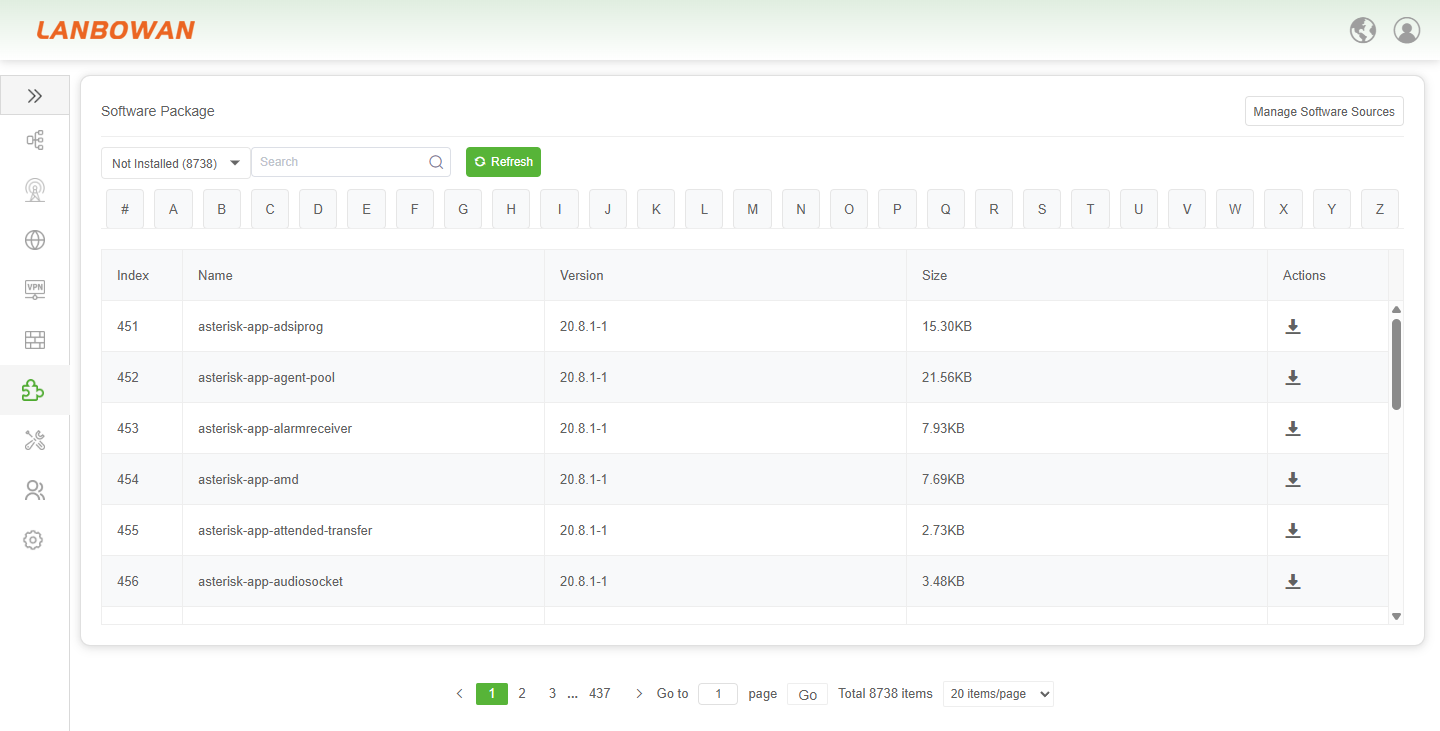
Parameter Description:
| Parameter | Description |
|---|---|
| Index | A unique sequential number assigned to each software package entry in the current list for easy reference and location. |
| Name | The unique identifier or package name of the software component (e.g., kernel module or application), which is used to distinguish different functional modules. |
| Version | The specific release version number of the software package, indicating its iteration cycle and update status to ensure the correct functionality of the system. |
| Size | The storage space occupied by the software package after installation, usually measured in KB, which helps administrators evaluate resource usage. |
| Actions | Operational buttons available for the specific software package, such as uninstalling (trash icon) or installing/additional operations (plus icon). |
Manage Software Sources
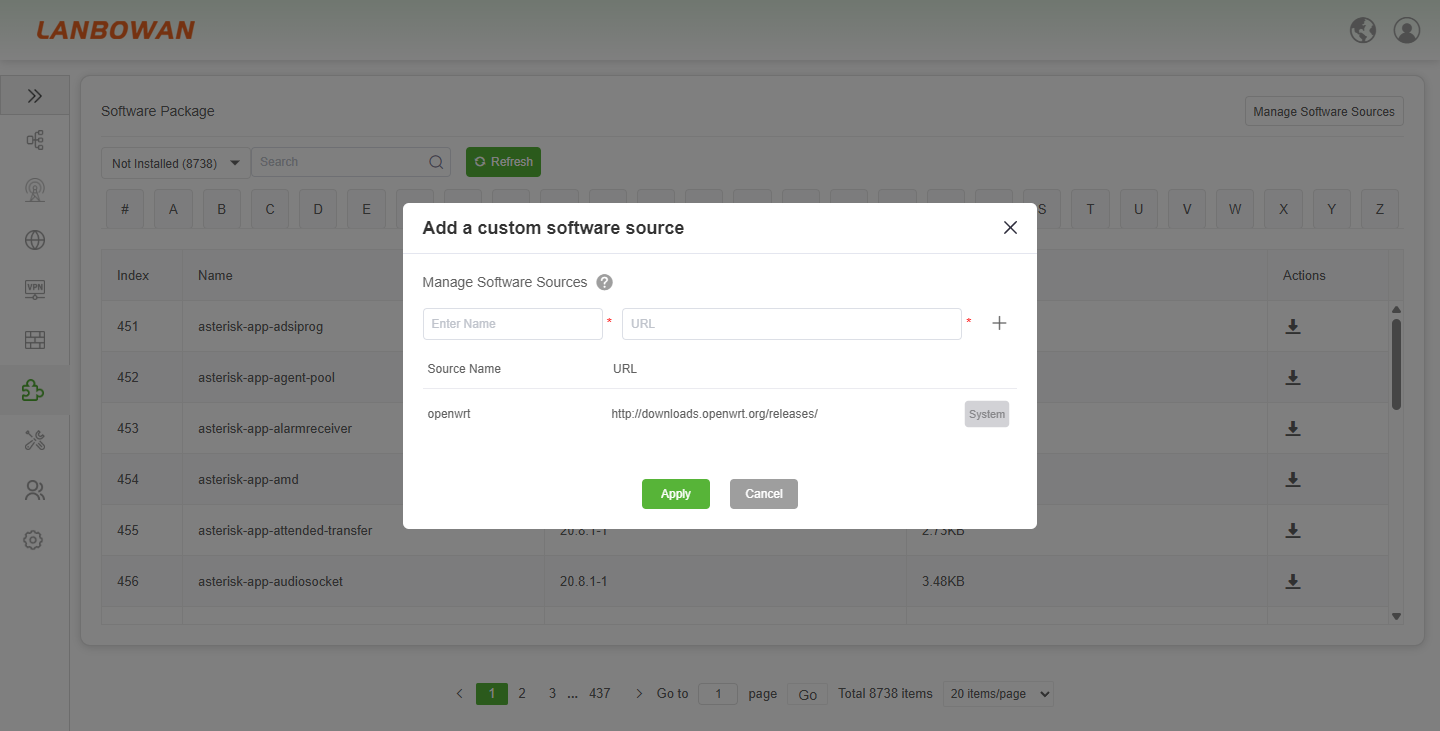
The "Add a Custom Software Source" feature on the T830 allows administrators to flexibly expand the device's application ecosystem within the software package management interface. It supports custom input of a new source name and the corresponding repository URL address via a pop-up window. Once applied, it can be combined with system default sources (such as the official OpenWrt source) to form an available software library. Coupled with the refresh operation, administrators can obtain and install more third-party or specific version software packages, thereby meeting personalized business function expansion and system customization requirements.
Common Plugins
The Common Plugins management feature on the T830 provides administrators with an intuitive graphical card-based interface to centrally display and manage core installed extensions (such as Wi-Fi and firewall control components). It clearly presents the version number and storage size of each plugin, and supports quick maintenance actions like configuring, disabling, or uninstalling via shortcut icons at the bottom. This empowers operators to efficiently customize and optimize the device's network functions and service performance.