
Search...
Menu
How to upgrade the firmware version of the wireless bridge?
- Access the device management IP address via a web browser. The default IP address is 192.168.1.2, and the default management password is admin.

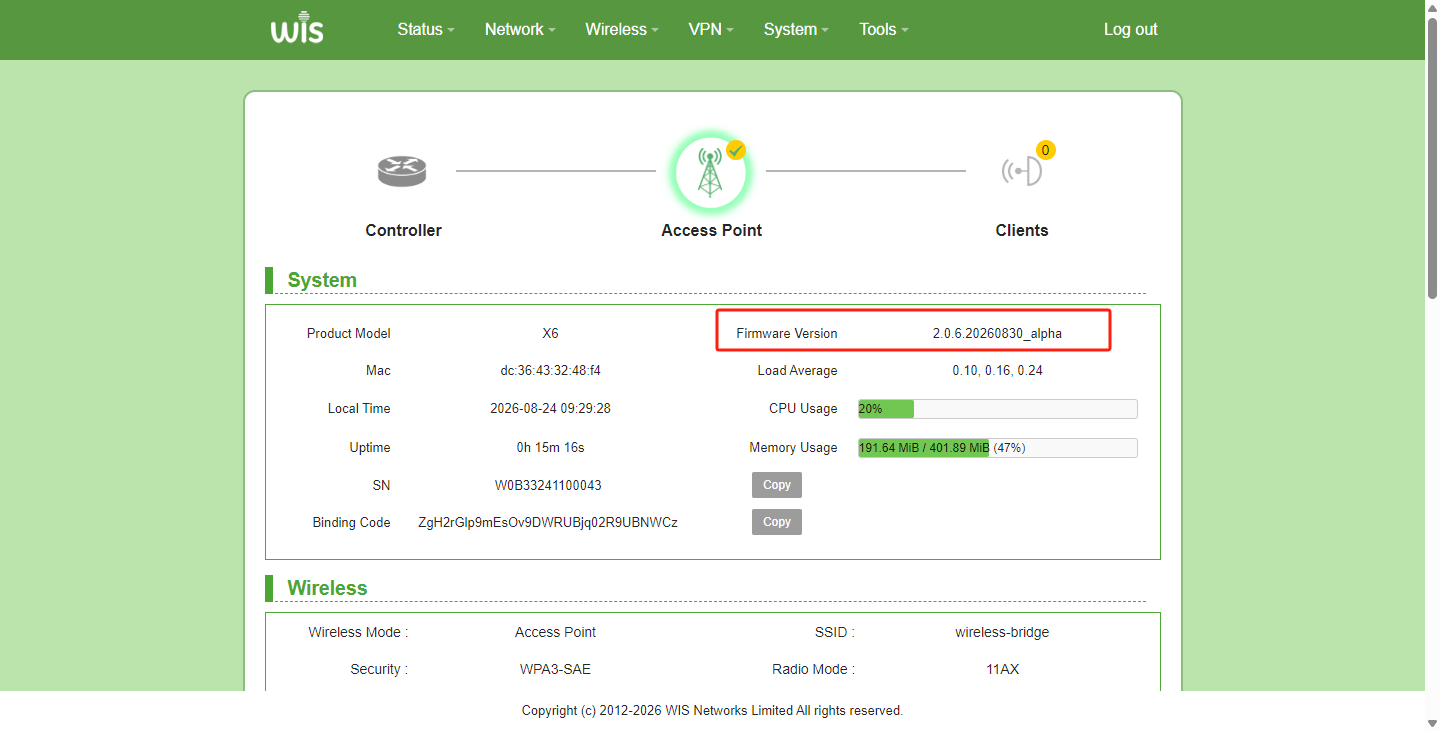
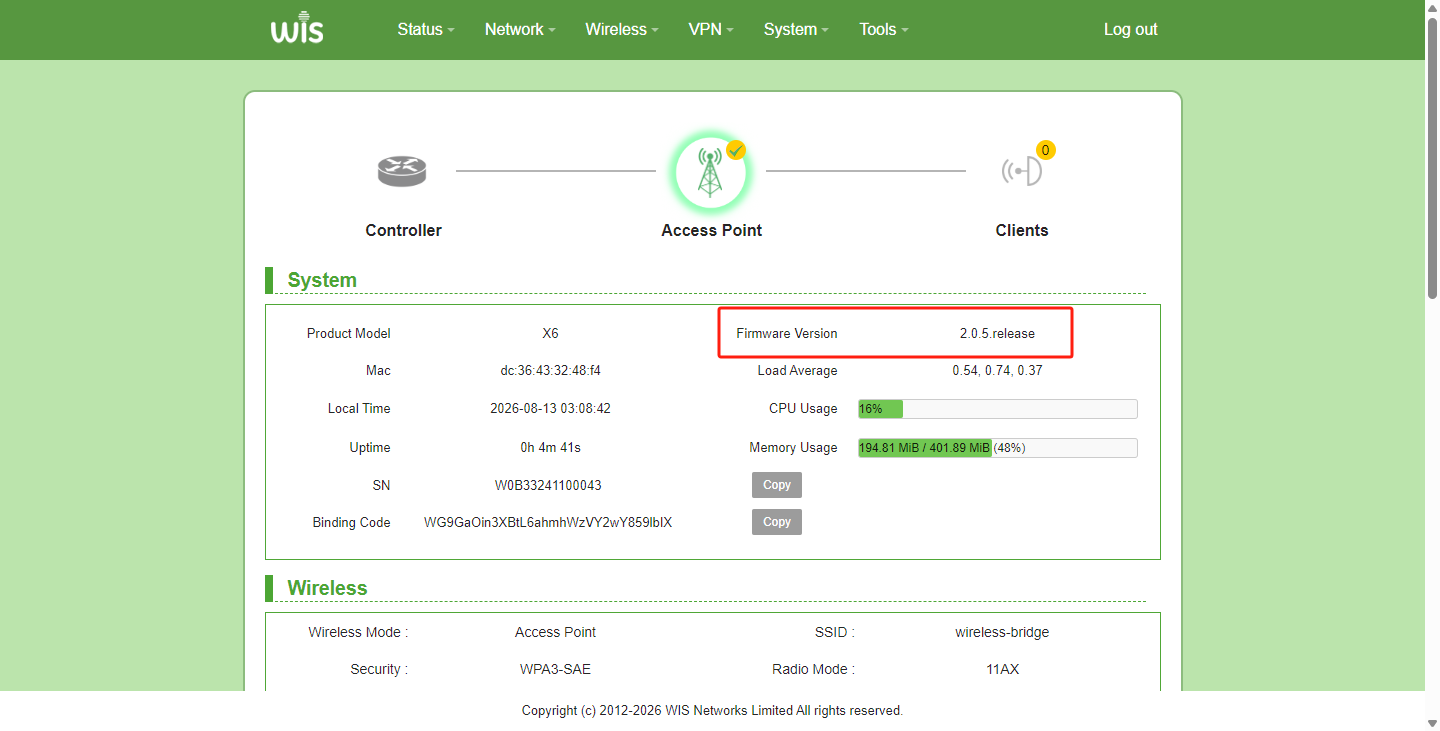
- Check the firmware version on the status homepage.
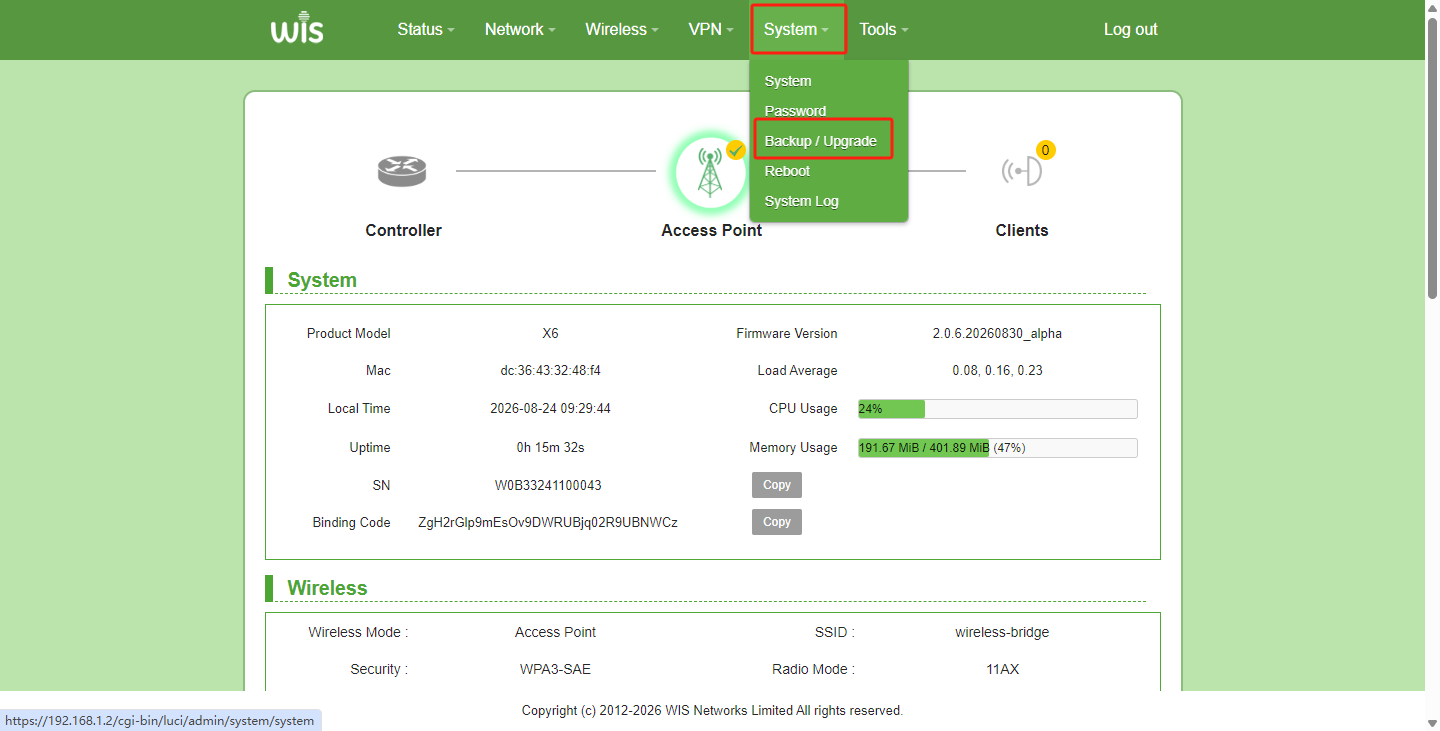
- Hover the mouse over the "System" menu and click "Backup/Upgrade".
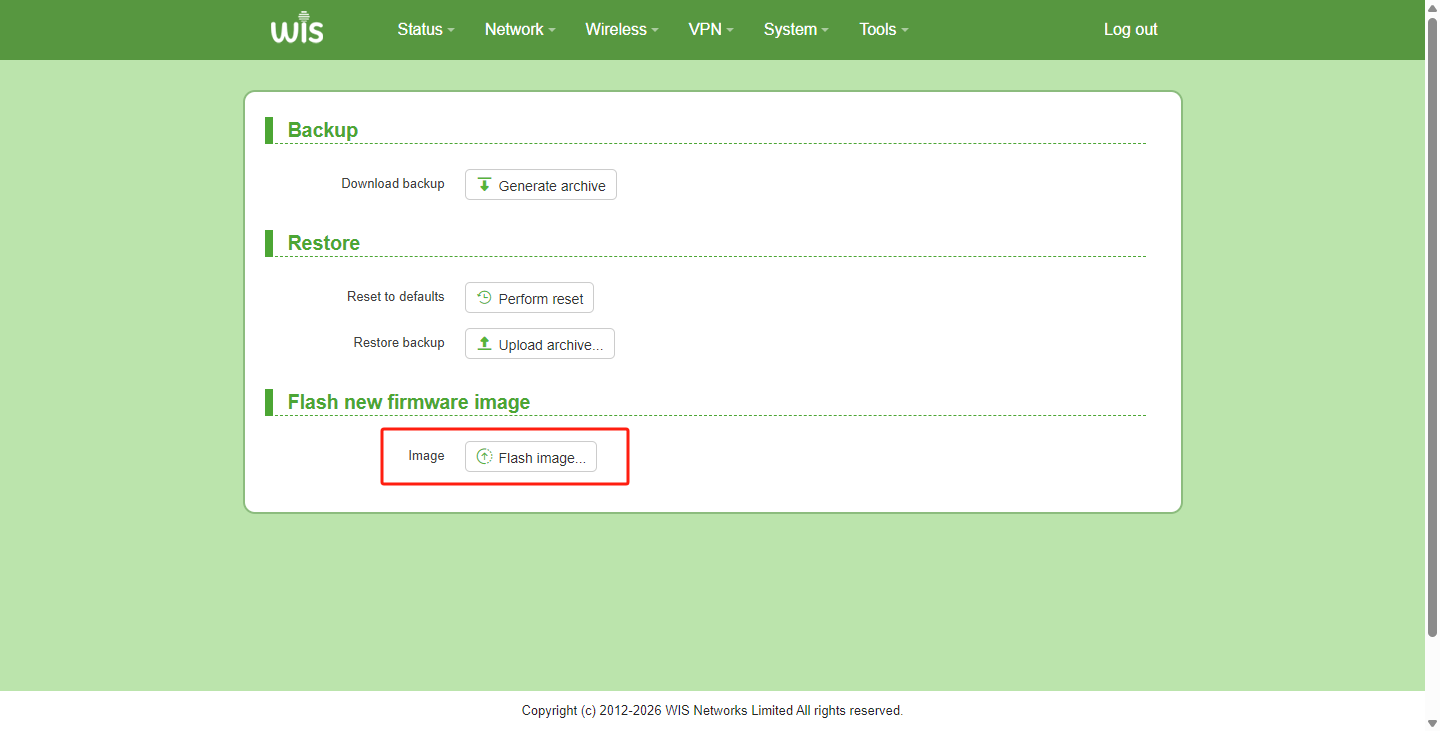
- Click the "Flash image..." button; the page will redirect to the firmware upload page.
- Click "Browse…" to select and upload the local firmware file.
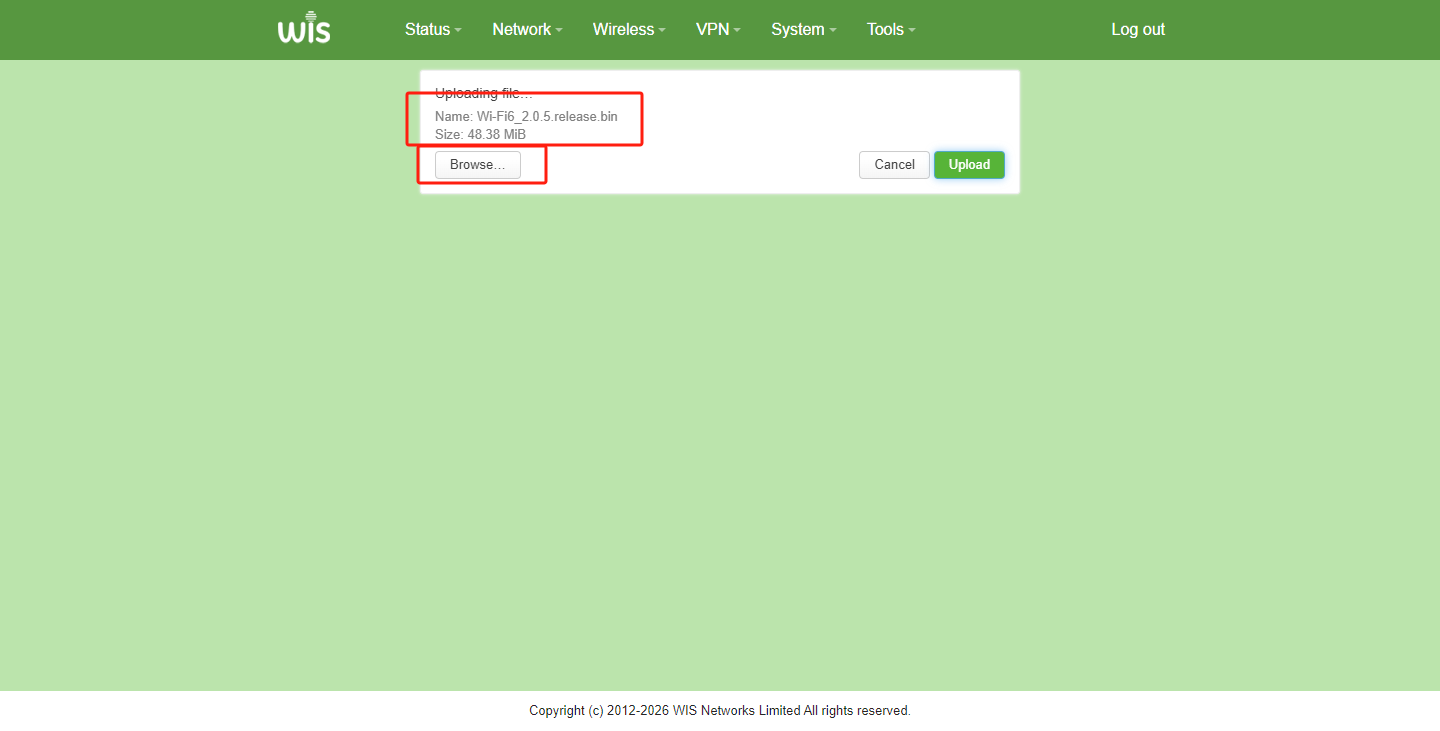
- Click "Upload" to transfer the firmware file to the device.

- Wait for the upload to complete.

- According to your needs, check the option to keep the current configuration, or leave it unchecked if you do not want to keep the configuration.

- Click "continue" to enter the upgrade process. Do not power off the device or perform any other operations during the upgrade, so as to avoid upgrade failures.

- After the upgrade is complete, log in to the management system again to verify whether the upgrade was successful.
Previous
ODU-BOAT how to enable dual SIM dual standby
Next
How many modes does a wireless bridge have?
Last modified: 2026-09-09