
Search...
Menu
How to perform spectrum scanning and select a clean channel.
- Access the device management IP address via a web browser. The default management IP of the bridge is 192.168.1.2, and the default administrator password is admin.

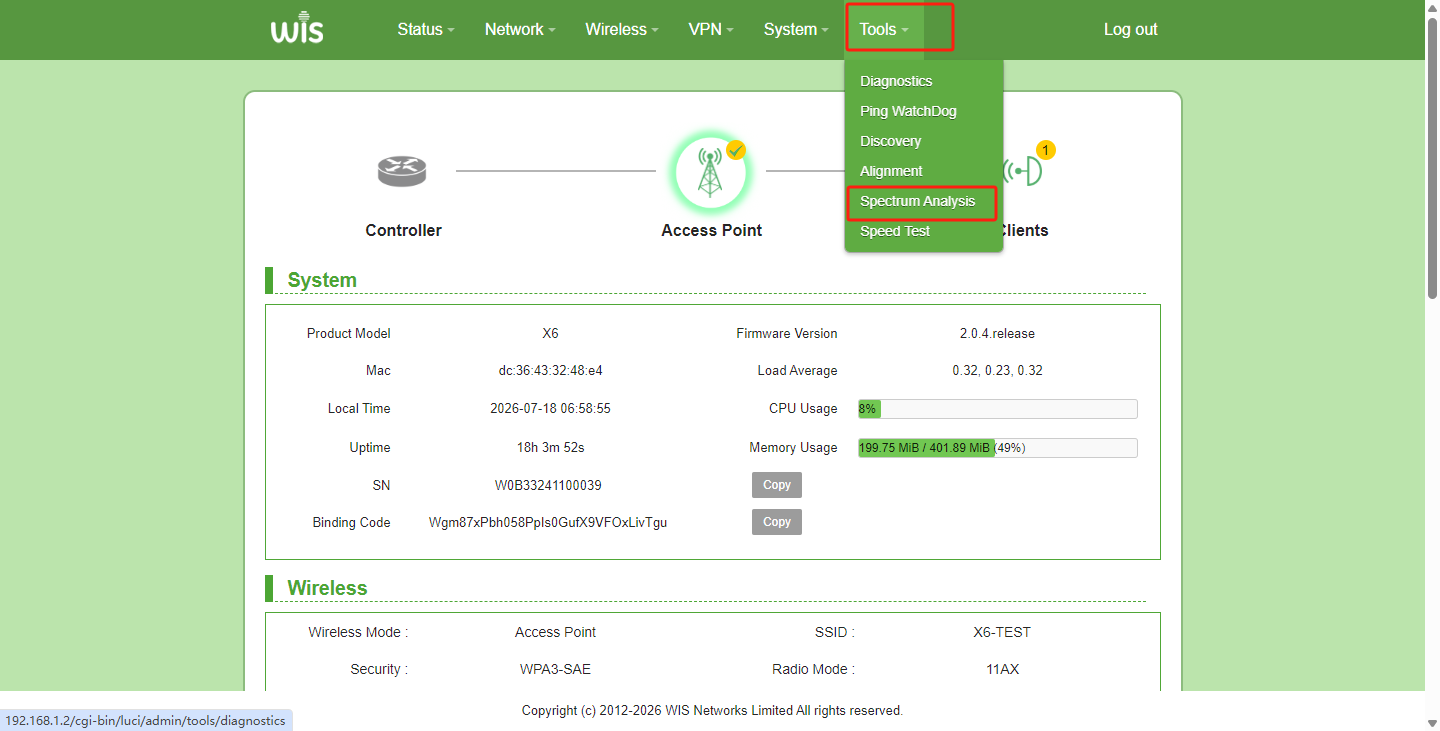
- Go to the Status page, hover over "Tools" in the top menu, and select and click "Spectrum Analysis".
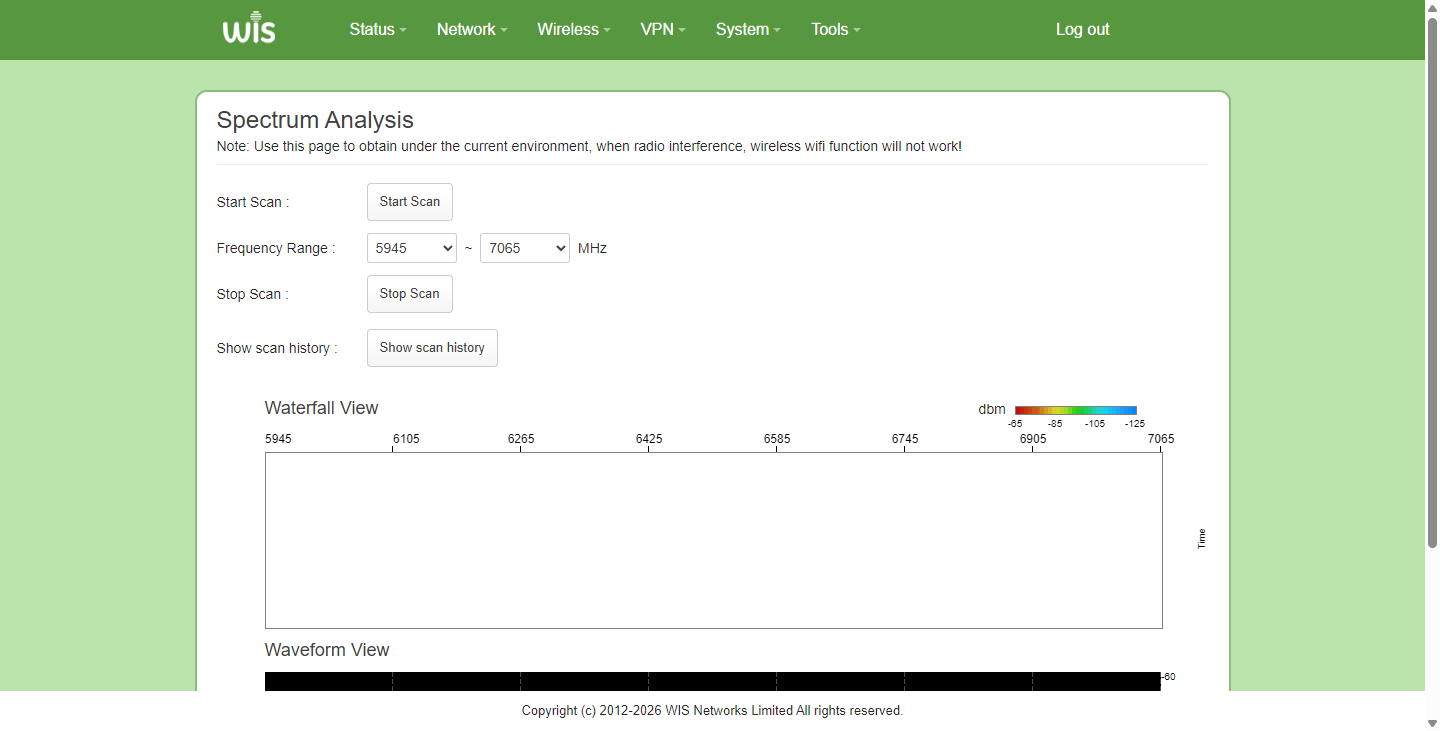
- Enter the spectrum scanning function page, select the frequency range, and click "Start Scan". The device will then enter the scanning state. The scanning process takes a bit long, so please wait.
Note: The spectrum scanning function is available only when the Wi-Fi mode is set to AP. In Client mode, the scan will show no data.
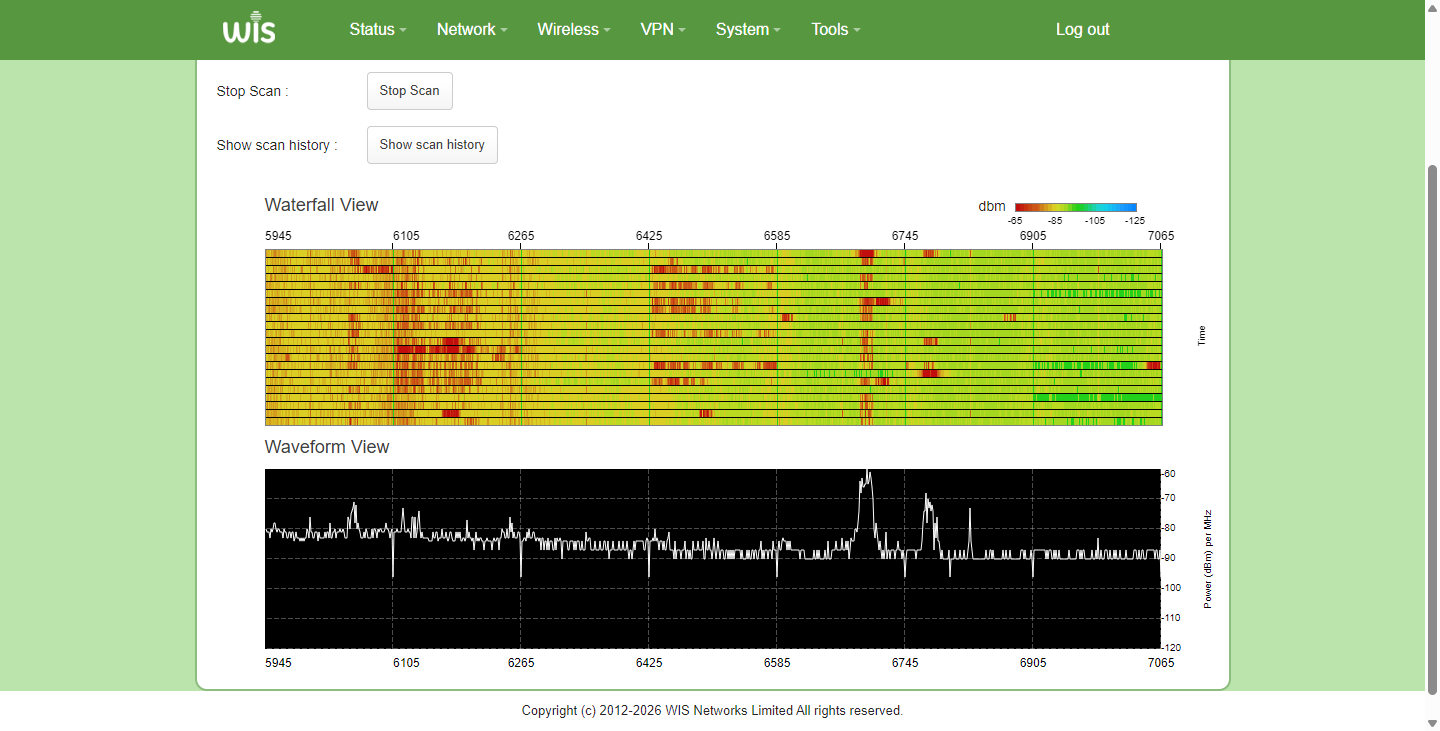
- Based on the cleanliness of each frequency, choose a frequency with less interference. In the graph, frequencies closer to red indicate higher interference, while frequencies closer to green or even blue indicate lower interference and can be used with confidence.
Previous
Key information on the status home page
Next
ODU-BOAT how to enable dual SIM dual standby
Last modified: 2026-09-09