
Overview
Device Details
Device Details displays the core operating parameters of the network management device, including the device model, name, software version, serial number, LAN IP, DHCP status, system time, and runtime, enabling administrators to quickly grasp the basic status and network configuration of the device.
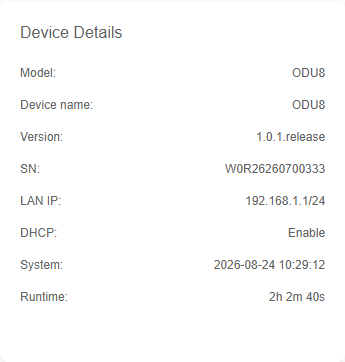
Parameter Description:
| Parameter | Description |
|---|---|
| Model | The specific hardware model of the 5G CPE device. |
| Device name | The user-defined or default hostname assigned to the device for identification. |
| Version | The current firmware or software release version running on the device. |
| SN | The unique serial number assigned to the device for warranty and identity verification. |
| LAN IP | The local area network IP address and subnet mask of the device's internal interface. |
| DHCP | Indicates whether the built-in DHCP server is enabled to assign IP addresses to LAN clients. |
| System | The current system date and time of the device. |
| Runtime | The total duration the device has been continuously powered on and operational since the last reboot. |
Cellular Details
The Cellular Details feature provides an intuitive display of the real-time status and core connection parameters of the mobile network currently accessed by the 5G CPE, including signal strength (RSRP), network mode, frequency band (Band), WAN IP address, and device IMEI, helping users quickly assess wireless link quality and network connectivity.
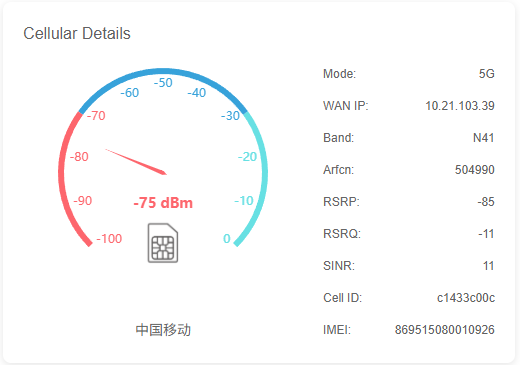
Parameter Description:
| Parameter | Description |
|---|---|
| Mode | The current cellular network standard that the device is connected to (e.g., 5G, 4G LTE). |
| WAN IP | The public or private IP address assigned to the device's cellular interface by the carrier network. |
| Band | The specific frequency band (e.g., N41, N78) currently used for the cellular connection. |
| ARFCN | Absolute Radio Frequency Channel Number, representing the exact frequency channel of the cell. |
| RSRP | Reference Signal Received Power, indicating the strength of the received signal from the base station. |
| RSRQ | Reference Signal Received Quality, indicating the quality of the received signal, factoring in noise and interference. |
| SINR | Signal-to-Interference-plus-Noise Ratio, measuring the clarity of the signal relative to interference and noise. |
| Cell ID | The unique identifier of the specific base station cell that the device is currently connected to. |
| IMEI | International Mobile Equipment Identity, the unique serial number of the 5G CPE hardware device. |
Total Space
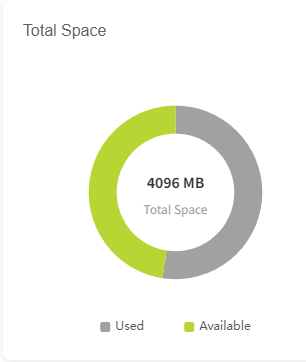
The Total Space feature provides an intuitive donut chart visualization of the 5G CPE's built-in storage usage, clearly displaying the capacity and percentage of Used and Available space. This helps administrators monitor real-time storage margins and manage device capacity by cleaning up logs or data when necessary.
Interface Status
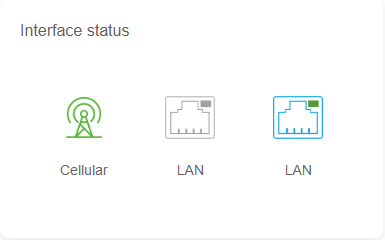
The Interface Status feature intuitively displays the real-time connection status, negotiated speed (e.g., 5G,2.5G), acquisition protocol (e.g., dynamic dial-up/static IP), along with core network parameters such as IP address, gateway, and DNS for each network interface (including cellular and LAN ports) via icons and hover tooltips. This enables administrators to quickly troubleshoot link connectivity and configuration anomalies.
Clients
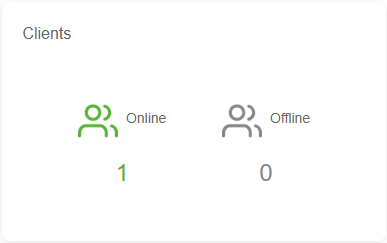
The Clients feature provides an intuitive categorized breakdown of Online and Offline client statuses, displaying the real-time count of terminal devices currently connected to the 5G CPE. This helps administrators quickly grasp device activity and network load within the local area network.
CPU Temp
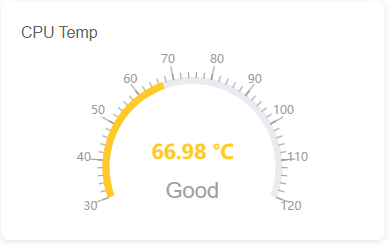
The CPU Temp feature, designed with an intuitive dashboard, displays the current temperature and operational status (e.g., Good, Warning) of the 5G CPE's processor in real time. It helps administrators monitor the thermal load of the core hardware at any time, preventing performance degradation or hardware damage caused by overheating, thus ensuring the stable operation of the device over extended periods.
Data Usage
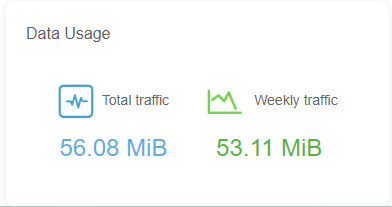
The Data Usage feature, presented through clear statistical cards, displays the total traffic and weekly traffic consumption of the 5G CPE in real time since activation. This helps administrators visually monitor network bandwidth usage trends, enabling timely traffic management and cost control.
Cellular Speeds
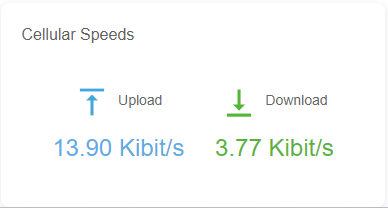
The Cellular Speeds feature, displayed with intuitive icons and real-time data, accurately presents the current Upload and Download rates of the T830. It helps administrators monitor the device's cellular network connection quality and actual bandwidth throughput performance at any time.
System Usage
The System Usage feature, displayed with clear icons and percentage data, shows the current CPU and RAM usage of the T830 in real time. It helps administrators intuitively monitor system load and hardware resource consumption for timely performance optimization and troubleshooting.