
Online Clients
Online Clients
The online clients feature provides real-time visibility into connected endpoints with MAC address, IP, application usage and online status, supporting search, refresh, remark editing, and detailed app time or access record views for network visibility and usage auditing.
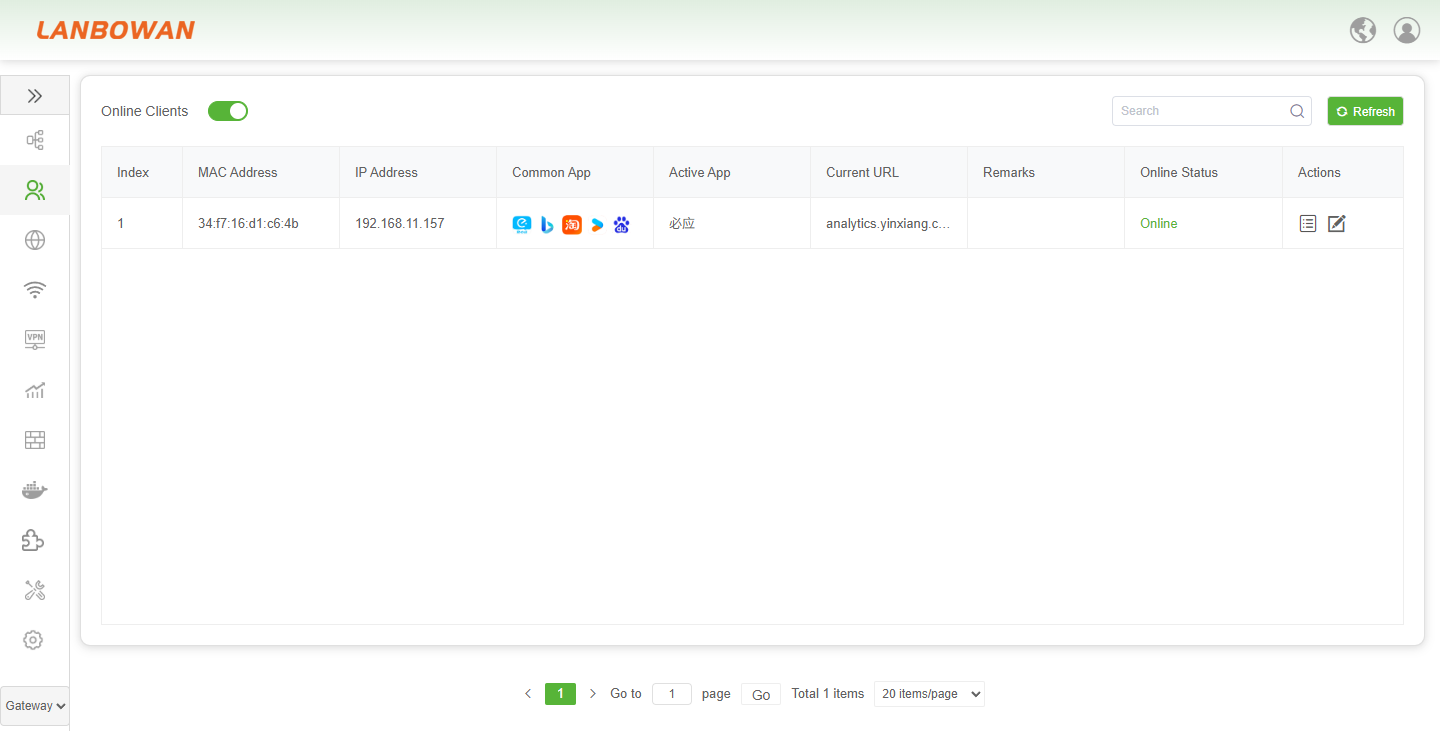
Parameter Description:
| Parameter | Description |
|---|---|
| Index | Sequential identifier assigned to each client entry in the list for ordered reference and management. |
| MAC Address | Hardware address that uniquely identifies the network interface of the connected endpoint. |
| IP Address | Logical network address currently assigned to the client for communication and routing. |
| Common App | Frequently or recently used applications detected on the client, shown as icons for quick recognition. |
| Active App | Application currently in active use or generating traffic on the client at the moment. |
| Current URL | Destination web address or service path the client is actively accessing. |
| Remarks | Custom editable note or label attached to the client for identification or administrative annotation. |
| Online Status | Current connectivity state of the client, indicating whether it is connected or disconnected. |
| Actions | Available operations for the entry, such as viewing details or editing client information. |
Device Details
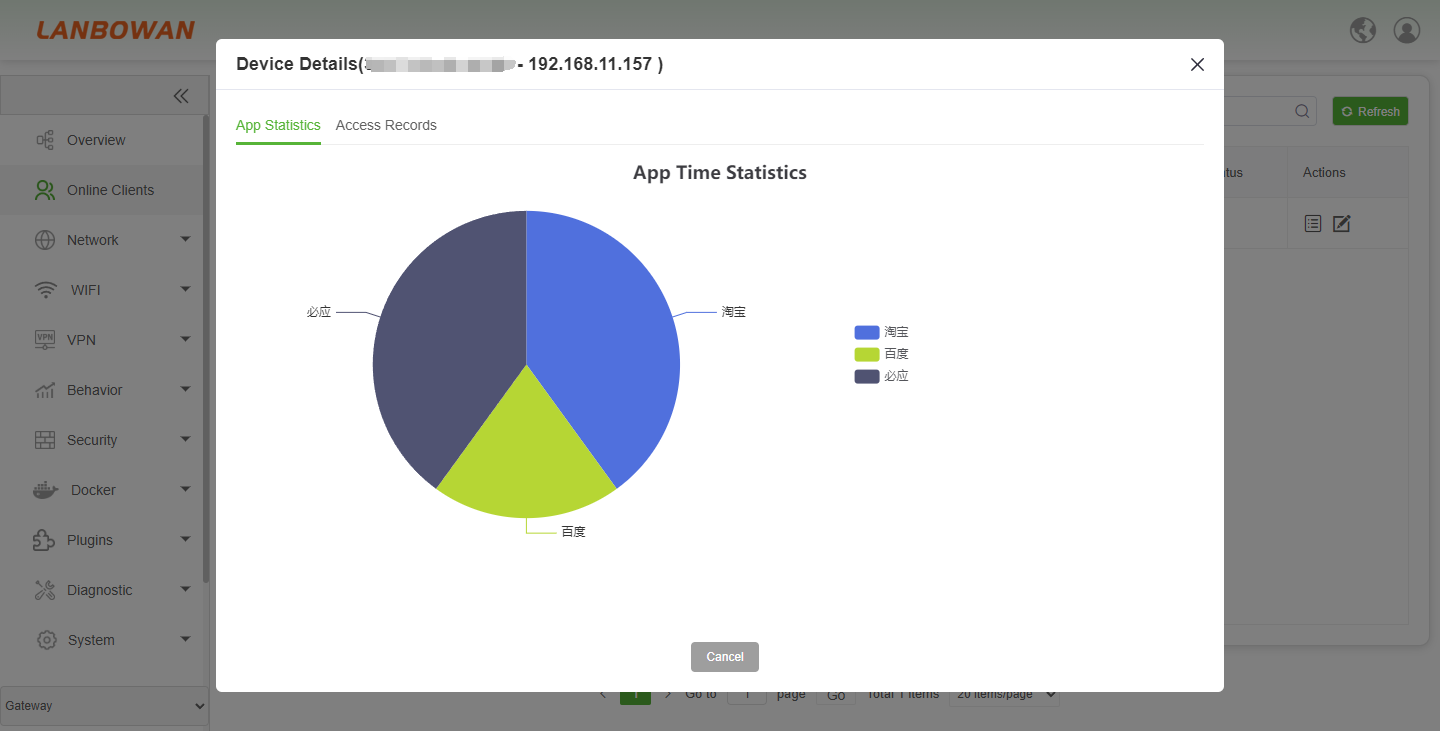
The app statistics feature presents application usage duration proportion and access records for a specified endpoint via charts and lists, helping view application behavior distribution, usage duration and filter status to assist network usage analysis and auditing.
The access records feature displays per-endpoint application access details including app name, start and last time, duration and filter status with pagination support, helping trace network usage behavior and auditing.
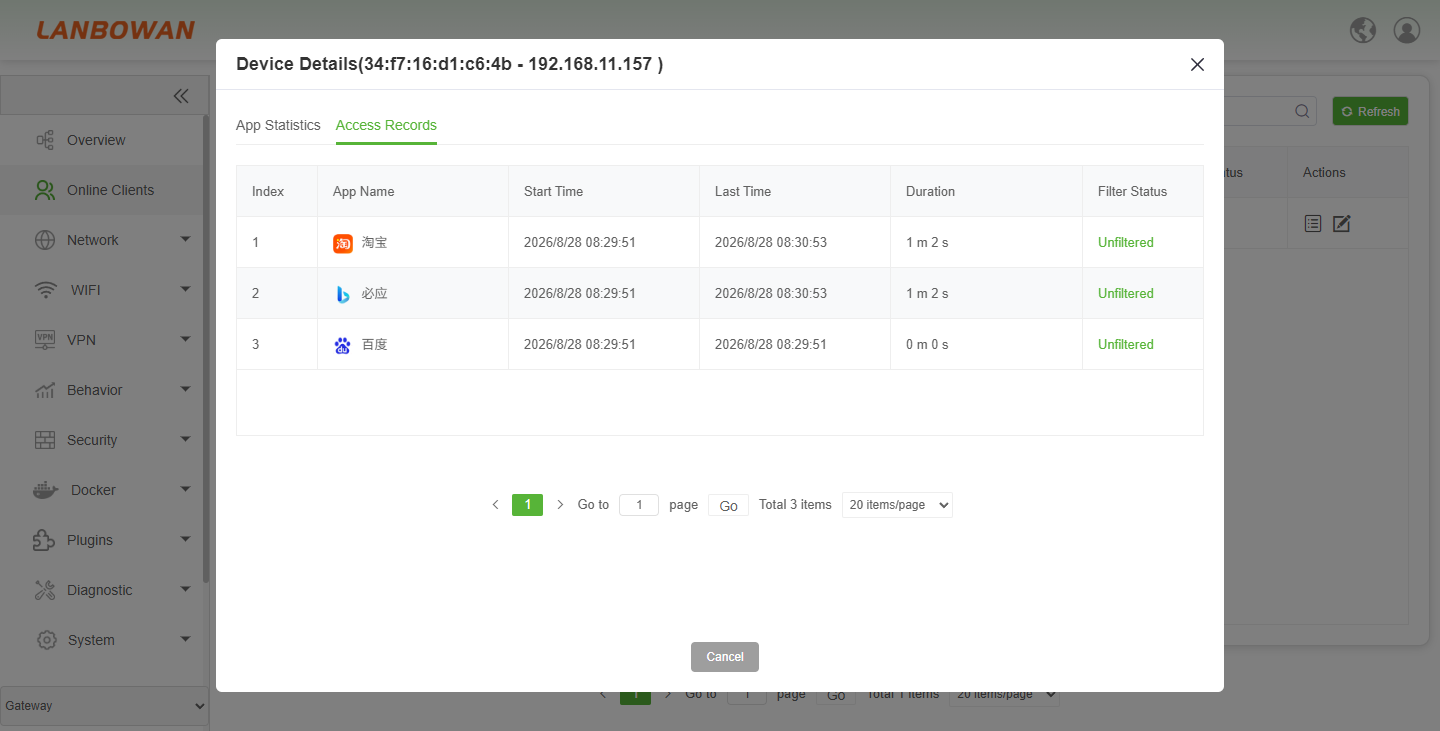
Parameter Description:
| Parameter | Description |
|---|---|
| Index | Sequential number assigned to each access record entry for ordered listing and reference. |
| App Name | Name or identity of the application detected during the client's network access. |
| Start Time | Timestamp when the application access session or activity began. |
| Last Time | Most recent timestamp when activity was recorded for this application session. |
| Duration | Length of time the application was actively used or maintained the connection. |
| Filter Status | Current policy state indicating whether the traffic is filtered, blocked, or allowed/unfiltered. |